











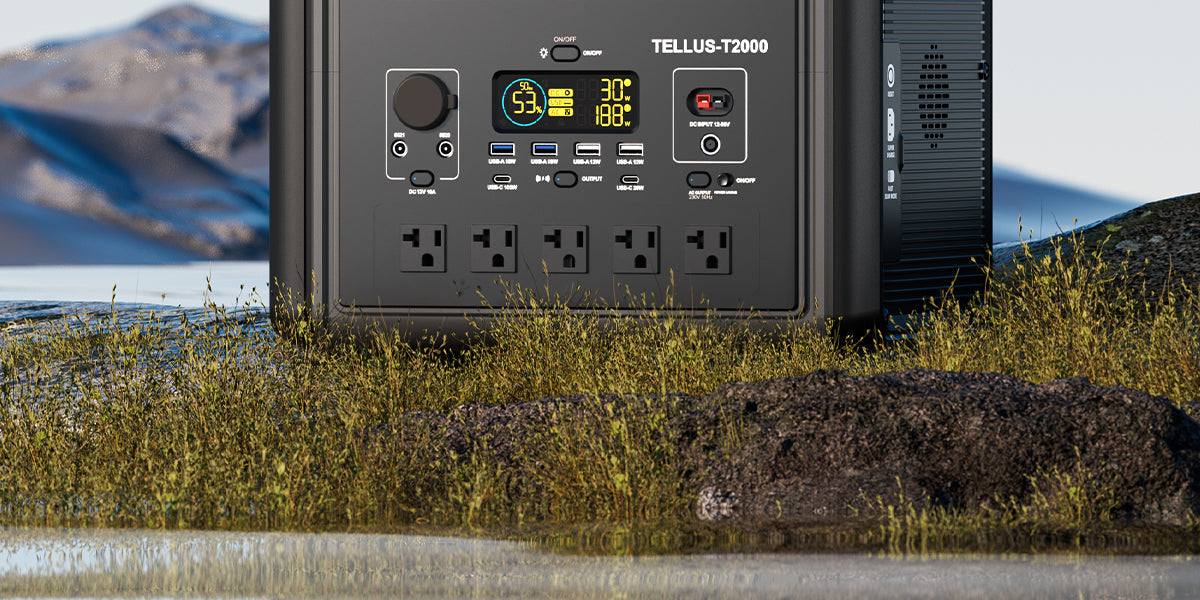
An outdoor language-class device table is easiest to plan when the instructor treats power as a label-reading exercise, not a guess. List each device, its power brick or charging label, the connector it needs, and where its cable will run. Then confirm that the venue permits the setup and that the equipment can stay dry and protected.
Start with the lesson, not the power station
Decide what must be powered for the lesson to work. A tablet used for prompts, a phone used for audio, and a small speaker may each have a different input path. Keep the table limited to essential devices, and use each device maker’s documentation as the final word on its power requirements.
- Write down the device and its job during class.
- Photograph or transcribe the label on the power brick or charging cable.
- Note whether the device uses USB-C, USB-A, AC, or another documented connector.
- Plan a route that keeps cables out of walkways and away from drinks or wet ground.
Make a one-device-at-a-time label check
Read the input label on the tablet, phone, speaker, or its original adapter. Match the connector type first, then compare the stated input information with the output information printed for the station. Do not substitute a plug, adapter, or cable merely because it fits physically. When the label, connector, or documentation is unclear, pause the setup and use the manufacturer-approved path instead.
Choose a compact-station checklist
| Question | What to confirm |
|---|---|
| Which devices are essential? | Only the tablet, phone, speaker, and other items needed for the lesson. |
| Which output path is documented? | The connector and power information on the device label or its original adapter. |
| Where will the station sit? | A stable, dry location with clear access and no cable trip path. |
| What does the site allow? | The school, park, or host’s written or stated rules for an outdoor device table. |
Use product specifications as a screening step
FlashFish E103 is documented with 179.2Wh capacity, a LiFePO4 battery, and 300W continuous pure-sine AC output. FlashFish TELLUS-T300Pro is documented with 230Wh capacity, a LiFePO4 battery, and 300W continuous pure-sine AC output. Those specifications can narrow a discussion, but they do not establish that a particular tablet, speaker, charger, or multi-device setup is suitable. Confirm the exact U.S. product version and every device label before connecting equipment.
Set up the table for a calmer class
Place the station where students will not touch it accidentally, keep cables short and visible, and avoid treating the station as furniture or a charging free-for-all. Assign one person to connect or disconnect equipment. If an unexpected device appears, add it only after repeating the label and connector check.
FAQ
Can I plan the table around a tablet, phone, and small speaker?
Yes, as a planning list. Confirm each item’s own input label, connector path, and documentation before use rather than assuming similar-looking chargers behave alike.
Should I use an AC outlet or USB output?
Use the path documented for that device or its original adapter. A physical fit alone is not enough to choose an output.
What if the outdoor location changes?
Repeat the site-permission, dry-location, and cable-routing check before class. A suitable indoor table plan may not suit a different outdoor setting.
Next step: Compare FlashFish E103 specifications with your equipment list.

Hinterlasse einen Kommentar
Diese Website ist durch hCaptcha geschützt und es gelten die allgemeinen Geschäftsbedingungen und Datenschutzbestimmungen von hCaptcha.