











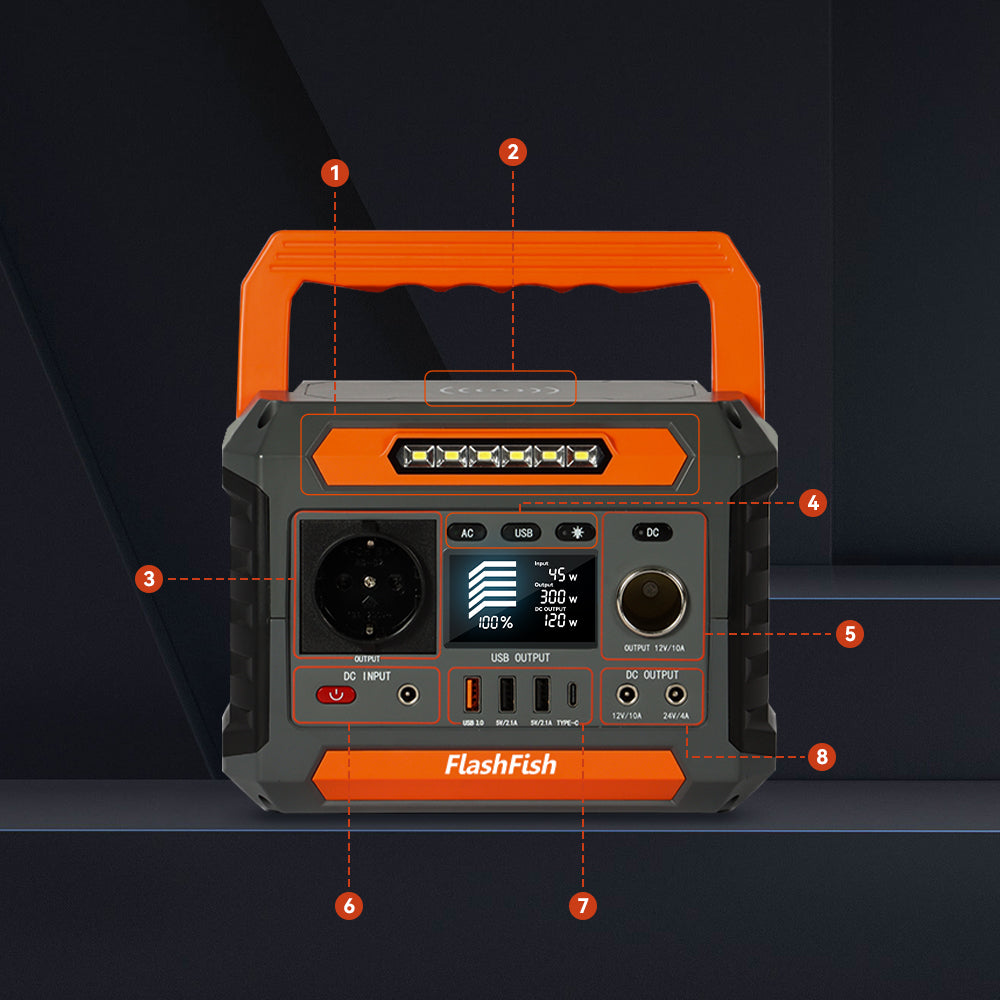
For a pop-up art show, a portable power station works best as a carefully checked option for a tablet, card-reader charger, label printer, and task light—not as a promise that every checkout setup will work. List the exact devices, read their labels and manuals, confirm the venue’s rules, and compare one planned connection at a time with the station documentation.
Quick answer
Start with the checkout items that matter most, then record each item’s stated input, power supply, connector, and cable. Keep the station secure and accessible, route cords out of walkways, and confirm what the host allows before the event. A station’s capacity and output rating are sizing references; they do not by themselves prove device compatibility or operating time.
Build a checkout-first equipment list
| Item | What to verify | Planning decision |
|---|---|---|
| Tablet | Its approved charger or power supply, connector, and label | Include only after its connection path is documented. |
| Card reader | Manufacturer charging instructions and any required network setup | Keep payment processing separate from the power decision. |
| Label printer | Its power label, adapter, and start-up requirements | Do not assume it behaves like a phone charger. |
| Task light | Power supply, placement, and cable route | Use a stable location that does not crowd the display or aisle. |
Match labels before adding loads together
Write down the stated requirements for every device and accessory, including chargers, adapters, and replacement cables. Check the station’s documented output options and continuous limits against those exact records. Avoid treating a device category as a compatibility claim, and do not turn a wattage comparison into a runtime prediction. If a printer, payment device, or light has special setup instructions, those instructions control.
Use FlashFish documentation as a product-fit reference
The FlashFish E103 is documented with 179.2Wh of capacity, LiFePO4 battery chemistry, and a 300W continuous pure-sine AC output. The FlashFish TELLUS-T300Pro is documented with 230Wh of capacity, LiFePO4 battery chemistry, and a 300W continuous pure-sine AC output. Those figures can help organize a label-first comparison for low-draw checkout accessories, but they do not establish an approved combination, a device recommendation, or a length of use.
Set up the table for people as well as equipment
Ask the organizer where power equipment may be placed and whether extension cords, outdoor setups, or a backup checkout area have additional requirements. Put the station on a stable, dry surface where staff can reach it without crossing the customer path. Keep cables short where practical, protect them from foot traffic, and stop the setup if a cable route, device connection, or venue condition is uncertain.
Pop-up checkout checklist
- Identify the minimum checkout and display-lighting equipment.
- Record every device label, power supply, cable, and connector.
- Compare each planned connection with the station documentation.
- Confirm the venue’s current placement and cable rules.
- Set up a stable table location with a clear customer path.
Related pop-up event power guides
Use these current FlashFish pages and guides to continue your comparison:
- Browse current portable power stations
- Plan portable power for a vendor booth
- Use the farmers-market booth power checklist
FAQ
Can one portable power station run my whole art-show checkout table?
Do not assume so. Check each item and its power supply, then compare the documented requirements and connection path before use.
Should I power the card reader from the station?
Only after following the card-reader manufacturer’s charging instructions and verifying the exact charger or cable.
What should I ask the venue?
Ask about approved equipment placement, cable routing, outdoor conditions, and any event-specific electrical rules.


Hinterlasse einen Kommentar
Diese Website ist durch hCaptcha geschützt und es gelten die allgemeinen Geschäftsbedingungen und Datenschutzbestimmungen von hCaptcha.