











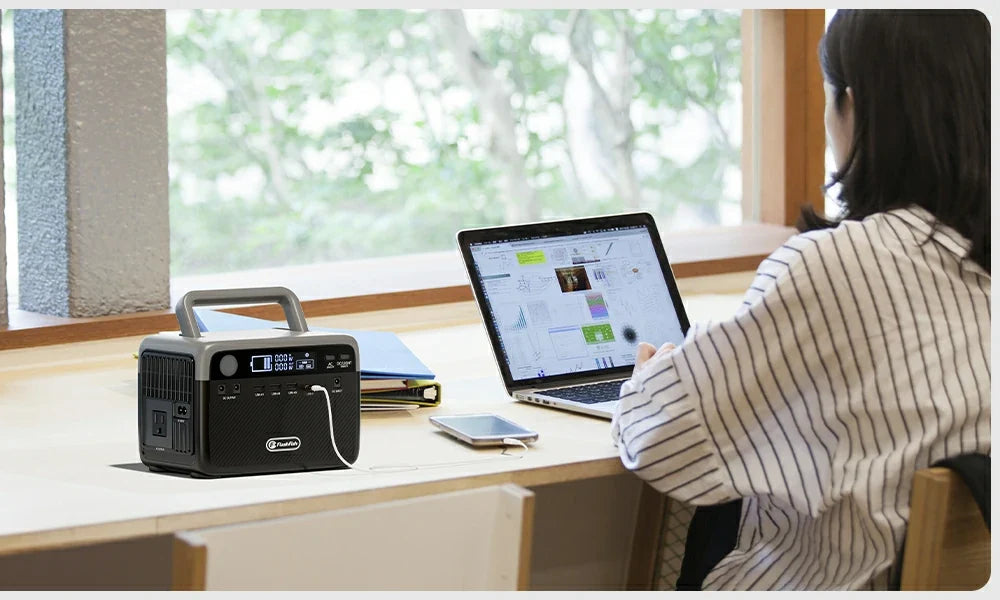
Yes. One portable power station can run a router and laptop together when their combined documented watts stay below the station's continuous-output limit, the available outlets or USB ports match the devices, and the battery capacity fits the time you need. Check those points before an outage; do not rely on a generic runtime chart.
Start with the two power labels
Find the input rating on the router's power adapter and the laptop charger. Write down the watts, or calculate watts only when the label clearly gives volts and amps. If your internet setup includes a modem, fiber terminal, mesh node, or external antenna, add it too. A laptop charger's printed maximum is not always its current draw, so a pre-outage test with your usual work setup is the best way to refine the plan.
Check the station in this order
| Check | Why it matters |
|---|---|
| Combined continuous watts | The total must remain below the station's continuous output rating. Do not size from a surge figure. |
| Outlet and port match | Confirm you have the correct AC outlet or USB-C connection and use the device maker's approved cable or adapter. |
| Battery capacity | Watt-hours help estimate the energy available, but conversion losses and changing laptop demand mean actual runtime varies. |
| Work sensitivity | A portable power station is not automatically a no-interruption UPS. Save work often and understand the station's transfer behavior before depending on it. |
Two FlashFish fit examples
The FlashFish E103 records 179.2Wh capacity, 300W continuous pure-sine AC output, one AC outlet, a USB-C output rated up to 60W, and two USB-A outputs. Its manual also records pass-through charging support. For U.S. use, verify the socket and voltage variant on the actual product before purchase or setup.
The FlashFish T300Pro records 230Wh capacity, 300W continuous pure-sine AC output, two AC outlets, and USB-C outputs rated up to 100W and 30W. Its manual describes an EPS emergency-backup function with approximately 20 ms switching and explicitly distinguishes it from a professional UPS. That distinction matters for equipment that cannot tolerate a brief interruption.
How to make a realistic runtime estimate
Start with the battery capacity in watt-hours, then compare it with the combined load you measured or documented. Keep the result conservative: energy conversion, a laptop's changing workload, screen brightness, network equipment, and battery condition all affect actual run time. Run a supervised test before you need it, and record the station's displayed input/output information if available.
Do not confuse the number on a laptop charger with a promise of constant use at that wattage. Likewise, do not assume a 300W station can provide 300W for a specific number of hours. Output capability and stored energy answer different questions.
Connection choices
- If your laptop supports USB-C charging and the charger documentation permits it, a compatible USB-C output may reduce the need for an AC adapter. Confirm wattage and protocol compatibility first.
- Use AC when the device requires its AC adapter, while keeping the total AC load within the station's continuous rating.
- Keep the router's original power adapter with the plan unless its manufacturer documents a compatible alternative.
- Do not modify cables, bypass protections, or connect the station to household wiring.
Before the next outage
- Charge the station and inspect its manual.
- Test the router, laptop, and any required modem together in a safe, dry location.
- Confirm the total stays comfortably within the output limit.
- Save a short list of essential accounts, phone numbers, and offline work files in case the internet service itself is unavailable.
Related router and laptop backup guides
Use these current FlashFish pages and guides to continue your comparison:
- Compare current portable power stations
- Build a home-office outage plan
- Review an apartment router, laptop, and light plan
FAQ
Will a power station keep my Wi-Fi working?
It can power compatible local equipment within its limits, but it cannot guarantee that your internet provider, building network equipment, or cellular service will remain available during an outage.
Is pure sine wave output enough to protect my laptop?
Output waveform is only one compatibility factor. Check the laptop charger documentation, connector and wattage needs, and the power station's continuous-output limit. Use normal data-saving practices.
Can I recharge the power station while using it?
The E103 manual records pass-through charging support. For any specific setup, follow the applicable product manual and charging-source instructions, and do not assume that every model or connection behaves the same way.

Hinterlasse einen Kommentar
Diese Website ist durch hCaptcha geschützt und es gelten die allgemeinen Geschäftsbedingungen und Datenschutzbestimmungen von hCaptcha.