











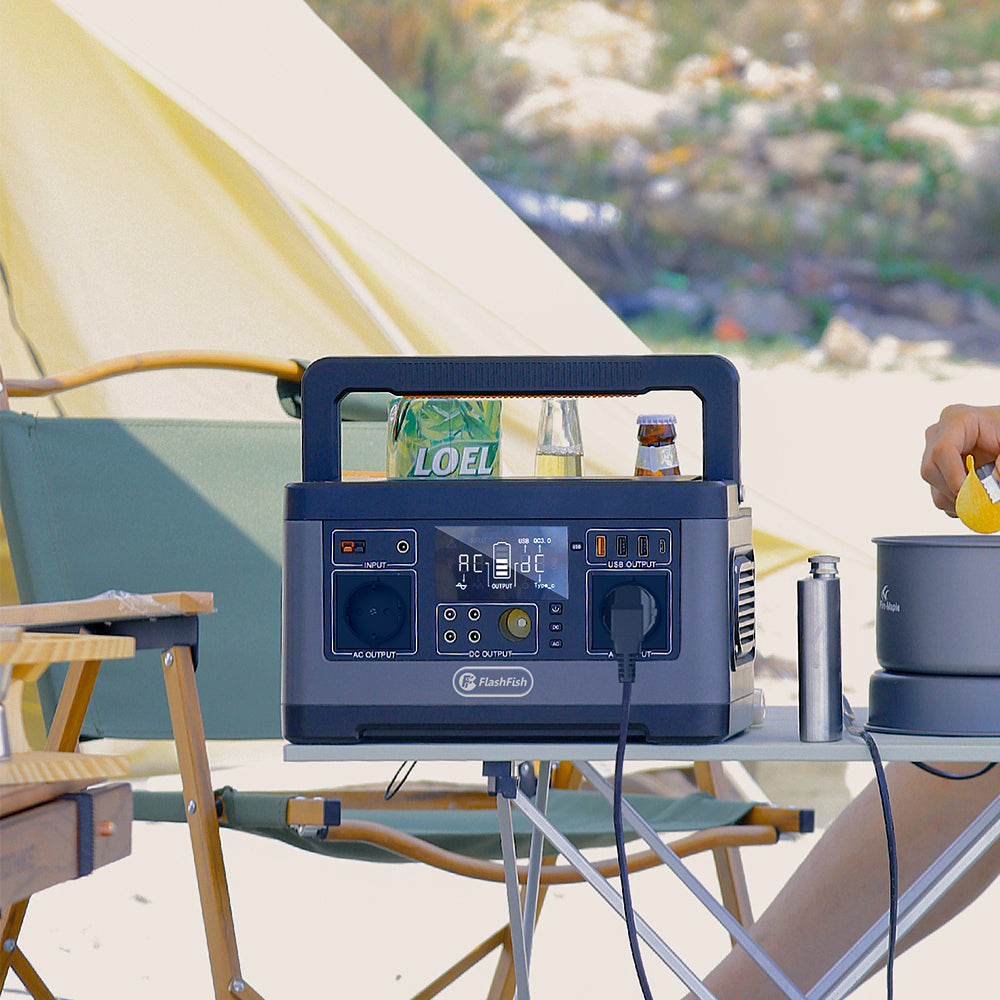
To check whether leaving AC enabled affects a USB-only setup, compare repeated, matched runs with AC disabled and enabled, using only settings permitted by the exact station manual. Keep the USB task, duration, starting conditions, and measurement location consistent. A USB meter measures energy crossing its location; it cannot measure an unused inverter's battery-side consumption. Battery-percentage changes can reveal a pattern, but they do not establish inverter watts or usable watt-hours.
For a camper charging a phone or powering a documented USB light, the practical question is whether an unused output setting changes the observed budget enough to matter. You do not need to turn that question into a claimed efficiency rating. You do need a comparison that separates the setting from changes in the device's work.
Check that the comparison is supported before starting
Use the original instructions for your exact station and market variant to confirm that USB operation with AC disabled, and USB operation with AC enabled but unused, are supported. This guide does not establish that permission for every FlashFish model. If the instructions do not resolve the setting, ask for clarification before attempting the comparison.
Keep the exercise attended and limited to non-critical equipment. Follow the station, device, cable, and meter instructions for operation and any stop conditions. Do not change wiring, bypass protections, or attach equipment just to create an AC load: that would answer a different question.
Define what each observation can tell you
Write the path as station USB output, documented inline meter if supported, cable, and device. The meter reading belongs to that location in that path. Energy consumed elsewhere in the station does not pass through it. Conversely, a meter at a different location could include different cable losses. Keep placement identical throughout the comparison.
Record the station's starting and ending displayed charge level as a separate observation. The calibration, resolution, and update behavior needed to convert a percentage-point drop into battery-side Wh remain undocumented here for these models. Multiplying that drop by nameplate capacity would introduce an unverified assumption.
Build a matched pair, then repeat it
- Define one repeatable task. Specify the device, cable, port, brightness or workload, and fixed observation duration. If the task is charging a phone, record its starting charge level and charging settings too.
- Record starting conditions. Use comparable preparation and rest conditions according to the manuals. The same displayed percentage alone does not establish identical stored energy.
- Run the AC-disabled condition. Record the permitted setting, external energy reading, station display trend, interruptions, and whether the device completed the task.
- Prepare again and run AC enabled. Keep the task and other settings consistent. Avoid adding charging input to either run; input would introduce another energy flow.
- Repeat in reversed order. Compare several pairs so that a later run, warmer device, or changing phone workload does not always coincide with one setting.
If the meter changes the charging mode or the device behaves differently, stop treating the pair as matched. Verify the documented path and repeat only after the difference is understood. A phone approaching full charge can also change its demand; equal duration does not guarantee equal device work.
A worksheet for the comparison
| Run | Supported AC setting | Device task | Duration | External energy | Station trend | Confounders |
|---|---|---|---|---|---|---|
| A1 | Disabled | Exact device, port, and workload | Record | Wh and meter location | Start/end display | Interruptions and conditions |
| B1 | Enabled, unused | Same intended task | Same intended interval | Same meter and location | Start/end display | Any task or condition change |
| B2 / A2 | Reversed order | Repeat matched task | Record | Record each separately | Record each separately | Repeat variability |
Three ways a result can change your decision
Hypothetical example 1: a repeatable display difference. In matched pairs, the disabled condition drops 4–5 percentage points and the enabled condition drops 7–8, while USB-meter readings and completed tasks are similar. That is a reason to favor the permitted disabled setting for this USB-only routine. It is not evidence of a particular inverter wattage or guaranteed runtime gain.
Hypothetical example 2: overlapping observations. Disabled runs drop 4–6 points and enabled runs drop 5–7. The overlap leaves the size and repeatability of any effect unresolved. Record “inconclusive at this measurement resolution” instead of assigning the one-point difference to AC overhead.
Hypothetical example 3: unequal device work. One condition supplies 8 Wh at the USB meter and the other supplies 11 Wh because the phone starts at a different charge level. The pair cannot isolate the AC setting. Fix the task before interpreting the station trend.
Where FlashFish T200 and T300Pro fit
FlashFish T200 (TELLUS-T200) is specified at 153.6 Wh, with USB-C outputs listed up to 60 W and 18 W. FlashFish T300Pro (TELLUS-T300Pro) is specified at 230 Wh, with USB-C outputs listed up to 100 W and 30 W. These port ceilings help identify a candidate output path; they are not measured consumption, combined-output promises, or proof of meter compatibility.
Choose the exact documented USB port and verify the device and cable requirements first. Neither capacity nor AC output rating answers the unused-output question. Exact control behavior and original manual permission remain prerequisites for a model-specific comparison.
Frequently asked questions
Does an unused AC outlet necessarily waste a measurable amount?
This article provides no model-specific measurement establishing an amount. Your observations may support a practical setting choice, but an exact consumption claim needs suitable battery-side evidence and uncertainty assessment.
Can a USB meter show the energy used by the AC circuitry?
It only measures energy crossing its own location. It cannot directly capture consumption elsewhere inside the station.
Should I buy a larger station based on a percentage difference?
First check whether the intended task succeeds with the documented output setting and whether repeated observations support your budget. An uncalibrated percentage difference alone cannot size the additional capacity you need.
Make the next choice from the evidence
Finish with one written decision: use the permitted AC-disabled USB routine, repeat an inconclusive comparison, or resolve missing manual information. If you are comparing stations afterward, match the documented USB ports to your device requirements and review the exact U.S. model details. Carry forward the observed task and uncertainty, rather than an invented efficiency figure.
Next step: Compare FlashFish T200 specifications with your equipment list.


Leave a comment
This site is protected by hCaptcha and the hCaptcha Privacy Policy and Terms of Service apply.