

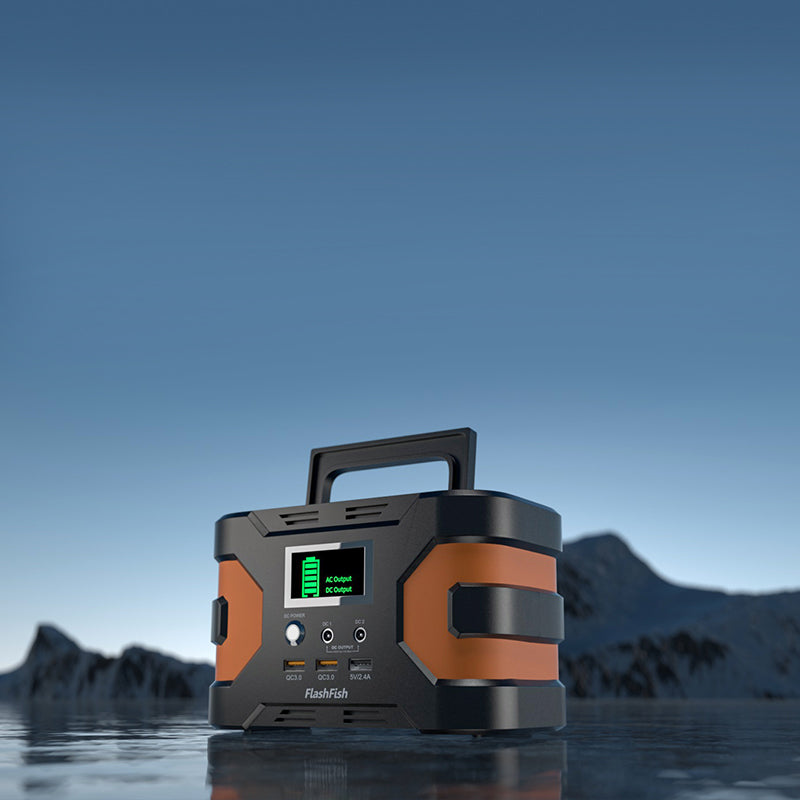
Short answer: A portable power station may be considered for a small document scanner only after the scanner’s adapter label, startup requirements, cable, and manual have been checked against the exact station model and output documentation. A scanner’s size alone does not establish compatibility or runtime.
Read the scanner before choosing power
At a temporary intake table, begin with the scanner’s exact model and the label on its supplied adapter. Note the input type, voltage, wattage or current information, connector, and any instructions about use. If the scanner connects through a computer, document that computer and its charger separately. A compact scanner can still depend on a power path that should not be guessed from appearance.
Check startup and operating documentation
Some devices draw differently when starting, scanning, or communicating with a laptop than they do while idle. The station record and scanner documentation should be reviewed together before the event. Do not treat a low-volume task or a small device as evidence that an AC outlet, USB port, adapter, or combination of connected devices will be suitable.
Use station facts as an initial screen
The T200, resolved as TELLUS-T200 in the local product bundle, lists 153.6Wh capacity, a 200W continuous pure-sine AC output, one 120V AC output, USB-C outputs up to 60W and 18W, and USB-A outputs up to 18W and 12W. The T300Pro, resolved as TELLUS-T300Pro, lists 230Wh capacity, a 300W continuous pure-sine AC output, two 120V AC outputs, USB-C outputs up to 100W and 30W, and USB-A outputs up to 18W and 12W. These are station-side facts only; they do not confirm a particular scanner, adapter, laptop, or combined intake-table setup.
Create a pre-event verification sheet
| Item | What to confirm | Why it matters |
|---|---|---|
| Scanner | Exact model, adapter label, manual | Identifies the documented power path. |
| Laptop, if used | Charger label and connector | Prevents treating it as part of the scanner by default. |
| Power station | Exact model, output configuration, original manual | Lets the team compare like-for-like specifications. |
| Intake table | Placement and organizer requirements | Keeps the temporary setup manageable for volunteers. |
Keep a paper fallback
A low-volume intake process is easier to recover when it has a manual backup. Bring a paper form, a clear way to label documents, and a process for completing scans later if the powered arrangement cannot be verified or used at the event. That approach keeps the scanner from becoming a single point of failure for the table.
FAQ
Will a 200W or 300W station run my scanner?
Not automatically. Match the exact scanner and adapter documentation to the exact station documentation before connecting it.
Can I plug in the scanner and laptop at the same time?
Do not assume that combination is supported. Review the requirements for both devices and the station’s documented limits first.
How many pages can the scanner process?
That depends on the exact scanner, adapter, laptop if present, settings, and complete power path. It cannot be determined from station capacity alone.
After the labels and manuals are confirmed, compare the exact FlashFish specifications with the scanner setup and choose the simplest documented option for the intake table.
Next step: Review the FlashFish T200 specifications for your equipment list.

Laisser un commentaire
Ce site est protégé par hCaptcha, et la Politique de confidentialité et les Conditions de service de hCaptcha s’appliquent.