

Choose an AC plug meter when your question concerns energy entering a documented AC adapter; choose a supported USB inline meter when it concerns energy crossing a specific USB connection. Draw the complete path before selecting the instrument. The two readings include different parts of the system, so they cannot by themselves establish a station's efficiency or prove that one charging path uses less battery energy.
A meter can give a precise-looking number for the wrong question. For portable-power planning, the useful first step is to finish the sentence “I want to measure energy at…” That location determines which instrument specifications matter and what your eventual reading can mean.
Draw the path and circle the measurement point
For an AC-adapter setup, write: station AC outlet, AC plug meter, adapter, cable, device. A reading at the adapter input includes the energy subsequently consumed by the adapter and its downstream load during the interval. It does not directly measure battery energy used before the station AC outlet.
For a direct USB setup, write: station USB port, supported USB inline meter, cable, device. Its reading covers energy passing that point, including consumption downstream of it. It excludes upstream station conversion and internal consumption. Cable losses included in a measurement depend on where the meter sits.
For any instrument, confirm that the manual describes what its accumulated energy counter measures. Displaying volts and amps is not enough to establish the accuracy or behavior of its Wh counter. Keep instantaneous W, accumulated Wh, and the station's nameplate Wh in separate worksheet fields.
Compare instruments by the question they can answer
| Instrument | Supported path and placement | Included downstream consumption | Resolution evidence | Protocol evidence | Excluded interpretation |
|---|---|---|---|---|---|
| AC plug meter | Verified AC outlet to meter to adapter | Adapter and load after the meter | Manual energy accuracy, smallest increment, and low-load limitations | Exact voltage, frequency, waveform, and load support | Battery-side Wh or whole-station efficiency |
| USB inline meter | Verified USB port to meter to cable/device | Load and cable portions after the meter | Manual integration behavior, accuracy, and measurement range | Exact USB voltage/current, direction, and required charging protocol | Upstream station losses or automatic preservation of charging mode |
| Station display | Internal display with its documented meaning | Depends on what the manufacturer says it reports | Unknown unless documented | Does not establish an external meter's support | Substitute for a calibrated external energy measurement |
Verify the complete combination before measuring
For an AC meter, check the exact station output and the adapter input requirements against the meter manual. Matching socket shape does not establish electrical suitability. A meter's maximum rating also does not tell you whether it resolves a small load accurately; look for the stated measurement range and uncertainty.
For USB, check the port, device, cable, and meter together. A meter with a USB-C connector is not automatically documented for every USB Power Delivery mode. Verify required voltage/current profiles, direction, cable requirements, and protocol support. Do not use trigger or forced-voltage functions unless the exact equipment instructions explicitly permit that configuration.
No external meter model is specified here. Its compatibility, minimum measurable load, logging interval, and accuracy therefore remain unknown. Follow the original instructions and use only an attended, non-critical measurement. If adding the meter changes charging behavior, investigate that change before accepting the result as representative of the original path.
Record enough information to reproduce the reading
- Name the station variant, selected port, meter model, cable, adapter if present, and device.
- Write the sequence and mark the meter location. List which converters and cable segments lie before and after it.
- Record the meter's supported range, resolution, accuracy, counter reset behavior, and applicable protocol evidence from its manual.
- Define the task and start/end points. Note interruptions, charging-state changes, resets, and incomplete intervals.
- Label the result by boundary, such as “adapter-input Wh” or “USB-meter-location Wh,” rather than simply “battery used.”
Three examples of useful and misleading comparisons
Hypothetical example 1: adapter-input budgeting. An appropriately supported AC meter records 24 Wh while a documented adapter and device complete a task. That is 24 Wh at the meter location for that task. It does not show that the station battery lost exactly 24 Wh.
Hypothetical example 2: a direct USB task. A supported inline meter records 18 Wh in a different session. Dividing 18 by 24 gives 75%, but the sessions use different boundaries and may involve different device work. The arithmetic does not establish conversion efficiency or a 25% battery-energy saving.
Hypothetical example 3: paired adapter boundaries. Supported instruments simultaneously record 20 Wh entering an adapter and 16 Wh leaving it over the same complete task interval. The ratio is 16 / 20 = 80%. Subject to instrument uncertainty and complete accounting of outputs, that describes the measured adapter boundary for that interval. It still excludes the station's upstream conversion and does not become a whole-station efficiency rating.
FlashFish model facts that help define the path
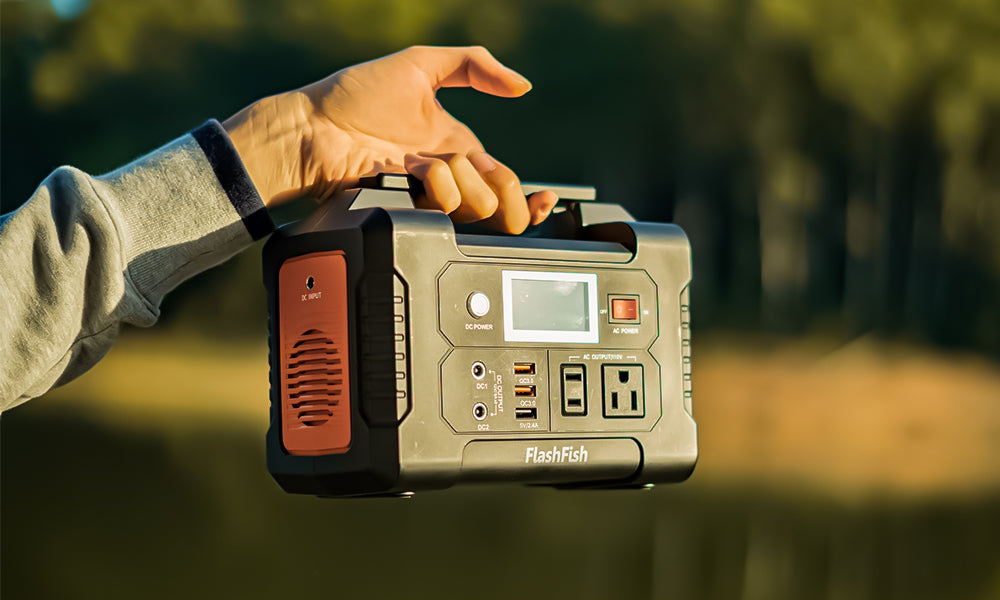
FlashFish E103 is specified at 179.2 Wh with a USB-C output up to 60 W. The referenced E103 manual specifies 230 V AC; that value must not be treated as verified U.S. outlet voltage. Confirm the exact destination-market documentation before selecting an AC instrument for an E103 setup.
FlashFish T300Pro (TELLUS-T300Pro) is specified with 230 Wh, two 120 V AC outlets, 300 W continuous pure-sine AC output, and USB-C outputs up to 100 W and 30 W. These facts identify potential paths for further documentation checks. They do not establish meter suitability, charging speed, simultaneous port totals, or device compatibility.
Frequently asked questions
Is an AC plug meter or USB meter more accurate?
Accuracy depends on the exact instrument, operating range, and measurement conditions. Choose the correct boundary first, then evaluate documented uncertainty at your intended load.
Can I compare AC Wh and USB Wh for the same device?
You can label and discuss the observations, but different boundaries and task conditions limit the conclusion. A valid conversion ratio requires appropriately paired boundary measurements over an equivalent interval, with included and excluded losses explicit.
Does the highest USB watt rating determine which meter to buy?
No. Check the complete voltage/current and protocol requirements, direction, range, resolution, and cable instructions. A watt rating alone does not resolve those requirements.
Leave with a measurement plan
Write your intended boundary, exact equipment list, required documentation, and the interpretations you will exclude. Resolve any unsupported combination before measuring. When comparing FlashFish options, use the documented port and regional specification that matches that plan; then review exact model details with those requirements in hand.
Next step: Compare FlashFish E103 specifications with your requirements.

Laisser un commentaire
Ce site est protégé par hCaptcha, et la Politique de confidentialité et les Conditions de service de hCaptcha s’appliquent.