

Quick answer: Size a farmers market booth power setup from the adapter labels, not from the device names. List the card reader, tablet, phone, label printer, hotspot, and task light; identify which ones can run directly from USB; then calculate both peak watts and watt-hours for the full market day. Keep a separate checkout fallback because a charged battery does not guarantee cellular service, payment processing, or printer reliability.
The five-minute booth power inventory
Lay out every powered item before packing the vehicle. Photograph each adapter label and record four details: input voltage, watts or volts multiplied by amps, connector, and expected hours of use. For a printer, also note whether it runs continuously or only during a short print cycle. A product name such as “thermal printer” is not an electrical rating.
Separate the list into three priorities. The sale-critical group includes the card reader, tablet, and connectivity device. The workflow group includes a label or receipt printer. The comfort group includes lights, fans, and customer-facing displays. That order gives you a practical load-shedding plan if the remaining battery percentage falls faster than expected.
Calculate watts and watt-hours separately
Watts tell you whether the station can support the equipment running at the same time. Watt-hours estimate how much stored energy the shift requires. When an adapter lists volts and amps instead of watts, multiply them: volts x amps = watts. For intermittent equipment, multiply its watts by the fraction of each hour it actually runs.
| Load-sheet field | What to record | Why it matters |
|---|---|---|
| Continuous load | Items that remain on together | Must stay below the station's continuous output |
| Short peak | Printer startup or another brief demand | Can trigger an overload even when average use is modest |
| Daily energy | Watts x operating hours | Determines whether capacity is adequate for the shift |
| Reserve | At least a planning margin for losses and surprises | Keeps the plan away from an all-or-nothing finish |
A worked example for planning, not a runtime promise
Suppose a hypothetical booth averages 15W for a tablet, 5W for a reader and phone charging, 12W for an LED task light, and a 60W printer that runs 10 percent of the time. Its planning average is 15 + 5 + 12 + (60 x 0.10) = 38W. Over an eight-hour market, that is 304Wh before conversion losses, weather, battery condition, or extra use.
This example shows why “everything is low power” can still be misleading. A 179.2Wh or 230Wh station should not be presented as an eight-hour solution for that assumed load. The vendor would need to reduce the load, rely on charged internal device batteries for part of the day, arrange a verified recharge, choose more capacity, or shorten the powered window. Replace every example number with the labels and schedule from your booth.
Where compact FlashFish models fit
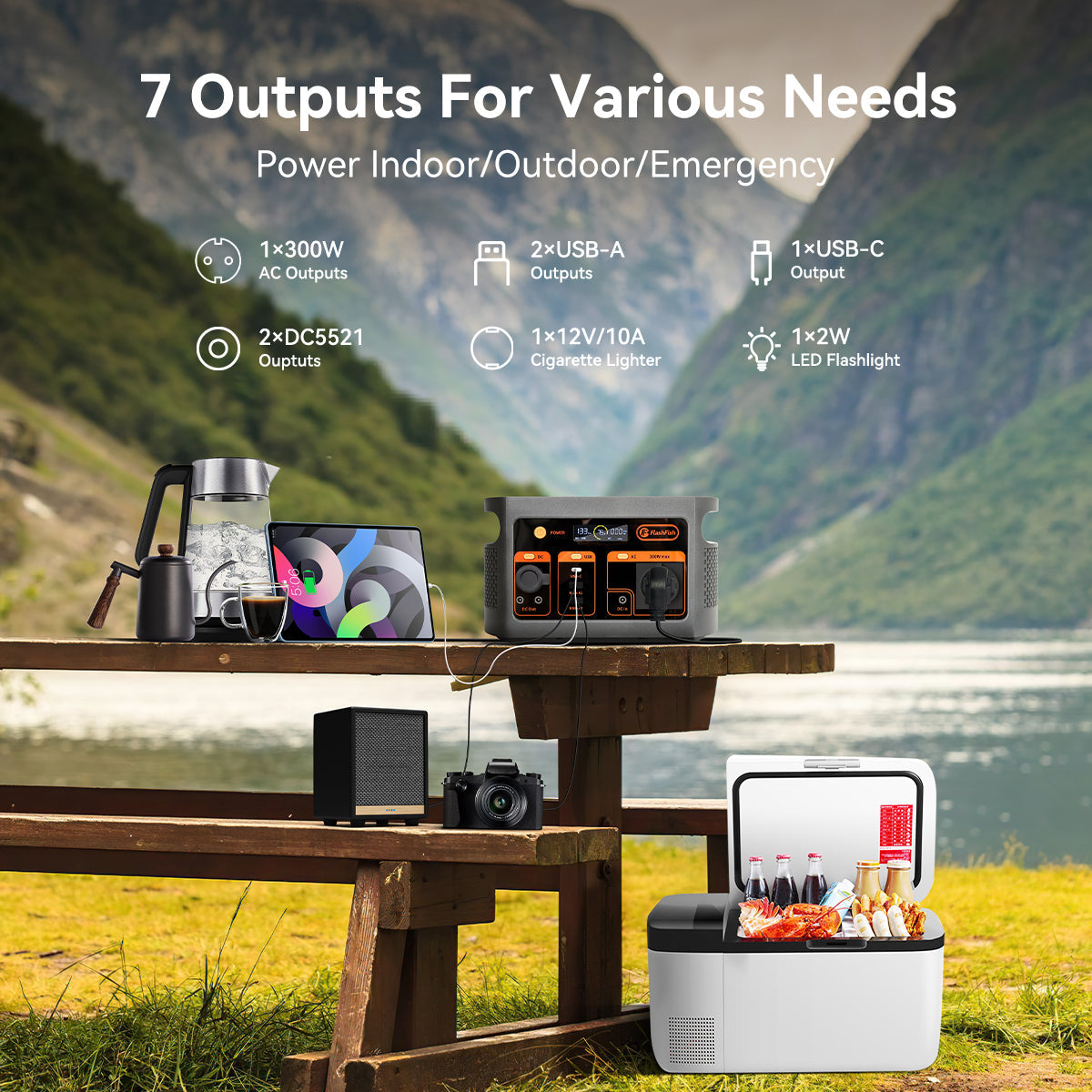
The FlashFish E103 is documented at 179.2Wh with 300W continuous pure-sine AC output, one AC outlet, 60W USB-C PD, and a weight of about 6.61 lb. The FlashFish T300PRO is documented at 230Wh with 300W continuous pure-sine AC output, two AC outlets, a 100W USB-C port, and a weight of about 9.9 lb.
Those records define station-side limits, not printer, tablet, or card-reader compatibility. E103 may suit a lighter USB-centered booth. T300PRO provides more energy and an additional AC outlet when the verified setup needs it. Neither should be selected until the printer adapter, simultaneous load, cable plan, and operating time are known.
Use ports deliberately
- Prefer a documented direct USB connection when the device maker permits it; running an AC adapter adds another conversion step.
- Keep payment hardware and its approved cable together in a labeled pouch.
- Do not use an improvised splitter to solve a connector mismatch.
- Place the station where staff can see its display but customers cannot trip over cords.
- Keep the station and connections dry and follow the operating limits in the exact model manual.
If an extension cord is necessary, use equipment intended for the location and load. The U.S. Consumer Product Safety Commission explains why outdoor cords need the applicable construction and markings in its extension-cord safety guidance.
Power is only one part of checkout continuity
A booth can have plenty of stored energy and still be unable to complete a sale. Test cellular coverage, hotspot behavior, offline mode, receipt options, and the process for recording a transaction if the network fails. Ready.gov business guidance treats communications, IT support, and continuity planning as parts of preparedness. For a small vendor, that can be as simple as a printed price sheet, charged backup phone, manual inventory notes, and a clearly defined offline-payment policy.
Weather can end the electrical plan entirely. Assign one person to monitor conditions and know the market's shelter procedure. The National Weather Service guidance for organized outdoor activities recommends a lightning safety plan and moving people to a safe building or hard-topped vehicle when thunder is heard. Do not keep operating under a canopy during a thunderstorm.
Market-morning checklist
- Charge the station and all device batteries, then photograph the initial state of charge.
- Run the complete booth setup at home for longer than a normal sales rush.
- Pack approved cables, one labeled spare for each critical device, and weather protection.
- Confirm the market's rules for batteries, cords, canopies, and emergency shutdowns.
- Set a battery checkpoint at mid-shift and a percentage that triggers load shedding.
- Keep the offline checkout and receipt process accessible to every staff member.
For a broader starting point, see the existing vendor booth and outdoor market guide. Use this page as the worksheet for a farmers market setup with payment and printing equipment.
FAQ
What size portable power station does a farmers market booth need?
Start with the adapter labels, estimate watt-hours for the full market day, and add a reserve. A booth with only USB devices may need far less energy than one using a label printer, display, fan, or lighting, so there is no useful one-size answer.
Can a portable power station run a thermal label printer?
It may, but printer type alone does not prove compatibility. Check the printer adapter's voltage, watts or amps, connector, and startup behavior, then compare those requirements with the station's documented output and test the exact setup before market day.
Is the FlashFish E103 or T300PRO better for a vendor booth?
The E103 is the lighter option in the local records, while the T300PRO provides more stored energy and two AC outlets. The better fit depends on your verified load sheet, required ports, operating hours, carry plan, and reserve.

Laisser un commentaire
Ce site est protégé par hCaptcha, et la Politique de confidentialité et les Conditions de service de hCaptcha s’appliquent.