











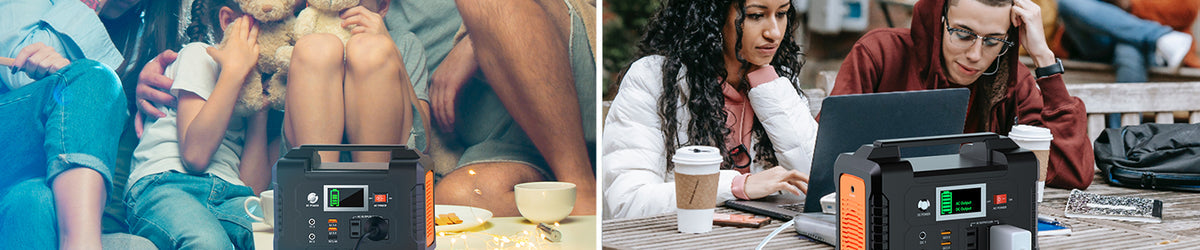
Short answer: before packing a FlashFish E200, inspect the case, handle, vents, display, switches, input and output ports, power adapter, vehicle cable, and any planned charging cable. Do not use the station if you find swelling, cracks, liquid exposure, a loose or deformed port, damaged insulation, bent contacts, unusual odor, or abnormal heat. Use the E200 manual and contact support when the condition is uncertain.
A pre-trip check is not a repair procedure. Its purpose is to find visible problems while replacement cables, support guidance, and a different power plan are still available. Perform it in a dry, well-lit area with the station disconnected from loads and charging sources.
Confirm that the unit is the E200
Read the model identification and use the manual supplied for that exact unit and market version. The authoritative FlashFish product record describes E200 as a 151Wh lithium-ion portable station with 200W continuous AC output and 400W peak output. Its U.S. AC version and included accessories should not be assumed from a manual or image for a different model or region.
Inspect the case and carrying handle
- Look for cracks, separation, swelling, impact marks, or deformation.
- Check that the handle feels secure without forcing or modifying it.
- Examine the feet and base so the unit can rest on a stable surface.
- Remove dust from the exterior using only methods permitted by the manual.
- Do not open the enclosure or attempt an internal inspection.
Check ventilation and the operating area
Make sure ventilation openings are not blocked by dirt, labels, fabric, or packing material. The local product record lists an E200 operating range of -10°C to 40°C, but the manual remains the controlling reference for use, charging, and storage. Plan a dry, ventilated position away from direct heat, wet ground, and enclosed luggage during operation.
Inspect each port before inserting a plug
| Area | Visual check | Stop condition |
|---|---|---|
| DC input | Opening is clean and the contact area appears straight | Loose fit, bent contact, debris that cannot be safely removed, or heat damage |
| USB-A outputs | Contacts appear straight and the shell is not distorted | Corrosion, bent contact, looseness, or a damaged cable plug |
| DC output | Port housing is intact and planned connector matches the manual | Cracked housing, uncertain connector, or damaged insulation |
| AC outlet | Outlet face is intact and free from foreign material | Discoloration, looseness, liquid exposure, or a plug that does not seat normally |
Never probe a port with a metal object. A connector that looks similar may still have a different size, polarity, voltage, or pin arrangement. Use only the documented charging and output paths.
Review the supplied and planned accessories
The E200 product record lists a power adapter, cigarette-lighter adapter, car charger, and user manual among the package contents. Confirm what was actually supplied with your unit. Inspect every cable end, strain relief, and length of insulation. Set aside cables with cuts, exposed conductors, crushed sections, loose plugs, or signs of overheating.
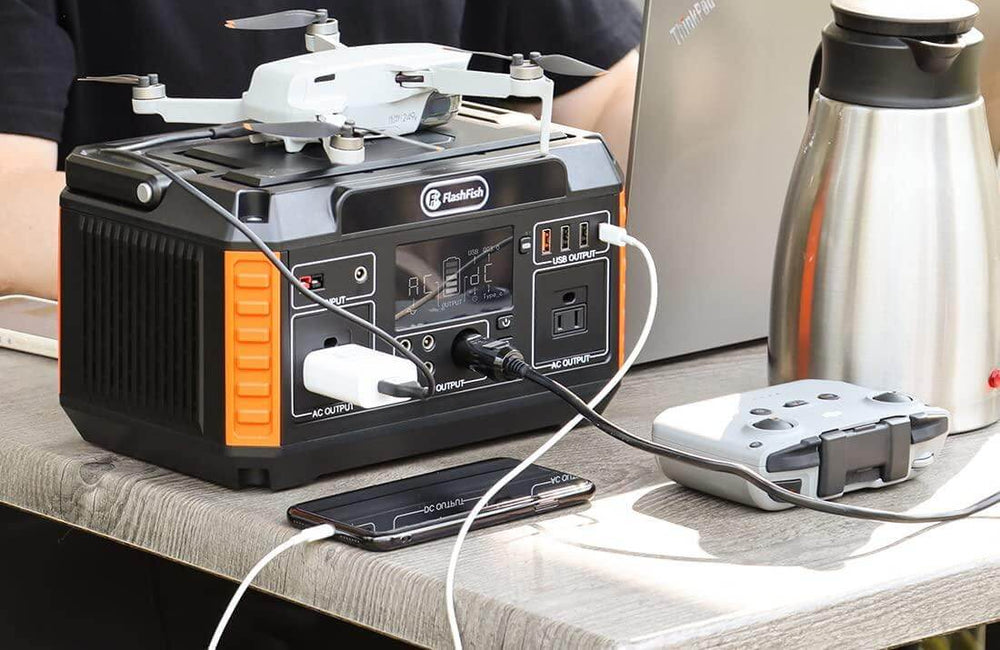
For solar or other DC charging, the record identifies an 11-24V DC input with a maximum input power of 40W. That limit does not establish compatibility with every panel. Verify connector, voltage, polarity, cable, and manual guidance before connecting a charging source.
Perform a basic control and display check
After the visual inspection passes, place the station on a stable, ventilated surface and follow the manual to power it on. Check that the display is readable and that buttons or switches operate normally without sticking. Do not conclude that the station is safe merely because the display lights; stop if it reports a fault, behaves erratically, emits an unusual odor, or becomes abnormally hot.
Match the trip load to the documented limits
List every planned device and original adapter. The E200 record lists 200W continuous AC output, 400W peak output, 12V DC output up to 120W, two QC 3.0 USB-A outputs up to 18W each, and one 5V/2.4A USB-A output. Those specifications screen the load; they do not certify a particular appliance or guarantee runtime.
The E200 uses modified-sine AC output. Check the connected equipment manufacturer's guidance, especially for sensitive electronics or motor-driven equipment. The product record also notes that the station is not intended to replace household power or support long-term AC motor loads such as refrigerators, microwaves, or compressors.
Pack for transport, not operation
- Turn the station off and disconnect all loads and chargers.
- Protect ports from loose metal objects and cable ends from crushing.
- Secure the station so it cannot slide, fall, or sit in water.
- Keep the manual and verified accessories with the unit.
- Do not operate or charge the station inside a closed bag or unventilated compartment.
FAQ
Can I keep using the E200 if a port feels loose?
Pause use of that connection and obtain support guidance. Do not wedge the plug, bend contacts, or rely on tape to hold an electrical connection in place.
How often should the E200 be checked?
Inspect it before a trip, after an impact or liquid incident, and whenever a cable or output behaves differently. The local usage note also says to recharge the unit every three months, or at least every six months, during storage.
Can I take the E200 on an airplane?
The E200 manual record says the unit cannot be brought on board. Airline and transportation rules can change and may be more restrictive, so confirm current carrier and authority requirements before travel.
What should I do after finding damage?
Turn the unit off, disconnect it if that can be done safely, keep it away from combustible material, and contact qualified support. Do not open or repair the battery enclosure yourself.
Next step: View the current FlashFish E200 product details.

Leave a comment
Laman ini dilindungi oleh hCaptcha dan tertakluk pada Dasar Privasi dan Terma Perkhidmatan hCaptcha.