











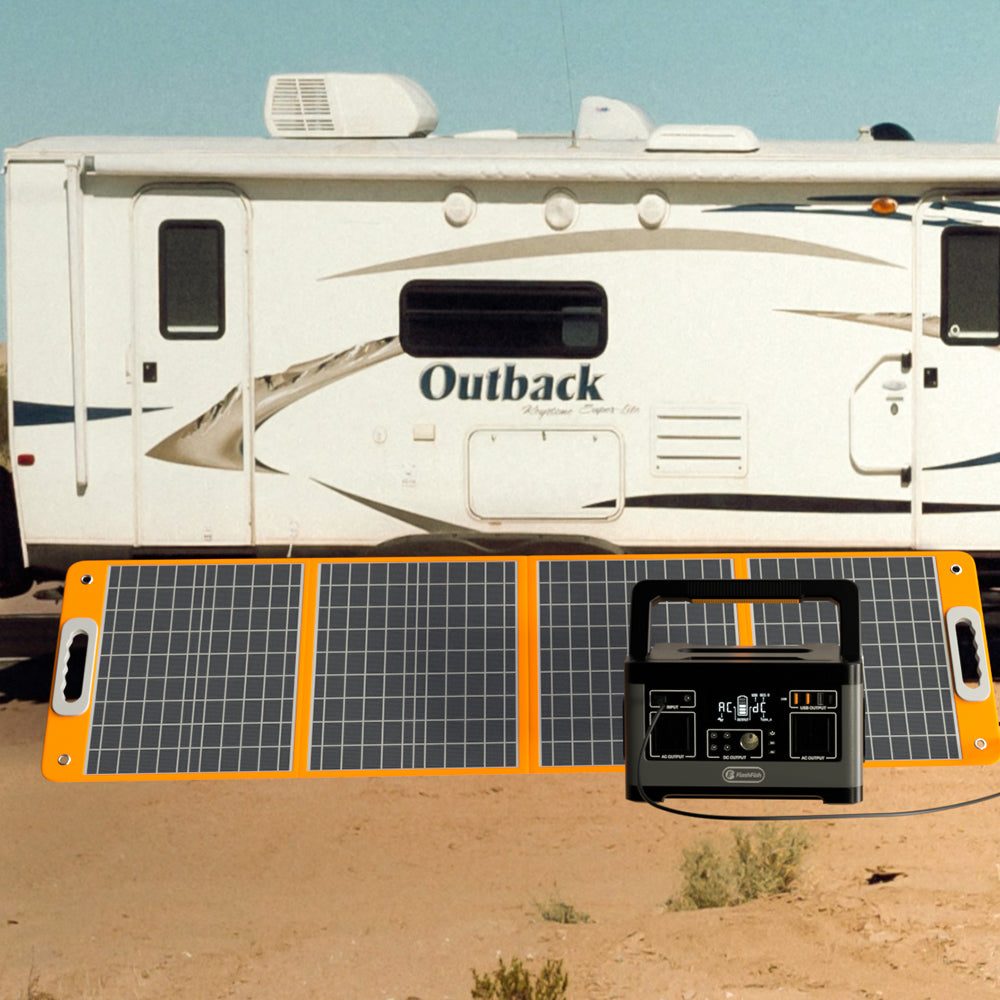
To record a portable solar top-up, log energy at a documented station-input measurement boundary over known time intervals. Use an energy-counter difference when available, or representative average input watts multiplied by elapsed hours. Mark unmeasured periods as unknown. Sunny hours, panel wattage, and a single input reading do not establish how much energy entered the station.
For a camping trip, the useful question is how much of a top-up you actually documented before packing up. A notebook can answer that question without turning an afternoon outdoors into a promise about tomorrow's charging. Keep this log separate from your plan for powering devices: input energy is not the same quantity as energy later delivered to a phone or light.
Choose the boundary before recording a number
Write down where the measurement comes from. A station's input display, a meter on the charging cable, and a panel-side measurement may describe different points in the system. Use the exact station and meter instructions to establish what each reading includes. If the instructions do not define the display's averaging, accuracy, or update behavior, label display-based calculations as estimates with those limitations.
A cable-side counter records energy crossing its own location. Do not rename that result “energy stored in the battery.” Charging losses, station operation, and any simultaneous outputs are outside what that counter alone establishes. Likewise, a rise in battery percentage does not independently verify the input-energy total.
Build a log that keeps gaps visible
- Record the station, panel, cable configuration, measurement location, and units. Begin only with a setup supported by the exact equipment documentation.
- Record the start time and the energy-counter reading, if your documented instrument provides one. Note any reset and whether the counter retains its value after interruption.
- Record the end time and counter reading for each usable interval. If using watts instead, describe how you obtained a representative interval average.
- Start a new row when measurement stops, equipment moves, or the connection changes. Record the event without guessing its effect.
- Sum only the supported intervals. Report the missing duration beside the subtotal.
Use “not measured” for a period with no evidence. Reserve zero for a period that was actually observed as zero within the instrument's documented limits. An unplugged interval you watched and an interval you forgot to log are different records.
| Time interval | Input observation | Interval Wh | Interruption | Measurement gap | Cumulative recorded input |
|---|---|---|---|---|---|
| 10:00–10:30 | Representative mean of 24W at the defined input boundary | 12Wh estimated | None recorded | None recorded | 12Wh estimated |
| 10:30–10:45 | No readings retained | Unknown | Not documented | 15 minutes | 12Wh plus an unknown interval |
| 10:45–11:00 | Representative mean of 12W at the same boundary | 3Wh estimated | None recorded | None recorded | 15Wh estimated across measured intervals |
Three examples of what the record can support
1. An energy counter retains both endpoints
Suppose a suitable counter reads 8Wh at the start and 23Wh at the end, with no reset. The difference is 15Wh at that counter's location, subject to its measurement limits. Record both readings rather than only the difference so you can check the subtraction later. This result does not establish battery storage efficiency.
2. Average watts cover only part of the session
In the hypothetical table, 24W × 0.5 hours equals 12Wh, and 12W × 0.25 hours equals 3Wh. The supported subtotal is 15Wh estimated over 45 measured minutes. The intervening 15 minutes remain unknown. If the watt values were only isolated snapshots, even those interval estimates would lack a representative average.
3. Only a sunny-hour count survives
Suppose you remember two sunny hours but have no input observations. Record the duration as a site note, with accepted input marked unknown. Do not multiply a panel's rating by two and call the answer measured energy. Your next useful action is to obtain an appropriate documented measurement method, not to fill the blank with a yield assumption.
Where the FlashFish models fit
FlashFish TSP18V60W is specified as a 60W panel with 18V DC output. FlashFish T200 (TELLUS-T200) has a specified solar-input maximum of 60W and an input range of 15–30V. These are specification boundaries, not observations from a charging session.
The matching 60W figures do not prove that these products connect directly or charge at 60W. The T200 has a DC6530 input; the panel specifications describe model-dependent cabling and do not state an open-circuit voltage. Exact panel, station, connector, polarity, and cable documentation must resolve the pairing. Until then, use this article as a logging method rather than a connection instruction.
FAQ
Can I use one watt reading for the whole afternoon?
Only if evidence supports it as representative of that entire interval. Otherwise, save it as a timestamped observation and leave interval energy unknown. A display snapshot does not document everything that happened between readings.
Does accepted input tell me how long my devices will run?
No. Later delivered energy and each device's actual use require their own evidence. Keep the input ledger and device-use ledger separate.
How should I handle shade or a disconnected cable?
Note the event and preserve the measured intervals on either side. Assign an energy value only when the observations support it; an event description alone cannot supply the missing Wh.
Make the next charging session easier to judge
Prepare the blank log, confirm the measurement boundary, and resolve the exact equipment pairing before your trip. When reviewing FlashFish options, compare documented input and connector requirements first. Choose the equipment only after those requirements fit your setup, and keep the eventual top-up claim limited to what your log records.
Next step: Compare FlashFish TSP18V60W specifications with your equipment list.


Leave a comment
Laman ini dilindungi oleh hCaptcha dan tertakluk pada Dasar Privasi dan Terma Perkhidmatan hCaptcha.