












A portable power station for a field laptop setup should be chosen from the laptop charger first, not from the station name first. Check whether the laptop needs its AC wall adapter or can accept USB-C charging, then add the phone, hotspot, tablet, and task-light loads. The station needs enough continuous output, the right port path, the right cables, and enough stored watt-hours for the work session.
Quick answer: map the laptop setup before choosing a station
Start with the work you actually need to do away from a wall outlet. A laptop-only writing session is very different from a setup with a hotspot, tablet, task light, external monitor, and phone charging at the same time. Write down each device, the charger it normally uses, and whether you expect it to run continuously or charge in turns.
That device map keeps the decision practical. Output watts tell you whether the station can support the connected load. Port type tells you whether you can use AC, USB-C, USB-A, or DC. Watt-hours help you compare stored energy, but they do not guarantee an exact laptop runtime because real draw changes with screen brightness, workload, battery level, and accessory use.
List every device and charger
For a field desk, make the list before looking at models. The essential items usually include a laptop charger, phone cable, hotspot or travel router adapter, tablet charger, and task-light connector. If a monitor, camera charger, printer, or fan appears on the list, treat it as a separate load instead of assuming the original plan still fits.
Use the official charger label or manual for each item. If a laptop charger says it needs AC, plan around an AC outlet. If the laptop supports USB-C charging, the device, cable, and station port still need to support the required charging profile. USB-C on a power station is a candidate path, not a universal laptop promise.
| Field-work device | What to check | Station decision | Claim boundary |
|---|---|---|---|
| Laptop | Official charger wattage and AC or USB-C path | AC output or USB-C candidate | No universal laptop compatibility |
| Phone | Cable and charger wattage | USB-C or USB-A port planning | Port maximum is not the same as device draw |
| Hotspot or router | Official input label | USB or AC path plus energy planning | No network uptime promise |
| Tablet | Charger wattage and cable | USB-C, USB-A, or AC path | No exact runtime |
| Task light | Label watts and connector | AC, USB, or DC fit | No weatherproofing or outdoor-safety claim |
Decide whether the laptop needs AC or USB-C
AC is the straightforward path when the laptop must use its wall adapter. In that case, compare the adapter label with the station's continuous AC output and leave room for anything else plugged in at the same time. A station's peak output is not the normal planning number for laptop work.
USB-C can simplify a mobile setup when the laptop, cable, and station port support the needed profile. For example, FlashFish documentation lists one 60W USB-C input/output port and one 18W USB-C output port for T200, while T300PRO is listed with 100W and 30W USB-C output ports. Those port limits help planning, but they still do not guarantee that every laptop will charge by USB-C.
Check simultaneous watts and stored watt-hours
Add the devices that will be connected at the same time. If the laptop uses AC while the phone and hotspot charge over USB, all of those loads matter. Keep the combined draw within the station's continuous output, not its surge rating.
Then compare stored watt-hours. A 153.6Wh station and a 230Wh station are not interchangeable if your field setup includes several devices and long work blocks. The watt-hour number gives a planning scale, but exact runtime still depends on actual device draw and use pattern.
Plan port count, cables, and charging rotation
Port count matters when a work session involves several small devices. If the laptop uses the only AC outlet, the rest of the kit may need USB-C, USB-A, or a rotation plan. Bring the cable that matches the device and the station port; a missing cable can turn the right station into the wrong setup.
Charging rotation is often better than plugging in everything at once. Charge the phone and tablet first, then switch the port to the hotspot or light. Rotation lowers simultaneous draw, but it does not create extra stored energy or guarantee the length of the session.
Choose compact, mid-tier, or high-capacity station class
A compact station fits light field work when the laptop load is modest and the rest of the kit is mostly phones, tablets, or small USB devices. A mid-tier station is a better planning class when the laptop needs more AC headroom or the session includes more accessories. A high-capacity station makes sense only after the device map shows larger multi-device demand, longer work blocks, or repeated charging cycles.
Keep carry context in the decision. FlashFish documentation lists the T200 at 2.5kg, the T300PRO at 4.5kg, the T1200S at 12.45kg, and the T2000 at 19.2kg. More capacity and output can help some setups, but the field-work benefit has to justify the extra size and weight.
When solar top-up helps and when it is not enough
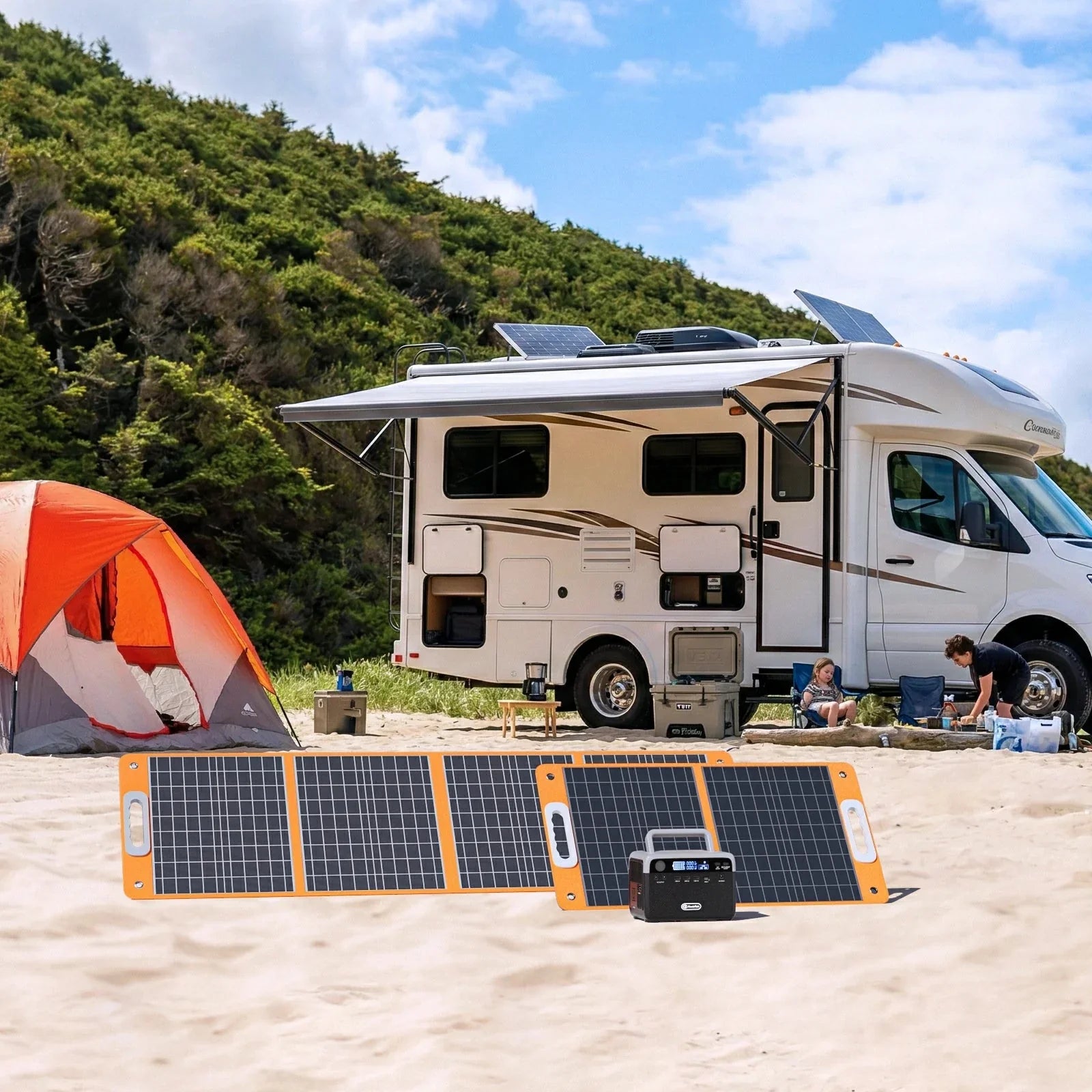
Solar top-up can help when the work area has direct sun, enough setup space, and compatible input limits. It should be treated as a recharge path, not as a promise that the station will keep a laptop desk running all day. Shade, panel angle, clouds, and device use can all change the result.
FlashFish documentation lists the TSP60 as a 60W panel with 18V DC output and USB charging outputs, and the TSP100 as a 100W panel with 18V DC output and USB charging outputs. Panels convert sunlight to electricity; they do not store power by themselves.
Where FlashFish models can fit after the checklist
For a light laptop-and-phone setup, start with the FlashFish portable power stations collection and compare the port path before comparing capacity. The FlashFish T200 has 153.6Wh capacity, 200W continuous AC output, LiFePO4 battery chemistry, pure sine AC output, one 60W USB-C input/output port, and a 2.5kg weight.
The FlashFish T300PRO steps up to 230Wh, 300W continuous AC output, LiFePO4 battery chemistry, pure sine AC output, a 100W USB-C input/output path, and 4.5kg weight. The FlashFish E103 is another compact planning example with 179.2Wh, 300W pure-sine AC output, 60W USB-C output, and 3.0kg weight, while FlashFish documentation reviewed for this draft does not provide its battery chemistry.
For larger multi-device setups, the FlashFish T1200S and FlashFish T2000 add much more capacity and AC output. Use those only when the device list and carry plan justify the larger class.
When FlashFish fits
FlashFish fits a field laptop setup when your charger labels match the station's AC, USB-C, USB-A, or DC paths; the simultaneous draw stays within continuous output; and the station size matches how far you need to carry it. The strongest fit is a planned work kit with known devices, known cables, and realistic expectations about stored energy.
When FlashFish may not fit
Do not use this article as approval for rain exposure, hot-car storage, employer or jobsite rules, internet access, high-draw tools, medical backup, or exact laptop runtime. Those need separate source checks. If a device has a sensitive power requirement, use its official documentation before choosing any portable power station.
Related planning guides
For port-specific planning, read the FlashFish T200 USB-C guide. To compare two compact LFP choices, see FlashFish T200 vs T300PRO for camping. For stored-energy basics, use Portable Power Station Watt-Hours Explained.
FAQ
Can a portable power station run a laptop outdoors?
Yes, when the laptop's official charger path and wattage fit the station's supported output. Check the charger label first, then plan any phone, hotspot, tablet, or light loads that will run at the same time.
Is USB-C enough for a field laptop setup?
USB-C is enough only when the laptop, cable, and power-station port support the needed charging profile. If the laptop requires its wall adapter, plan around AC output instead.
Can I charge a phone and hotspot at the same time?
You can plan for simultaneous charging when the station has the needed ports and the combined draw stays within supported output. That does not guarantee cellular signal, hotspot service, or internet uptime.
How do I estimate laptop runtime without guessing?
Use the laptop charger label, expected workload, accessories, and station watt-hours as planning inputs. Avoid exact runtime claims unless you have measured draw from the actual device setup.
Should I bring a solar panel for remote work outdoors?
A solar panel can help top up a compatible station in good sunlight, but it depends on panel setup, sun conditions, station input limits, and available space. It should not be treated as a guaranteed recharge schedule.

Leave a comment
Laman ini dilindungi oleh hCaptcha dan tertakluk pada Dasar Privasi dan Terma Perkhidmatan hCaptcha.