











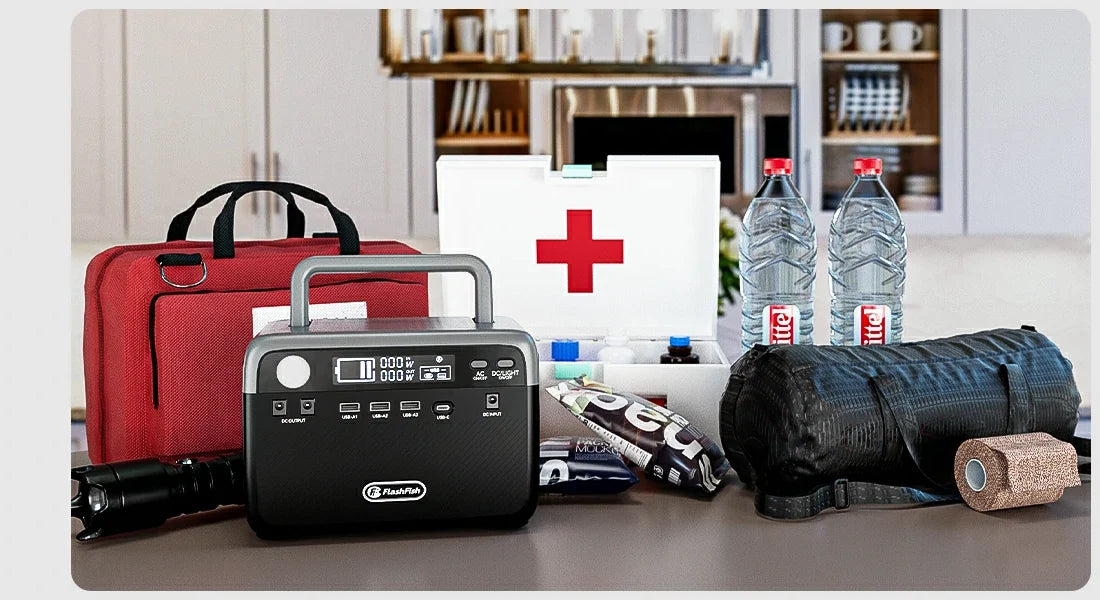
Short answer: There is no responsible fixed cost for a router-and-laptop outage kit without current model prices and the exact accessories you already own. Build the budget in separate lines—station, device-specific charging equipment, and optional replacements—then check current product details before buying. Do not turn a capacity or output label into a promise that a router or laptop will run for a given time.
Separate the budget before comparing products
| Budget line | What belongs there | Why it stays separate |
|---|---|---|
| Power station | The current price of the exact U.S. model and variant | Prices and product availability can change |
| Existing equipment | Router supply, laptop charger, and documented cables you already have | The right connector and input information matter more than a generic device category |
| Optional replacements | Only accessories confirmed necessary after checking labels and manuals | A cable or adapter should not be assumed from a port description |
| Contingency | Non-power alternatives for communication and work continuity | A battery plan is not a guarantee of service or device operation |
Start with the router and laptop labels
Record the router's supply label and the laptop charger's input information, including connector type. Then identify whether either item requires AC power or has a documented USB-C charging path. This is the point where a power-station comparison becomes useful: it can compare labeled ports and outputs, but it cannot replace device documentation or prove a combined-load outcome.
What the A201 and T300Pro records can tell you
| Model record | Documented detail | Boundary for an outage plan |
|---|---|---|
| FlashFish A201 | 172.8Wh; one USB-C and two USB-A outputs, each listed up to 18W; 200W rated AC in a 230V source record | Confirm the exact U.S. model and every device requirement before using AC or USB details |
| FlashFish TELLUS-T300Pro | 230Wh LiFePO4; 300W continuous pure-sine AC; USB-C outputs listed up to 100W and 30W | Compare the individual device labels and do not infer runtime or simultaneous-device behavior |
These specifications are planning inputs, not price quotes or an assurance of a working router-and-laptop setup. The A201 manual record is not a U.S. variant confirmation. For either model, the current product page and original device documentation must be checked before purchase or use.
A practical purchase sequence
- List the router, laptop, phone, and light with their labels and required chargers.
- Decide which device has priority if the outage plan must be reduced.
- Compare the exact current U.S. model's labeled ports and outputs with those device requirements.
- Add only confirmed accessories to the budget.
- Check current price and product details immediately before deciding.
FAQ
What is the total cost of a small outage backup kit?
It depends on the current exact-model price and whether your existing chargers and cables match the documented setup. Treat those as separate lines rather than using a stale total.
Can I budget from Wh and W numbers alone?
No. Those numbers do not establish device compatibility, combined load, runtime, or the cost of any necessary accessories.
Should I buy extra adapters before choosing a station?
Not by default. First check the router and laptop documentation and the exact market model's ports; add an accessory only when the required connection is confirmed.
Next step
Create a four-line budget with blank current-price fields, then compare current model information against the labels you recorded before committing to a purchase.
Next step: Check the current FlashFish T300Pro product details and price.

Leave a comment
Laman ini dilindungi oleh hCaptcha dan tertakluk pada Dasar Privasi dan Terma Perkhidmatan hCaptcha.