











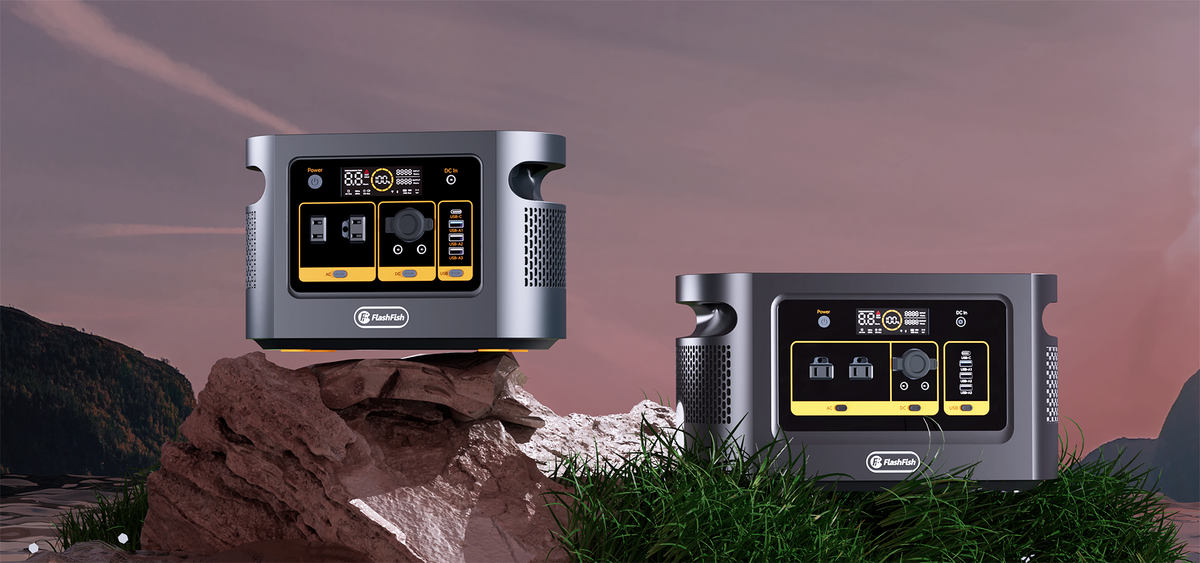
A station layout works for its intended adult user only when that person can identify the required controls, read the relevant indicators, and complete the documented tasks in the position where the station will be used. Capacity and output ratings cannot answer that question. Record what the person can do independently, what help they request, and what remains unresolved before choosing a model.
This is a planning worksheet for ordinary, non-medical household charging. It does not establish suitability for medical equipment or critical backup. No user trial or accessibility assessment is reported here.
Choose the tasks before comparing the panels
Start with the intended user's own description of the job. Someone who wants to check a phone-charging setup may need a different set of controls from someone selecting an AC output. Limit the worksheet to the functions they actually expect to use. A panel with more options is not automatically a better fit.
Locate the matching operating instructions first. The FlashFish U.S. manual directory explains how to match the model, electrical version, and revision. If the label and instructions disagree, resolve that mismatch with support before attempting the procedure. A photograph of a similar station is not an operating guide.
Copy the documented control names into the worksheet rather than inventing a universal button sequence. Do not guess press duration or infer that a blank display means every output is off. Record the indicator and shutdown checks described for the exact unit.
Keep the viewing position part of the record
Consider the dry, permitted location in which the adult expects to use the station. Follow the unit's placement and clearance instructions. Record the viewing direction, ordinary room lighting, and whether the controls can be reached from the person's intended position. Do not turn the unit onto an undocumented side or obstruct its openings to improve the view.
Begin with locating labels and matching them to the manual. No connected load is needed for that identification task. Only proceed to a powered control task when the exact instructions permit it and the user wants to continue. This worksheet does not authorize experimental connections or changes to the controls.
| Documented task | Viewing conditions and control label | What to record | Unresolved choice |
|---|---|---|---|
| Identify the intended output | Actual placement; exact label copied from the unit | Located independently, located with requested help, or not located | Different permitted position or another layout? |
| Read the relevant indicator | Usual room lighting and viewing direction | What the user could read and what they found unclear | Does the manual clarify the meaning? |
| Perform the documented basic control task | Exact instruction and control name | Action completed independently, assistance requested, or not attempted | Instruction mismatch or layout difficulty? |
| Confirm the documented end state | Relevant output/status indication | What was actually confirmed, without assuming unseen states | Need matching documentation before further use? |
Keep the user's description alongside the observation. “I cannot tell these labels apart from this chair” is useful evidence about this placement. It is not a diagnosis or a claim about every user of the model. Leave a task as “not attempted” when the instruction or setup is unresolved.
Where E200 and T300Pro fit in this decision
FlashFish E200 has a documented 151Wh battery capacity; T300Pro has a documented 230Wh capacity. These are battery-capacity figures, not control-usability ratings. They also do not state how long a particular device will run.
T300Pro is also named T300PRO and TELLUS-T300Pro. Confirm the exact unit and revision rather than treating an alias as proof that every pictured control panel is interchangeable. For E200, confirm the regional electrical version as well. Neither capacity figure establishes how well a particular person can read or reach the controls.
Consider either model only after both its electrical requirements and the person's required control tasks are resolved. If the user needs assistance for an essential task but intended to operate independently, that is a reason to keep looking. A larger battery does not remove that limitation.
Three hypothetical layout decisions
Example 1: The label is visible only after repositioning
An adult can identify the output label when standing but cannot read it from the planned chair. A different location is acceptable only if it meets the manual's placement requirements and the user's needs. Until that position is checked, record the seated task as unresolved rather than marking the station suitable.
Example 2: The user asks for the control name
An adult reaches the panel comfortably but asks someone else which control matches the worksheet. Record that requested assistance. If independent identification is essential, compare another documented layout instead of assuming familiarity will solve the problem.
Example 3: The required tasks are clear
An adult independently identifies the relevant controls, reads the required indications, and completes the documented tasks in the planned position. That supports this person's layout choice under those recorded conditions. It does not establish performance during an outage or under different lighting.
Frequently asked questions
Should another person answer on the user's behalf?
Ask the intended user what they want to do and what they find difficult. Another person can record observations or provide requested help, but their confidence with the controls does not establish the user's independent result.
Can a label overlay solve an unclear panel?
This worksheet does not approve modifications. If the choice depends on an added label, altered control, or another workaround, ask the manufacturer whether it is permitted before relying on it. Compare another layout if that question remains unresolved.
Does completing this worksheet certify accessibility?
No. It records specific tasks and conditions for one adult. It supplies neither an accessibility certification nor a medical suitability assessment.
Make the selection from the completed tasks
Write down the essential tasks, the unresolved items, and whether independent operation is required. Keep only candidates that meet those needs within their documented use conditions. Then compare the exact model's electrical specifications and purchase details. The useful result is a supported personal choice, not a score assigned to the user.
Method: manual-based planning and illustrative situations; no hands-on product or user assessment was performed.
For broader household load planning, see the router and laptop backup guide. Electrical planning remains separate from evaluating the intended user's control tasks.
Next step: Compare FlashFish E200 specifications with your equipment list.

Leave a comment
Laman ini dilindungi oleh hCaptcha dan tertakluk pada Dasar Privasi dan Terma Perkhidmatan hCaptcha.