



Compare measured watt-hours for the same completed workload under two supported laptop power modes, then check completion time and output quality. A lower reading is useful only when the work finishes acceptably and repeated results support the difference.
For mobile work, the question is often how much energy it takes to finish a deliverable, not how low the instantaneous watt display can go. A slower mode can draw less power yet run longer. This worksheet helps you choose a routine for a non-critical offline task without predicting a power station's runtime or promising battery savings.
Define one completed task before measuring energy
Choose a workload you can reproduce: for example, exporting the same fixed set of files with the same application settings. Define completion as the required output being saved and checked. Keep file count, file sizes, software version, export settings, and output destination the same. A failed or incomplete export is not an energy-saving success.
Microsoft describes Windows power modes as choices between efficiency and performance. The presence and controls of a setting depend on the system. Use supported options for your exact laptop and OS; do not infer a watt-hour improvement from the mode's name. No percentage saving from the vendor guidance is claimed here.
First set an acceptable completion-time limit and quality standard for the task. That prevents you from choosing an extremely slow mode merely because one trial has a smaller reading. If the task is deadline-critical or cannot be repeated safely, use your established routine rather than experimenting during delivery.
Choose an honest measurement boundary
Use an instrument documented as suitable for the actual charging path, electrical range, and protocol, and follow its instructions. Record its location: delivered energy measured at a USB connection or charger input is not automatically total station battery energy removed. An added meter may also change the path, so compatibility must be established before using its results.
This comparison needs accumulated Wh over the task, not a single W reading. If your instrument cannot provide a suitable energy counter, mark measured Wh unavailable. A station's advertised capacity, battery percentage, or USB-C maximum cannot replace that measurement. Do not insert a meter into an AC or USB path unless its exact use is documented and appropriate.
A changing laptop battery state can confound the result: delivered energy may include charging the battery as well as running the workload. Keep the starting battery state and documented charging behavior comparable and record start/end indications. If battery storage differs materially between trials and you cannot account for it, call the comparison inconclusive rather than labeling it task-only energy.
| Configuration | Task and accepted output | Battery start/end | Elapsed minutes | Measured Wh and boundary | Repeat range |
|---|---|---|---|---|---|
| Supported mode A | Record fixed workload | Record | Record | Record or unavailable | Record |
| Supported mode B | Same workload and quality | Record | Record | Same instrument/boundary | Record |
Control what changes between trials
- Save work and verify the approved charging and measurement path. Establish the fixed workload and acceptance criteria.
- Record screen brightness, connected devices, background applications, network state, starting battery indication, and the chosen power setting. Keep the same approved port and cable.
- Follow the instrument instructions to obtain task energy from its start/end readings. Start the timing at the same defined point and stop when the accepted output is complete.
- Change only the supported laptop power mode and repeat the same workload under comparable conditions. Restore starting conditions before the next trial.
- Repeat the comparison and reverse the order where practical. Record ranges, rejected trials, and reasons rather than keeping only the most favorable result.
Cooling conditions, battery charging, background updates, and application caching can differ even when files and settings look identical. Record those differences. If a trial includes an update or a failed output, keep it in the log with its exclusion reason. No fixed repeat count establishes statistical certainty here; a wide or overlapping range is a reason to withhold a clear winner.
Calculate Wh per completed unit without a runtime claim
Use measured delivered Wh divided by accepted completed task units. For a fixed batch counted as one task, the value is simply its measured Wh. If the batch contains ten equivalent accepted exports, divide by ten only when that unit definition makes sense. Always keep the measurement boundary beside the value.
Compare elapsed minutes separately. You can also calculate a hypothetical relative difference as (A Wh minus B Wh) divided by A Wh, but it applies only to those observations and comparable work. Do not multiply that percentage by an advertised station runtime. Conversion losses, internal consumption, battery energy changes, and other loads remain outside a simple delivered-energy comparison.
Three hypothetical decisions
- Lower energy within the time limit: mode A completes one accepted batch in 20 minutes using 12Wh; B completes it in 24 minutes using 10Wh. B uses 2Wh less at the stated measurement boundary. If 24 minutes is acceptable and comparable repeats support it, B is a candidate routine.
- Lower W, higher task energy: A uses 12Wh and finishes in 20 minutes; B uses 14Wh and takes 35 minutes despite a lower instantaneous display. Choose using completed-task energy and time, not the smallest momentary W number.
- No clear energy winner: repeated A readings range from 10 to 12Wh and B from 11 to 13Wh, with similar time and accepted output. The ranges overlap. Keep the established routine or collect better controlled observations; do not claim a verified saving.
All numbers above are hypothetical arithmetic, not measurements of a FlashFish station or any laptop. An actual instrument's uncertainty and the comparability of battery states still matter.
Where E103 and T200 specifications fit
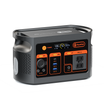
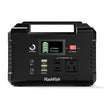
FlashFish E103 has a documented capacity of 179.2Wh and USB-C maximum of 60W. TELLUS-T200, marketed as T200, has a documented capacity of 153.6Wh and USB-C maximum of 60W. Those specifications describe capacity and port limits; they do not rank laptop work modes or determine usable task energy.
Choose a path only after verifying the laptop's required charging profile and the exact cable and output instructions. The E103's referenced AC specification is 230V and does not approve a U.S. AC charger route. This worksheet does not claim whole-station efficiency, number of batches per charge, battery endurance, or a particular laptop pairing for either model.
Frequently asked questions
Is the mode with the lowest watt display the most efficient?
Not necessarily. Lower instantaneous W can be offset by longer completion time. Compare accumulated Wh for the same accepted task and keep time as a separate criterion.
Can I calculate task energy from battery percentage alone?
No. This worksheet requires a suitable accumulated-energy measurement. Percentage readings alone do not establish delivered Wh or account for energy stored in the laptop battery.
Can a 60W USB-C specification predict how many tasks I can finish?
No. It is a maximum output specification, not measured task energy or usable station capacity. Device profile, charging behavior, losses, other loads, and the actual workload remain relevant.
Next step: Compare FlashFish E103 specifications with your equipment list.

Deixar comentário
Este site é protegido por hCaptcha e a Política de privacidade e os Termos de serviço do hCaptcha se aplicam.