

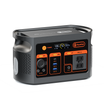
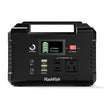

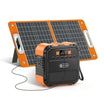
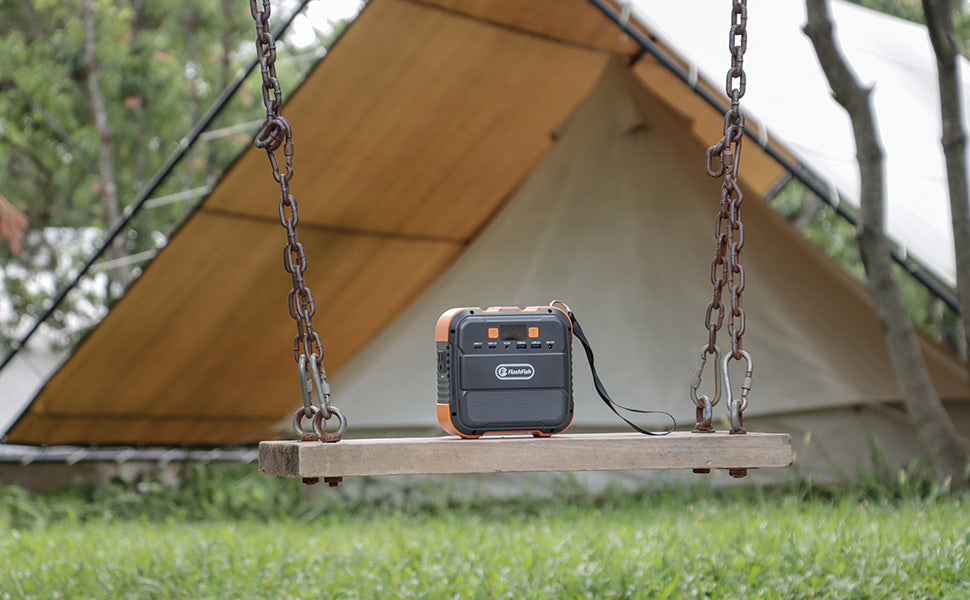
Quick answer: Matching AC voltage alone does not establish device compatibility. Compare the exact station's documented AC output voltage and frequency with the receiving device's permitted AC input requirements as two separate checks. A missing frequency value stays unknown. Even when both checks match, waveform, power, startup requirements, and the manufacturer's other conditions still need review before connection.
This guide is for U.S. buyers comparing portable-station output documentation with a device or its AC charger's input label. It provides a document worksheet, not an electrical test or a connection approval. No exact reader device or unit revision has been supplied, so the hypothetical labels below do not describe an actual approved pairing.
Read the input label on the equipment receiving AC
Identify where AC enters your equipment. If a laptop uses a separate AC charger, the charger's AC input requirements are the relevant starting point for this comparison. Its DC output label describes a different connection. Copy the complete input line, including units, range notation, and any conditions in the matching instructions.
Volts, written V, identify the voltage requirement; hertz, written Hz, identify frequency. Record them in separate cells. Do not fill a missing Hz cell from the voltage, plug shape, the country where a seller is located, or a power rating in watts.
Keep AC output and station charging input separate as well. A station accepting a particular wall-charging input does not thereby document that same rating at its output socket. Your worksheet must compare the station's output with the receiving equipment's input.
Build a two-axis evidence matrix
First resolve the exact station identity and its applicable original manual. FlashFish's U.S. User Guides instructions call for matching model, electrical version, and manual revision, and resolving label/manual conflicts with support. Once those identities are established, use the matrix below to examine the two requirements independently.
| Exact station or record | Documented AC voltage | Documented AC frequency | Device input requirement | Separate findings | Remaining conditions |
|---|---|---|---|---|---|
| T300Pro specification; confirm the actual unit | 120V | 60Hz | Copy exact device or AC charger requirements | Compare V and Hz independently; device not supplied | Actual variant, waveform acceptance, load and other OEM instructions |
| E200 regional versions; actual unit unresolved | 110V or 230V regional versions | Not confirmed for your exact unit here | Copy exact device or AC charger requirements | Resolve unit voltage; frequency remains unknown | Matching original manual, waveform and load requirements |
| Your exact unit and manual revision | Record value and source page | Record value and source page | Record permitted V and Hz separately | Match, mismatch, or unknown on each axis | List every additional unresolved requirement |
The model rows are reference records, not completed device comparisons. In particular, the E200 voltage alternatives are regional configurations. They do not establish that an individual unit switches between voltages. No confirmed AC frequency is available for your E200 unit in this comparison; leave that field open until you obtain its matching instructions.
Classify each requirement without widening it
Use documented match when the output value fits the equipment's explicitly permitted requirement. Use documented mismatch when it falls outside that requirement. Use unknown when the source, exact version, range meaning, or value is missing. Record the source next to the finding so another person can reproduce the document comparison.
Do not turn a single nominal number into an invented acceptable range. If the station and device use different nominal numbers and neither manufacturer documents an applicable tolerance or range, request clarification. Likewise, “50/60Hz” does not by itself establish a selectable-output control or instructions for changing a station's frequency.
Three hypothetical label comparisons
Example 1: Both values fall inside explicit ranges
Suppose a documented station output is 120V, 60Hz and a hypothetical charger explicitly accepts 100–240V, 50–60Hz. The voltage and frequency checks both match those stated ranges. The next step is reviewing waveform acceptance, load requirements, and the remaining instructions; these two results alone do not approve the pairing.
Example 2: Voltage matches, frequency does not
Suppose an output is documented as 120V, 60Hz and a hypothetical device requires 120V, 50Hz only. Voltage matches while frequency does not. Record the mismatch and do not connect on the strength of the voltage result. This example makes no prediction about damage, motor behavior, or a converter solution.
Example 3: The frequency cell is blank
Suppose a reader's regional station documentation identifies voltage but provides no AC frequency. Even if the device's voltage requirement appears to match, the frequency finding is unknown. Obtain the matching original manual or manufacturer confirmation. A U.S. outlet appearance cannot supply the missing value.
How E200 and T300Pro differ in this document check
The T300Pro manual specification (printed page 2) lists 300W continuous pure-sine AC output at 120V and 60Hz. E200 has regional voltage versions, but this guide leaves frequency and waveform unresolved for your actual E200 unit. Match the exterior label and original instructions before comparing it with a device.
T300Pro's documented frequency makes its reference row more complete; it does not establish universal compatibility or make E200 unsuitable for every device. A specific decision still requires the receiving manufacturer's requirements. Do not substitute waveform descriptions for voltage or frequency, or assume a small wattage settles the other questions.
The E200 download currently linked from the U.S. manual directory (printed pages 19–20) describes a 230V unit and labels its output pure sine. That differs from the modified-sine E200 reference specifications. Neither document identifies your individual unit. Keep its waveform unresolved and ask support for the exact matching manual; do not select whichever description seems preferable.
Frequently asked questions
Does a plug fitting the socket prove the ratings match?
No. A physical fit does not complete either document check. Read the exact output and input requirements, then confirm the remaining instructions. This worksheet does not recommend adapters, converters, live measurements, opening equipment, or attempts to discover compatibility by trial.
Can I assume 110V and 120V mean the same thing?
Do not create that equivalence from the numbers alone. Use the device's explicit permitted range or applicable manufacturer guidance and the exact station documentation. If the available documents give only differing nominal ratings, leave the comparison unresolved until the manufacturer clarifies the requirement.
What if both voltage and frequency match?
Keep both findings, then continue through the other manufacturer requirements, including waveform and power constraints. Matching two fields is useful evidence, but it is a partial document check. It supplies neither a runtime estimate nor proof of startup behavior or successful operation.
Finish the comparison before choosing a station
Copy the station output and device input lines into separate V and Hz columns today. Circle every blank or conflict and request the exact supporting document. Then compare candidate stations against the complete requirements list. Leave the connection decision open until the exact unit and all material conditions are resolved.
For the separate laptop equipment-selection question, see the portable power station guide for laptop field work. It does not replace an exact device's input requirements.
Next step: Compare FlashFish E200 specifications with your requirements.

Leave a comment
This site is protected by hCaptcha and the hCaptcha Privacy Policy and Terms of Service apply.