



A temporary oral-history listening station needs a simple power plan: read every device and adapter label, add the stated power requirements, choose a cable route that visitors cannot trip over, and get the host site's approval before setup. For a tablet, headphones, and low-draw lighting, the decision is less about guessing runtime and more about documenting the exact equipment, connection path, staff responsibilities, and venue rules.
Start with the listening experience, not the power station
Write down what a visitor will actually use: the tablet or player, headphone distribution if any, a low-draw light, their original adapters, and every cable. Note whether each item uses USB, DC, or AC. A label or manual is the authority for the device's required input; do not assume that two similar-looking plugs or chargers are interchangeable.
Then ask the museum or host team where the activity may sit, whether portable batteries are permitted, who opens and closes the station, and how cables must be managed. A power plan can be technically sensible and still unsuitable for a particular gallery, lobby, or event.
A practical setup checklist
- List each device, its original adapter, connector type, and labeled input requirement.
- Decide which items must run at the same time and which can be charged between sessions.
- Keep the power station and adapters behind the staff boundary or otherwise out of visitors' reach.
- Use a cable route that does not cross a public walking path; follow the host's accessibility and facilities rules.
- Assign one staff member to check connections, battery status, and the shutdown routine.
Compare the model records before choosing a connection path
| Verified record | What it can help you compare | What still needs checking |
|---|---|---|
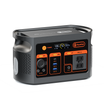
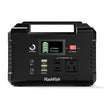
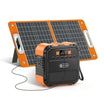
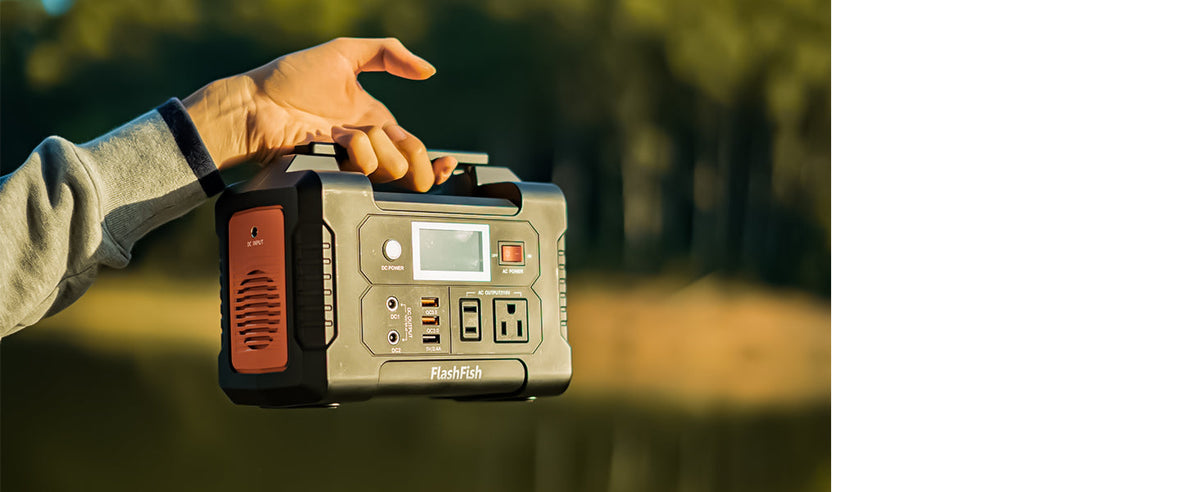
| FlashFish E200: 151Wh; 200W continuous AC; modified-sine AC output | A compact option to compare against the labels of the planned equipment | The exact U.S. unit, socket, adapter, and each device's compatibility documentation |
| FlashFish E103: 179.2Wh; LiFePO4 battery; 300W continuous pure-sine AC output | A second documented capacity and output option for a label-first comparison | The destination-market plug/voltage variant and all device connection requirements |
These figures describe the product records; they are not a runtime promise for a listening station. A display, tablet, charger, and light can behave differently from a nameplate estimate. Keep the final selection tied to the labels and manuals for the exact equipment being used.
Design for a calm visitor experience
Place a concise instruction card near the listening device, not on the power equipment. Staff should know how to pause the activity, disconnect equipment in the manufacturer's recommended order, and store adapters together. If the station includes accessibility tools, volume controls, or an interpreter-assisted session, test that process with the host before the public opening.
Build a decision record the next team can reuse
Save a one-page record with the device list, photos of label information, approved location, cable route, named staff contact, and any host restrictions. That record makes it easier to repeat the activity without treating a prior setup as proof that a new room or new device is approved.
Product fit: use the records as a starting point
The E200 and E103 are relevant only after the team has confirmed the planned loads, connectors, market-specific unit, and museum requirements. If the project needs a different connection type, more simultaneous equipment, or a permanent installation, pause the comparison and review the equipment documentation rather than forcing a portable setup to fit.
Frequently asked questions
Can a museum use portable power for a listening station?
It may be possible, but the host site's rules, accessibility needs, cable route, and the exact device documentation should decide the setup.
How do we estimate runtime?
Use the labels and manuals for the exact devices, then plan a supervised test. Do not treat a general capacity number as a guaranteed session length.
Should visitors handle the power station?
Keep power equipment and adapters under staff control unless the host has an approved, accessible arrangement for public interaction.
Next step: Compare FlashFish E200 specifications with your equipment list.

Leave a comment
This site is protected by hCaptcha and the hCaptcha Privacy Policy and Terms of Service apply.