











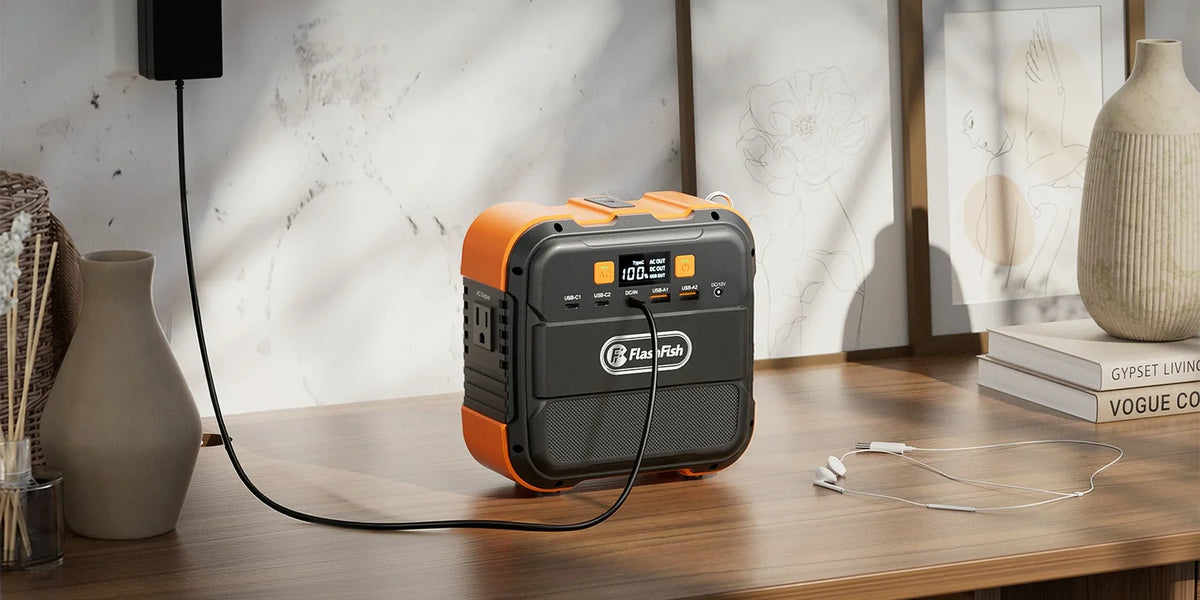
Keep the device and approved output fixed, substitute one documented charging cable, and record what changes. A repeatable difference can narrow a USB charging problem; it cannot prove a defective component or authorize repair.
If your phone stopped charging while you were packing for a trip, replacing the station, cable, and phone together may get it charging again without telling you why. This worksheet is for a non-critical interruption on a previously verified charging path. It produces a short support record, not a verdict about the electronics inside a port.
Establish a valid comparison before swapping anything
Identify the exact phone or other USB device, its supported charging input, the selected station output, and both cable models. Use only combinations permitted by the equipment instructions. A cable that charges a different device is not automatically a valid control for yours. If you cannot establish a permitted comparison, stop the sequence and ask the device or station manufacturer which components to use.
Apple's USB-C charging guidance notes that some cables transfer data without supporting charging. Its advice applies to Mac laptops; it illustrates why connector shape alone is insufficient. For another device, consult that manufacturer's exact instructions. Do not borrow a Mac-specific procedure as a universal USB repair method.
Exclude visibly damaged cables, loose or damaged connectors, liquid exposure, unusual heat, and warning messages from this comparison. Follow the applicable instructions and contact support. Do not splice a cable, probe a port, open the station, force a connector, or repeatedly retry a combination that triggers a warning. The method below assumes intact equipment and an attended check in an appropriate location.
Build a baseline that can be repeated
Label the current cable A and the permitted comparison cable B. Note the selected output, device battery indication, active applications, station output state, and charging message. Keep the observation interval consistent and write its duration in the log. There is no universal wait time or charging threshold established here.
Use the device's charging indication as an observation. A charging icon does not establish charging wattage, battery energy gained, or sustained operation. If the device reports that charging is paused or limited, preserve the exact wording. Do not convert that message into a claim that the station has failed.
| Trial | Device and output held fixed | Cable | Charging message | Warnings or other changes | Next action |
|---|---|---|---|---|---|
| Baseline | Record exact identities | A | Record verbatim | Record or none observed | Proceed only if permitted |
| Substitution | Same identities and settings | B | Record verbatim | Record or none observed | Restore baseline if appropriate |
| Repeat | Same identities and settings | A | Record verbatim | Record or none observed | Compare or mark inconclusive |
Interpret the sequence without jumping to a cause
- Observe the original approved path and save the result before making a change.
- Disconnect and reconnect only as instructed, substitute cable B, and leave the device, output, and settings unchanged.
- If allowed and no warning appeared, restore A and repeat the same observation. Record a changed battery state or background activity rather than hiding it.
- Stop once you have a reproducible observation or an unresolved result. A second variable belongs in a separate sequence with its own baseline.
If B charges and A repeatedly does not, cable identity is associated with the result in this setup. That is useful support evidence, but it does not distinguish a damaged cable from a profile mismatch or another interaction. If both fail, the test has not isolated the source. If both work, the original failure may be intermittent or the conditions may have changed.
Three hypothetical outcomes
- Different cable, different result: A shows no charging message, B shows charging, and A again shows no charging. Keep the exact cable specifications with the log and ask support about the difference. Do not label A universally defective.
- No contrast: neither A nor B charges the same device on the same documented output. End this sequence. A later approved output or device comparison needs a fresh baseline, not several substitutions at once.
- Inconsistent repeat: A fails first but works after B. Mark the sequence inconclusive and note battery state, timing, and any changed settings. Do not choose the explanation that sounds most convenient.
These are invented examples of interpreting a log, not FlashFish test results or expected behavior.
Place FlashFish port limits in the right role
The FlashFish A101 has a documented USB-C maximum of 18W; the E103 has a documented USB-C maximum of 60W. Neither number identifies the cause of an interrupted charge or proves that a particular cable and device can use that output. Check the required charging profile and exact output instructions before deciding whether either model belongs in the comparison.
This worksheet uses USB observations. It does not validate U.S. AC outlets: the referenced A101 and E103 manuals specify 230V. Do not use those AC specifications to approve a U.S. charger path. A port maximum is a limit, not a measured delivery rate, and no recharge-time or device-runtime estimate follows from it.
Send a useful support packet
Include the device model, OS version if relevant, station model and variant, selected output, cable identities, exact messages, and baseline/substitution/repeat rows. Add photographs of intact labels or an error screen when useful. Exclude passwords, personal files, and serial numbers from public posts. Ask which permitted comparison support wants next. If no comparison is documented, the best outcome is a precise unresolved report.
Frequently asked questions
Does one successful cable prove the other cable is broken?
No. It establishes a contrast in that setup. Profile differences, changing device conditions, and intermittent behavior can still matter; repeat the permitted baseline and send the observations to support.
Should I change the cable and station output together?
No. That changes two variables, so the result cannot isolate either one. Use a separate approved sequence for another output after recording the first result.
Can I use this worksheet to repair a damaged USB port?
No. Damaged equipment is outside the method. Stop using the affected path and follow the manufacturer's service instructions; do not probe, open, or modify it.
Next step: Compare FlashFish A101 specifications with your equipment list.

Hinterlasse einen Kommentar
Diese Website ist durch hCaptcha geschützt und es gelten die allgemeinen Geschäftsbedingungen und Datenschutzbestimmungen von hCaptcha.