












Keep an already approved laptop charging path unchanged, record its charging indication, then observe one documented state transition at a time. Repeated interruptions after the same transition give support a reproducible log; they do not establish the cause.
A laptop may charge while you work but show a different message after you close it and reopen it. Before replacing the station or buying another adapter, separate the state change from changes to the charging hardware. This rehearsal is for a non-critical session with saved work and time to observe the result. It does not promise continuous charging through sleep, startup, or restart.
Verify the path before studying the state change
Write down the exact laptop, OS version, firmware version when available, charger or direct USB-C output, cable, station model and variant, and relevant settings. Establish that the manufacturer's instructions permit this exact combination. If it has never been approved or never charged successfully, first resolve that compatibility question. A state-transition log cannot validate an unsuitable charging path.
Use official instructions for the laptop and OS installed on it. Microsoft's sleep and shutdown guidance distinguishes the available states. Do not treat a blank screen as proof of sleep, and do not assume a lid action means the same thing on every device. Record the action and the observed state separately.
Save documents, complete pending essential work, and use the normal supported commands. Do not disable protections, change firmware settings, install an unverified utility, or rehearse during a critical task. If the device cannot enter the intended state through its documented controls, record that limitation and ask its support team.
Record two sides of the charging path
Before each transition, note the laptop's exact battery or charging message and the station's visible output state. After returning to the usable desktop, record both again. Keep the same cable and selected output connected only if the equipment instructions allow that arrangement. No universal post-wake delay is specified here: choose and record a consistent observation window appropriate to the instructions.
The laptop message and station display are separate observations. An enabled station output does not prove energy is reaching the laptop battery. A laptop marked as plugged in may report a battery state that differs from active charging. Preserve the wording instead of reducing every message to a yes/no conclusion.
| Trial | Starting state | Documented transition | Station indication before/after | Laptop message before/after | Other changes |
|---|---|---|---|---|---|
| Awake baseline | Usable desktop | None | Record | Record | Battery, apps, time |
| Sleep/wake | Usable desktop | Supported sleep, then wake | Record | Record | Actual state and timing |
| Restart | New awake baseline | Normal restart | Record | Record | Updates or changed settings |
Run each transition as a separate sequence
- Observe a stable awake baseline with the fixed approved path. Record battery state and active work.
- Use one documented transition, such as sleep followed by wake. Note the exact control used and whether the intended state was reached.
- Return to the desktop and record the same indications over the chosen observation window. Leave the hardware unchanged.
- If an interruption appears, save the log. Repeat only when permitted, equipment is behaving normally, and no warning or damage is present.
- Establish a fresh awake baseline before testing normal restart. Treat an OS update, changed cable, or different output as a new condition.
If you reconnect a cable to recover charging, record it as a separate action after the observation. Otherwise, you lose the distinction between recovery and what happened immediately after wake. Never keep reproducing an interruption to the point of losing work or ignoring a warning.
Three hypothetical logs and their limits
- Wake-associated interruption: charging appears at the awake baseline, is absent after two permitted sleep/wake rehearsals, and the hardware is unchanged. This narrows the reported trigger to a state sequence; it does not prove an OS, cable, or station fault.
- Restart-only difference: sleep/wake retains the same message, while a normal restart is followed by another message. Record startup applications and updates, and ask support what to inspect before changing charging equipment.
- Changed baseline: the battery reaches a different state or the OS updates between trials. Keep both logs but call the comparison inconclusive. A clean repeat under comparable conditions is more useful than a confident guess.
These examples contain no measured FlashFish or laptop behavior. Your device may produce different messages or offer different supported states.
What E103 and T300PRO specifications can establish
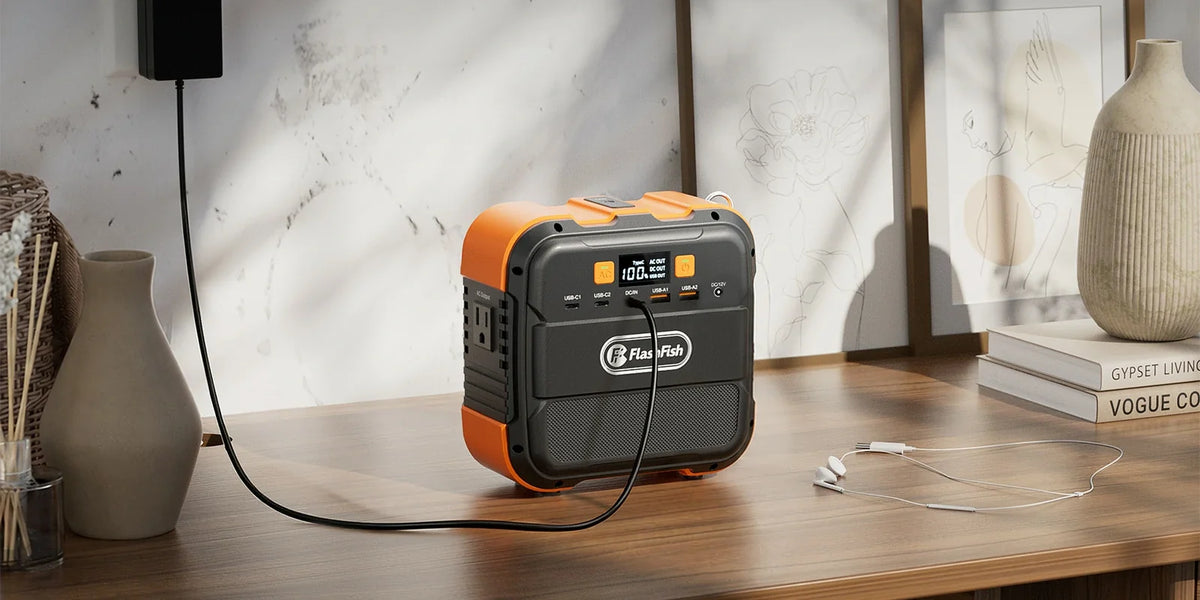
FlashFish E103 has a documented USB-C maximum of 60W, while T300PRO has a documented USB-C maximum of 100W. These are specification ceilings. They do not say whether your laptop will negotiate an appropriate profile, charge during a particular state, or maintain charging through restart.
The E103's referenced AC manual specifies 230V, so it does not validate a U.S. AC charging arrangement. T300PRO has a documented 120V, 60Hz AC variant, but the laptop adapter and exact station instructions still govern whether that route is appropriate. This article makes no claim about state persistence, minimum-load behavior, or a laptop-specific firmware fix for either model.
Turn the observations into a travel decision
If the fixed path behaves consistently in your permitted rehearsal, retain the log with your packing notes. That result covers the observed configuration and conditions; it is not a guarantee for future trips. If an interruption repeats, send the state sequence and exact messages to device and station support. Use a documented alternative only after its own verification.
For an unresolved path, plan around the uncertainty before traveling. Finish essential work where an approved charging arrangement is available, retain saved files, and avoid making a new equipment purchase solely from a single wake event. The useful output is a reproducible trigger and a clearly stated unknown, not a universal brand recommendation.
Frequently asked questions
Does a charging interruption after wake prove the station is faulty?
No. The sequence identifies when the indication changed. It does not separate device, software, charging policy, cable, or station causes without further documented support checks.
Should I swap cables between sleep and restart trials?
No. Keep the approved path fixed to study the state transition. A different cable creates a separate hardware comparison that needs its own baseline.
Can a USB-C maximum predict charging during sleep?
No. A port's maximum wattage is not evidence of charging persistence. Verify the exact laptop and station instructions and record the observed state behavior.
Next step: Compare FlashFish E103 specifications with your equipment list.

Hinterlasse einen Kommentar
Diese Website ist durch hCaptcha geschützt und es gelten die allgemeinen Geschäftsbedingungen und Datenschutzbestimmungen von hCaptcha.