

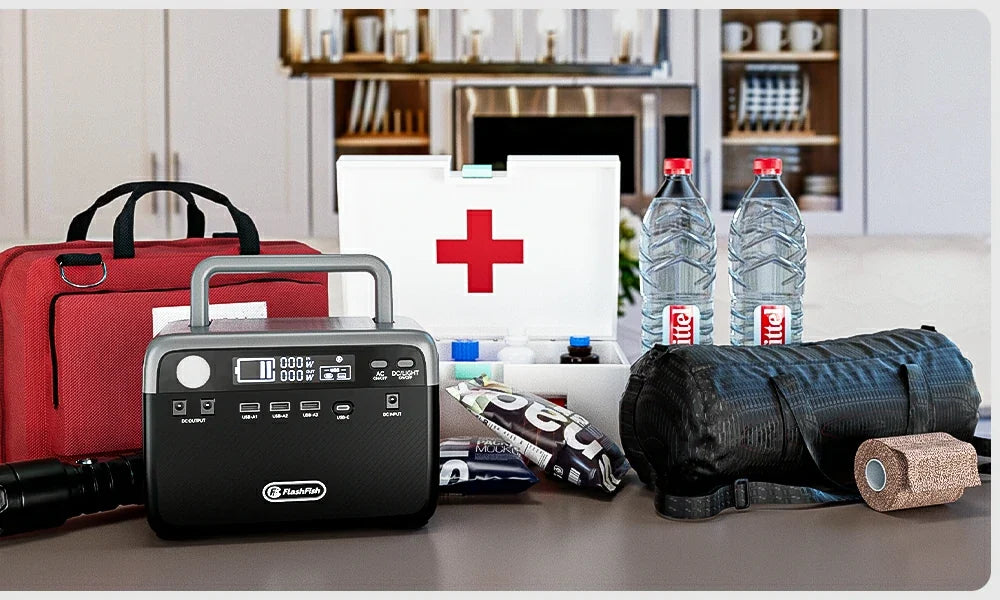
If your goal is to keep a router, one laptop, and a few LED lights running during a short apartment outage, start with the labels on the devices, not a generic runtime promise. Add the watts shown on each power adapter or label, keep the total below the power station's continuous-output limit, and then choose the battery capacity that fits the time you want to cover.
Quick answer
A compact power station can be a practical apartment backup for low-watt essentials when the combined load stays within its rated output. For example, the FlashFish T300Pro has 230Wh capacity and 300W of continuous pure-sine AC output; the FlashFish T1200s has 768Wh capacity and 1,200W of continuous pure-sine AC output. Those records describe the station, not the draw of your own router, laptop, or lights, so verify every device label before relying on either one.
Make a three-load outage list
- Router or modem: read the input rating on its power adapter. Include any separate fiber terminal or mesh node you need for internet service.
- Laptop: use the wattage printed on its charger or in the manufacturer documentation. A charger's maximum rating is a planning ceiling, not a guarantee of the laptop's moment-to-moment draw.
- LED lights: add the wattage printed on each bulb, lamp, or light adapter.
Add those figures together. That total must stay below the station's continuous AC-output rating, with room for normal changes in device draw. If a device needs more than the station can continuously supply, leave it out of the outage plan.
Separate output from capacity
| Question | What to check |
|---|---|
| Can the station start and run the load? | Compare combined device watts with continuous output, not surge output. |
| How long might it last? | Compare the station's watt-hours with your measured or documented load; conversion losses and changing device draw reduce a simple estimate. |
| Do the connections work? | Check whether each device can use an available AC or USB output and use the device's approved charging equipment. |
A larger watt-hour figure does not make an oversized load safe, and a high output rating does not tell you how long the battery will last. Treat them as two separate checks.
Choosing between the T300Pro and T1200s
The T300Pro is the smaller-fit option for a modest, label-verified essentials list: 230Wh, 300W continuous AC output, two AC outlets, and USB-C outputs rated up to 100W and 30W. Its manual describes an EPS emergency-backup function with an approximately 20 ms switch; it is not presented as a professional UPS, so do not assume uninterrupted service for sensitive work equipment.
The T1200s is a better fit when the verified essentials list needs more output headroom or more stored energy. Its manual records 768Wh capacity, 1,200W continuous pure-sine AC output, four AC outlets, and USB-C outputs up to 100W and 30W. That does not make it whole-home backup; it simply supports a larger carefully checked essential-load plan.
Apartment-safe setup checklist
- Charge the station before an expected outage and check its manual for operating conditions.
- Place it on a stable, dry, ventilated surface where cords will not create a trip hazard.
- Run only the devices on your written priority list. Skip space heaters, cooking appliances, and other high-draw equipment unless the exact device documentation and station limits support the use.
- Do not use a battery power station as a substitute for building electrical work, and do not connect it to apartment wiring.
- Keep a phone, emergency contacts, and local outage alerts available. Backup power does not guarantee that internet service upstream will remain available.
Continue planning an apartment outage setup
Use these current FlashFish pages and guides to continue your comparison:
- Compare current FlashFish portable power stations
- Build a home-office router and laptop backup plan
- Review router and refrigerator backup priorities
FAQ
Can a 300W power station run a router, laptop, and LED lights?
It can only be considered after the combined device-label watts are below 300W and the connections are compatible. The T300Pro's 300W figure is a continuous-output limit, not a promised runtime or a rating for every router-and-laptop combination.
How do I estimate runtime?
Use the station's watt-hour capacity and the actual or documented combined load as a starting point, then allow for conversion losses and changing load. A real-world check with your own equipment before an outage is more useful than a generic hours claim.
Should I use a gas generator in an apartment?
No. Fuel-burning generators create carbon monoxide and must never be used indoors, in garages, or near building openings. For an apartment essentials plan, use an indoor-rated battery power station only within its documented limits.

Dejar un comentario
Este sitio está protegido por hCaptcha y se aplican la Política de privacidad de hCaptcha y los Términos del servicio.