

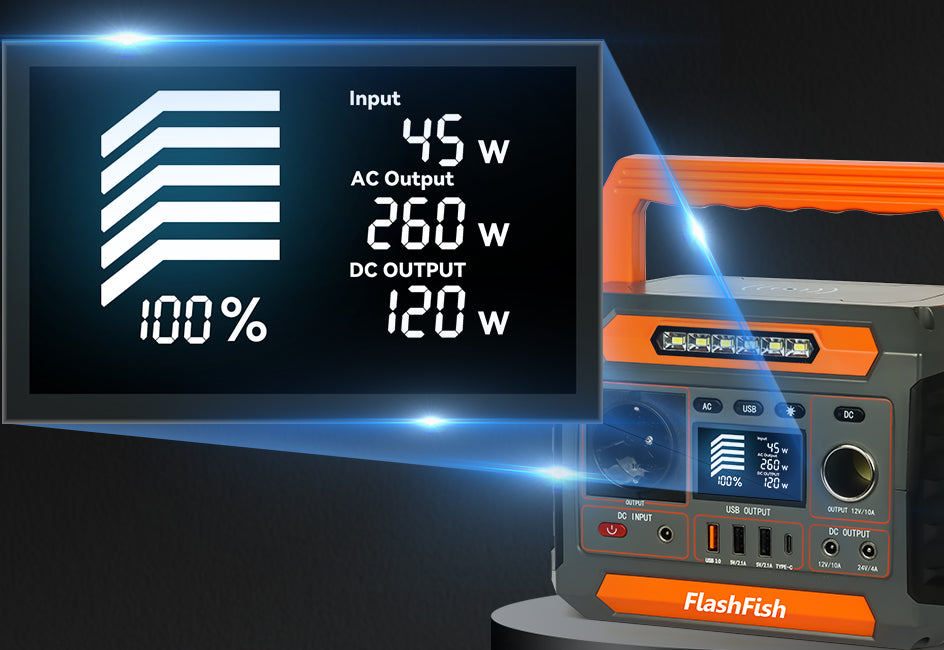
Match a device power brick to a portable power station by reading both labels, selecting the documented connector path, and stopping when any value or connector is uncertain. The power brick tells you what the device expects; the station label and manual tell you what a particular output provides. A plug that fits is not, by itself, a match.
Read the device side first
Look at the power brick supplied with the device, or the device’s charging instructions when it charges directly. Record the input line exactly as shown, along with the connector type. If the device has more than one charging option, use its documentation to identify which option is intended for normal use.
Then identify the station output
Find the output label on the portable power station and compare it with the documented device path. Keep AC power bricks with the appropriate AC outlet path. For direct USB charging, confirm that the device documentation supports the specific USB connector and charging arrangement. Do not rely on a cable’s shape, color, or a generic adapter label.
A practical matching sequence
- Turn the device or charger label toward you and read it.
- Identify the intended connector path.
- Read the corresponding station output label and manual.
- Compare the documented information without rounding or guessing.
- Connect one device only after the information is complete.
What the numbers do—and do not—answer
| Label detail | Why it matters | What it does not prove |
|---|---|---|
| Connector type | It identifies a possible physical path. | That the electrical path is approved. |
| Input information | It describes what the device or brick expects. | That another charger or cable will behave the same way. |
| Station output information | It describes one available station path. | That several devices can be added without review. |
| Continuous-output figure | It is part of the station’s published specification. | A runtime or a device-compatibility guarantee. |
Apply the same rule to E103 and TELLUS-T300Pro
The FlashFish E103 record lists a USB-C output up to 60W and 300W continuous pure-sine AC output; the bundle also notes that destination-market voltage and plug variants need verification. The FlashFish TELLUS-T300Pro record lists USB-C outputs up to 100W and 30W, two 120V/60Hz AC outputs, and 300W continuous pure-sine AC output. These are station specifications, not a substitute for reading the device maker’s label. Confirm the exact product version and documentation before use.
When to stop instead of improvising
Stop when the power brick is missing, the label is damaged, the connector requires an unfamiliar adapter, the device documentation conflicts with the label, or you cannot identify the station output confidently. Getting the original adapter, a replacement specified by the device maker, or qualified technical support is more useful than forcing a connection.
FAQ
Can I match a charger by wattage alone?
No. Use the complete documented input and connector path. A single wattage number does not identify the correct charger, cable, or output.
Does a USB-C port automatically work with every USB-C device?
No. Confirm the device’s charging documentation and the particular station output before connecting.
Can I connect more devices after one device works?
Review each additional device separately. Do not treat one successful connection as proof for a combined setup.
Next step: Review the FlashFish E103 specifications for your equipment list.

Dejar un comentario
Este sitio está protegido por hCaptcha y se aplican la Política de privacidad de hCaptcha y los Términos del servicio.