











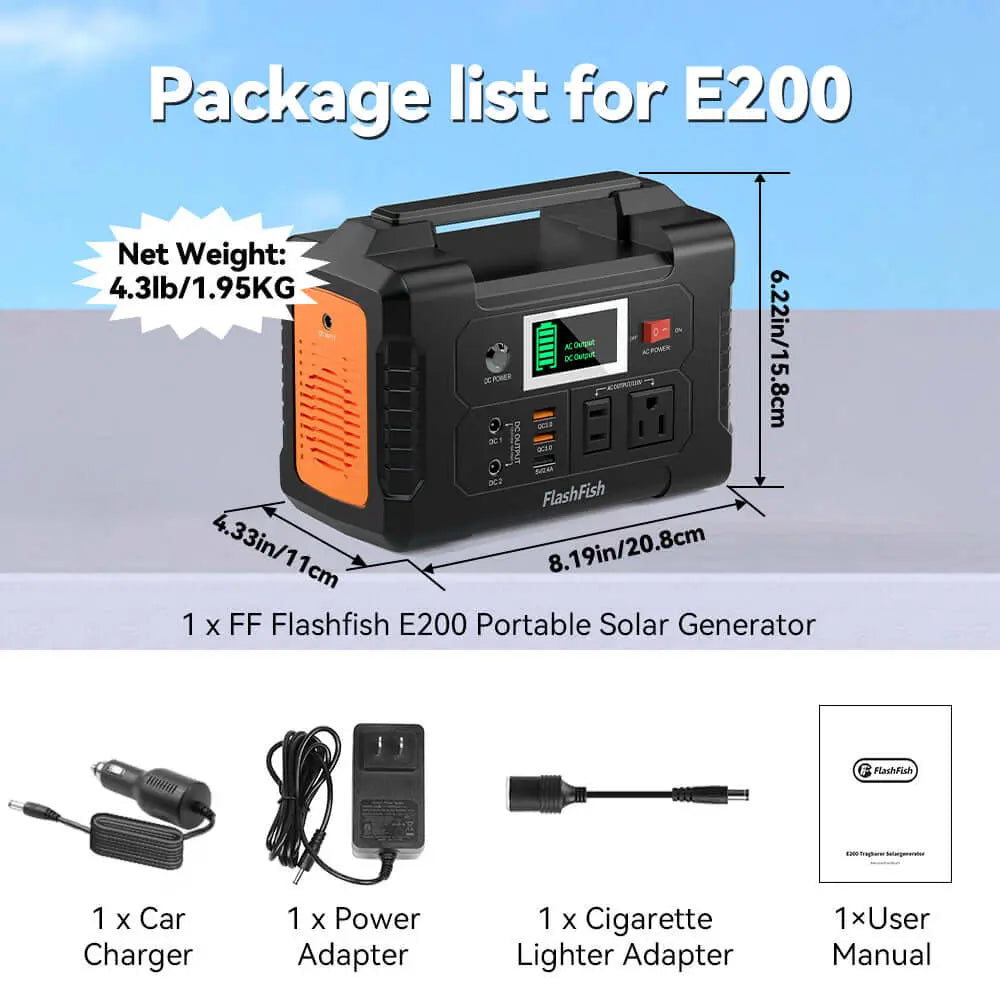
Portable power station ports should be chosen from the device charger first: AC for wall-adapter devices, USB-C only when the device, cable, and port support the needed profile, USB-A for lower-power charging, and DC or 12V only when the device input matches. Port labels do not guarantee runtime, simultaneous-use support, or compatibility.
Quick answer: match the port to the device's charger
A port checklist is a translation tool. Instead of asking which station has the most ports, ask what each device actually needs. A laptop might need AC or USB-C. A phone might use USB-C or USB-A. A small light might use USB, AC, or DC. A 12V device needs the right voltage, connector, polarity, and wattage, not just a similar-looking plug.
Once the port path is clear, check watts and stored watt-hours. Port convenience does not replace output limits, waveform considerations, cable requirements, or charging rotation.
| Port path | Best planning use | What to verify | Boundary |
|---|---|---|---|
| AC outlet | Devices that require a wall adapter | Continuous watts and waveform need | No per-device compatibility guarantee |
| USB-C | Laptops, tablets, phones, and selected gear | PD profile, cable, and port wattage | Port maximum is not guaranteed draw |
| USB-A | Phones, lights, and small accessories | Cable and charge limit | Not for high-power devices |
| DC or 12V | Devices with matching DC input | Voltage, plug, polarity, and wattage | No universal barrel-plug fit |
| Solar input or panel output | Recharging or top-up path | Input limit and sunlight conditions | Panels do not store power |
When to use an AC outlet
Use AC when the device requires its wall adapter or when the manufacturer gives only an AC charging path. Compare the adapter's rated wattage with the station's continuous AC output. If more than one device will use AC, add the connected loads and keep them within the supported continuous output.
Waveform can matter for some devices. FlashFish documentation lists pure sine AC output for T200, T300PRO, E103, T1200S, and T2000, and modified sine AC output for E200. Do not assume a device is safe or compatible solely because the plug fits.
When USB-C is the better path
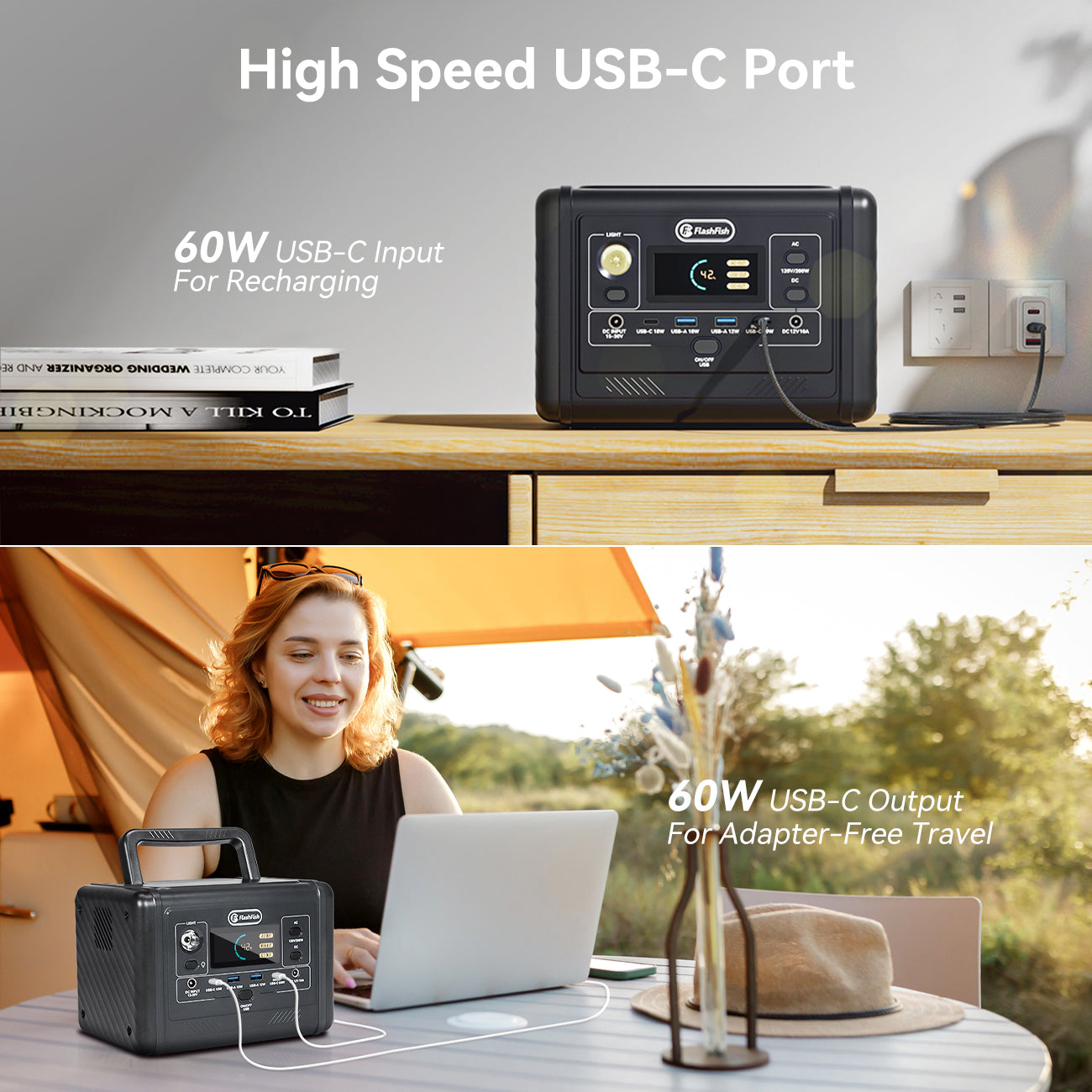
USB-C is often cleaner for phones, tablets, and some laptops because it can avoid a wall adapter. It is still a standards-and-cable decision. The device must support the charging profile, the cable must support it, and the station port must provide enough wattage.
FlashFish examples show why the exact port matters. T200 is listed with one 60W USB-C input/output port and one 18W USB-C output. T300PRO is listed with 100W and 30W USB-C output ports. T1200S and T2000 are each listed with 100W and 30W USB-C output ports. Those numbers help you shortlist a path, but they do not guarantee a laptop or tablet will charge.
When USB-A still matters
USB-A remains useful for phones, small lights, older cables, and small accessories. It is not a high-power laptop path. FlashFish documentation lists 18W USB-A maximums for A101, E200, E103, T200, T300PRO, T1200S, and T2000, with some models also listing lower-power USB-A ports.
Use USB-A when the device is designed for it and when speed is not the main issue. If the device needs more power than the USB-A port can provide, choose the correct AC, USB-C, or DC path instead.
When DC or 12V output matters
DC output matters for devices designed around a DC input. This is where guessing is risky. Check voltage, current, polarity, connector size, and the device's wattage requirement. A barrel connector that looks right can still be wrong.
FlashFish documentation lists DC output on several models, but the details vary. E103 lists DC5521 outputs plus a car charger output sharing up to 120W. T300PRO lists a cigarette-lighter output plus DC5521 and DC5525 outputs sharing up to 120W. T1200S and T2000 list cigarette-lighter, DC5525, and DC5521 outputs sharing up to 130W. These are station-side facts, not guarantees for a specific device.
Why port count and simultaneous output matter
Port count helps only when the outputs can support the devices at the same time. A station may have enough sockets for a phone, laptop, light, and router, but the combined draw still needs to stay within output limits. If the manuals do not provide a combined-output claim for the exact use case, avoid making one.
Charging rotation can be the better answer. Use the AC outlet for a device that needs the wall adapter, then use USB ports for lower-power devices in turns. That makes the setup easier to manage and avoids treating every device as a continuous load.
Check wattage before cable convenience
The fastest-looking cable is not always the right path. Check charger labels, station output limits, and cable ratings first. Stored watt-hours help compare station class, but output watts and port compatibility decide whether a device can be connected in the first place.
Solar is a separate path. A portable solar panel can provide power for recharging or direct USB charging where supported, but it does not store energy. The power station is the storage device.
FlashFish model examples after the checklist
Start with the FlashFish portable power stations collection if you are comparing AC, USB-C, USB-A, and DC paths. The FlashFish A101 is a compact example with 97.68Wh capacity, 120W continuous AC output, two 18W USB-C outputs, two 18W USB-A outputs, and one DC output.
The FlashFish E200 is documented with 151Wh capacity, 200W modified sine AC output, USB-A outputs, and 12V DC output, but the reviewed documentation does not list USB-C output. The FlashFish T200 adds LiFePO4 chemistry, pure sine AC output, a 60W USB-C input/output port, USB-A outputs, and 12V DC output.
The FlashFish T300PRO is documented with 230Wh capacity, 300W continuous AC output, two AC outlets, 100W and 30W USB-C outputs, USB-A outputs, and DC outputs sharing up to 120W. The FlashFish T1200S and FlashFish T2000 are larger examples with four AC outlets, higher stored energy, 100W and 30W USB-C outputs, USB-A outputs, and DC output groups.
For panels, the FlashFish TSP100 is documented as a 100W foldable solar panel with 18V DC output, 65W USB-C output, and 18W USB-A output. Use panels as recharge or direct-output tools, not as batteries.
When FlashFish fits
FlashFish fits when the device charger labels line up with documented station outputs and the user needs a portable, non-hardwired power source for phones, laptops, small accessories, selected DC devices, or charging rotation. The fit is strongest when the buyer checks port path, continuous output, stored watt-hours, and carry weight together.
When FlashFish may not fit
FlashFish may not fit devices with unsupported adapters, unknown DC polarity, high surge demand, hardwired requirements, weather exposure, or medical-device needs. It also may not fit when the buyer needs a compatibility guarantee for a named laptop, router, CPAP device, camera, appliance, or point-of-sale system and no official device documentation has been checked.
Related planning guides
For a USB-C-specific example, read the FlashFish T200 USB-C guide. For compact model comparison, see FlashFish T200 vs T300PRO for camping. For load planning, use Running Watts vs Surge Watts for Portable Power Stations.
FAQ
Is AC or USB-C better on a portable power station?
AC is better when the device requires its wall adapter. USB-C is better only when the device, cable, and station port support the needed charging profile.
Does USB-C wattage guarantee my laptop will charge?
No. USB-C wattage is only one requirement. The laptop, cable, and port profile all need to match, and some laptops still require their AC adapter.
Can I use all ports at the same time?
Use simultaneous ports only within the station's documented output limits. If the exact combined-output behavior is not documented for your use case, plan a charging rotation instead.
What does DC output mean on a portable power station?
DC output provides direct-current power for devices with matching voltage, connector, polarity, and wattage requirements. Do not assume compatibility from plug shape alone.
Do solar panel USB ports replace a power station?
No. Solar panels convert sunlight to electricity and may provide USB or DC output where documented, but they do not store power. A power station stores energy for later use.


Leave a comment
This site is protected by hCaptcha and the hCaptcha Privacy Policy and Terms of Service apply.