











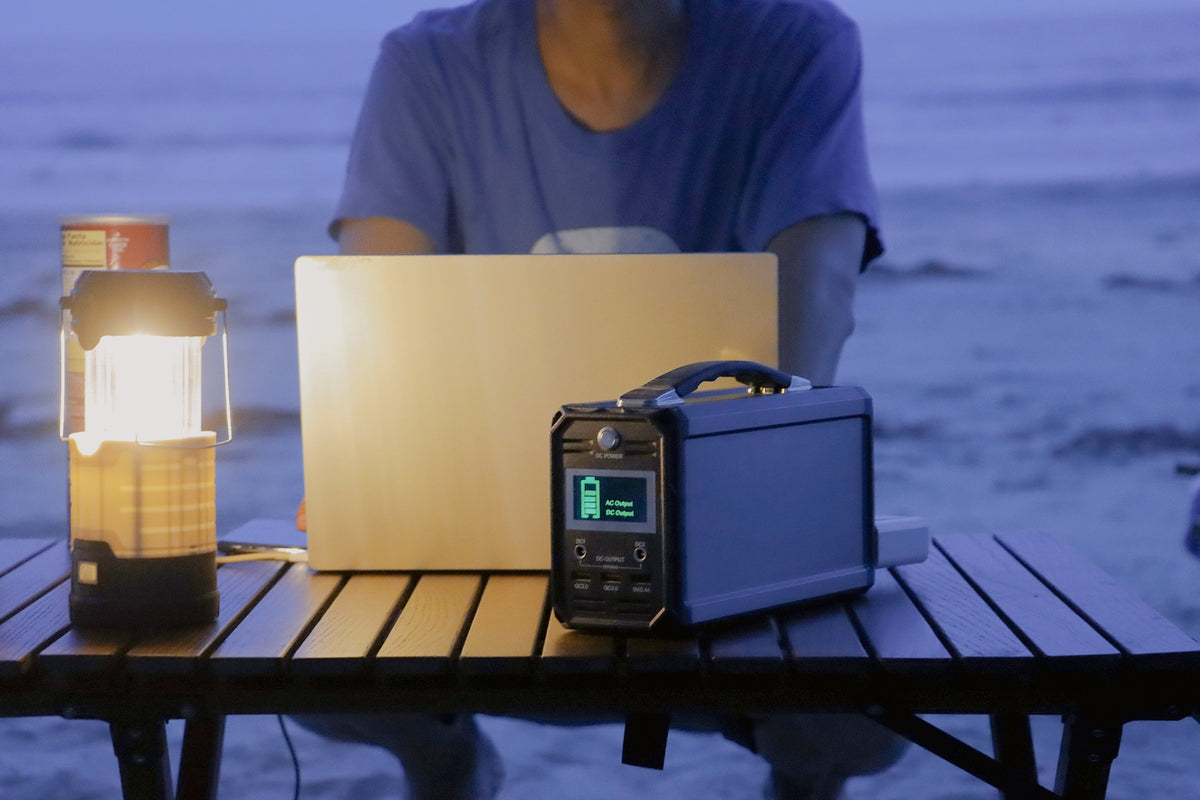
For a translation-device desk built around phones, tablets, and small audio accessories, choose the FlashFish A101 when lower carry weight and direct USB-C output are the priority; choose the E200 when the checked device plan needs more stored energy or more AC output headroom. A101 is 97.68Wh and about 1.2 kg with two USB-C and two USB-A outputs. E200 is 151Wh and about 1.85 kg with three USB-A outputs but no documented USB-C output. Confirm every device, cable, and adapter before treating either station as compatible.
The practical differences are capacity, ports, and carry weight
| Specification | FlashFish E200 | FlashFish A101 | Why it matters at a translation desk |
|---|---|---|---|
| Capacity | 151Wh | 97.68Wh | E200 starts with more stored energy, but neither rating guarantees a device count or runtime. |
| AC output | 200W continuous, 400W peak | 120W continuous, 240W peak | Use AC only for a checked adapter whose demand fits the exact station and regional outlet. |
| AC waveform | Modified sine wave | Not provided in the product record | Do not assume A101 waveform; check the adapter instructions and exact unit documentation. |
| USB-C | No USB-C output documented | Two 18W PD USB-C outputs | A101 offers a direct documented path for devices whose inputs and cables match. |
| USB-A | Two 18W QC 3.0 plus one 12W output | Two 18W QC 3.0 outputs | Count ports only after identifying which devices actually use USB-A. |
| Charging input | 11–24V DC/solar, 40W maximum | 12–26V DC, 3A and 40W maximum | Both station-charging plans require the documented cable and input range. |
| Battery type | Lithium-ion | Not provided in the product record | Do not assign a chemistry to A101 without a supporting manual or product record. |
| Carry weight | About 1.85 kg | About 1.2 kg | A101 reduces station weight by about 0.65 kg before cables and cases are added. |
Map the kit before choosing a station
A multilingual event team should make one row for every phone, tablet, receiver, transmitter, headset charger, and small speaker accessory. Record the device input, expected connection period, cable at each end, and whether its own AC adapter is required. Do not group devices under “USB” without the voltage, current or wattage, port direction, and cable information that distinguish one charging path from another.
- Separate event-owned devices from attendee-owned devices.
- Mark devices that must remain available during the event rather than being left at the charging desk.
- Reserve a labeled cable and output path for each accepted device.
- Add the documented demands; do not use the station's peak rating as a continuous budget.
- Keep a reserve and define a stop point instead of promising all-day service.
When A101 is the clearer fit
A101 is the more direct candidate when the verified kit primarily uses USB-C and USB-A, the individual devices fit the documented 18W USB outputs, and every pound matters during venue setup. Its four listed USB outputs offer more connector positions than E200's three USB-A outputs, but that does not guarantee four devices at full rated output simultaneously. The available record does not state a shared USB power budget, battery chemistry, or AC waveform, so the team should not invent those values.
When E200 is the clearer fit
E200 is the stronger candidate when the verified plan benefits from 151Wh rather than 97.68Wh, needs 200W rather than 120W of continuous AC headroom, or already uses appropriate USB-A paths. Its modified-sine AC output is a material limitation, not a footnote: check the instructions for each audio or translation-device adapter before using AC. If the desk depends on USB-C, E200 would require a separately verified adapter path because USB-C output is not documented for the station.
Keep audio continuity separate from charging claims
A station can support a charging plan without proving that a translation service will remain continuous. Event connectivity, software, microphones, receivers, headsets, batteries, device settings, and operator handoffs remain separate. Use the station only for the loads you have documented, keep critical equipment charged before doors open, and maintain the event team's normal backup procedure. Neither capacity nor peak wattage is evidence of uninterrupted translation.
Set up the desk to prevent cable and handoff errors
Place the station behind the staffed side of the table with ventilation space and a clear view of its indicators. Create labeled USB-C, USB-A, and AC-adapter zones. Keep drinks and loose paperwork away from connections, route cords outside walkways, and reject damaged or unidentified cables. At pickup, match the device tag to the event log before disconnecting it. Follow the venue's electrical and accessibility rules; if the table is outdoors, use only a permitted sheltered setup and stop when weather or cable conditions are unsuitable.
FAQ
Does E200 or A101 have more capacity?
E200 has 151Wh, while A101 has 97.68Wh. The difference does not by itself predict runtime because device demand and conversion losses vary.
Which model has documented USB-C output?
A101 has two documented USB-C PD outputs rated up to 18W each. E200 has three documented USB-A outputs and no USB-C output in its product record.
Can either station guarantee uninterrupted translation service?
No. The station is only one part of the kit. Device compatibility, software, connectivity, operator procedures, batteries, and backup plans must be managed separately.
Next step: Compare FlashFish E200 specifications with your requirements.


Leave a comment
Situs ini dilindungi oleh hCaptcha dan berlaku Kebijakan Privasi serta Ketentuan Layanan hCaptcha.