











Short answer: use a power bank when the portable monitor has a documented USB charging path that the bank and cable can supply. Consider a portable power station when the monitor requires its AC adapter, when the laptop and monitor need separate outputs, or when the combined energy requirement exceeds what the power bank can practically provide. Connector shape alone is not proof of compatibility.
The useful comparison is not "small battery versus large battery." It is a comparison of complete power paths: source, output standard, cable, monitor input, laptop input, simultaneous wattage, and desired work time. If any part of that chain is unknown, pause before buying.
First identify how the monitor is powered
Portable monitors commonly use one of several arrangements. Some receive video and power through a compatible USB-C connection. Some use one cable for video and another for power. Others rely on an AC adapter. Read the exact monitor manual because models that look alike can require different voltages, charging protocols, or minimum output levels.
| Decision point | Power bank is the stronger candidate when | Portable station is the stronger candidate when |
|---|---|---|
| Power path | The monitor documents a supported USB path | The monitor needs its AC adapter or another verified station output |
| Number of loads | The bank serves one clearly compatible device | The laptop, monitor, and accessories need separate managed outputs |
| Energy plan | The documented load and work period fit the bank with reserve | The total watt-hour estimate calls for a larger energy class |
| Desk setup | The bank can remain secured with one short cable | A stable station can organize several cables away from foot traffic |
Check USB-C as a standard, not just a plug
USB-C describes the connector, but power delivery depends on the source, device, and cable agreeing on supported profiles. A cable used successfully with a phone may not meet a monitor's requirements. Verify the monitor's required input and the power source's documented output. If the laptop is expected to power the display while also charging, include that additional demand in the laptop's energy plan.
Separate wattage from watt-hours
Watts tell you whether the source can support the load at a given moment. Watt-hours help estimate how long the energy supply might support that load. Add the monitor, laptop, and accessories that may run at the same time for the output check. For energy, multiply each verified wattage by its expected operating time, then allow for real-world losses and a reserve.
For example, a monitor labeled at 15W and used for four hours represents 60Wh before losses. A laptop averaging 35W over the same period would add 140Wh. Those are hypothetical teaching numbers, not assumptions about your devices and not a promise that a station with the same labeled capacity will deliver that runtime.
Where a compact FlashFish station may fit
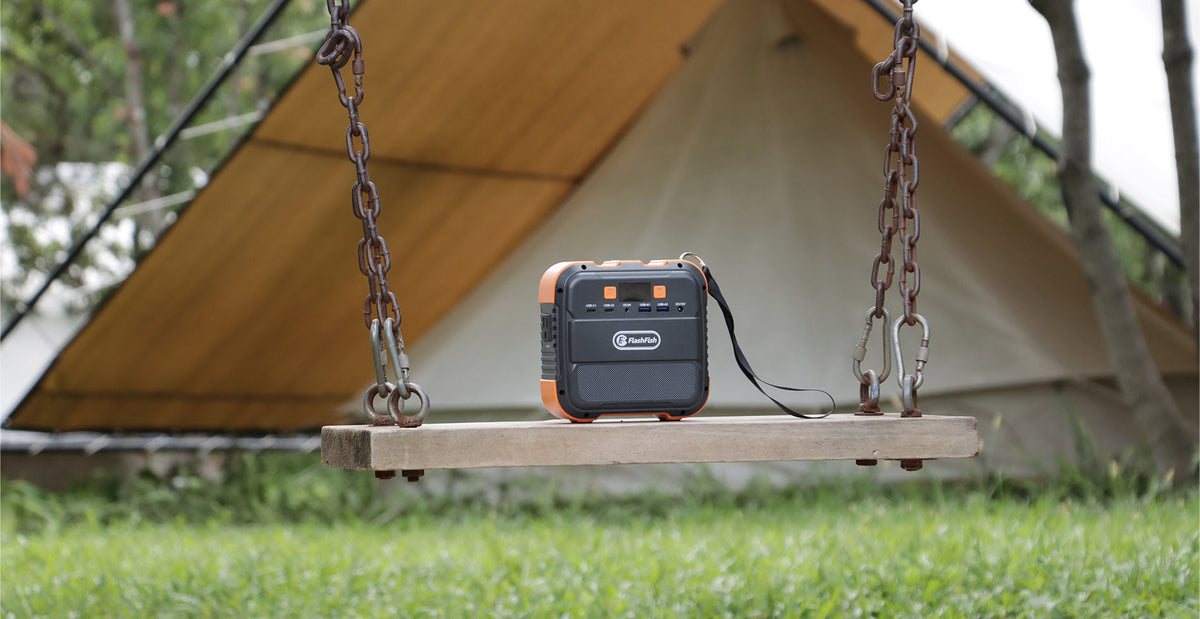
The FlashFish E200 product record lists 151Wh capacity and 200W continuous AC output. It can be investigated when the monitor's original AC adapter is required and the adapter and device maker permit the station's documented output waveform. The E200 record identifies modified-sine AC output, so equipment guidance matters.
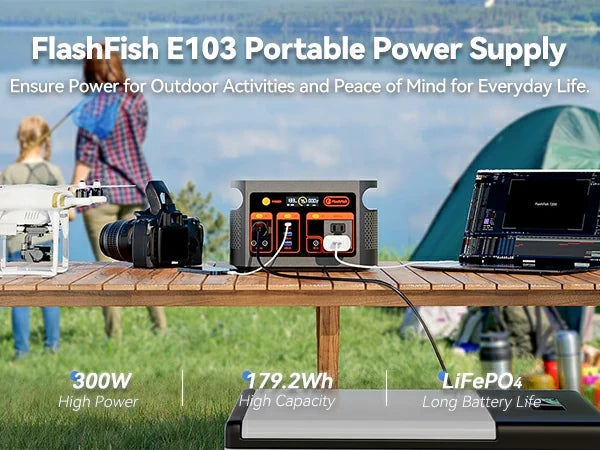
The FlashFish E103 record lists 179.2Wh capacity, 300W continuous pure-sine AC output, and USB-C output up to 60W. It may offer a more direct candidate path for a compatible USB-C monitor or a wider combined load, but only the monitor and laptop documentation can establish compatibility. Do not infer a match from the station's maximum figure alone.
Three setup patterns to evaluate
- USB monitor only: compare its required USB profile with the bank, cable, and station USB output.
- Monitor with original AC adapter: verify adapter wattage, station continuous output, waveform guidance, and cable placement.
- Laptop plus monitor: calculate simultaneous watts and separate watt-hours for both devices, then test the exact setup before travel.
Do a desk test before relying on the setup
Use the intended brightness, laptop workload, cables, and adapters. Watch for repeated connection changes, display dimming, adapter warnings, or unexpected shutdowns. Keep vents open and liquids away. A successful five-minute connection is not the same as a dependable work session, so test for the duration and workload that matter.
FAQ
Can any USB-C power bank run a USB-C monitor?
No. The connector may fit while the supported voltage, current, protocol, or cable rating does not. Match the specifications published for the exact monitor, bank, and cable.
Does a portable power station always last longer?
No universal runtime follows from the category name. Compare usable energy, conversion path, device draw, operating conditions, and reserve. Labeled capacity by itself is not a runtime guarantee.
Should the laptop or the station power the monitor?
Use the path documented by the device manufacturers. If the laptop powers the monitor, include the monitor's effect in the laptop load. If the station powers them separately, verify both outputs and their simultaneous total.
When is an AC outlet useful?
It is useful when the monitor requires its manufacturer-specified AC adapter and that adapter is compatible with the station's documented output. AC conversion also has losses, so include the complete path in the energy estimate.
Next step: Compare FlashFish E200 specifications with your requirements.


Leave a comment
Laman ini dilindungi oleh hCaptcha dan tertakluk pada Dasar Privasi dan Terma Perkhidmatan hCaptcha.