











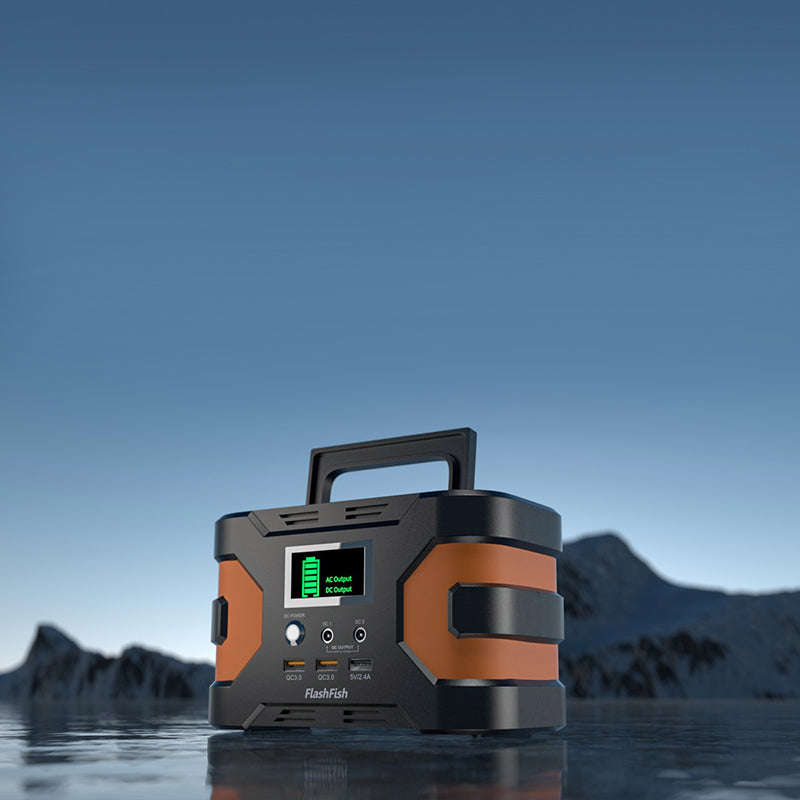
Quick answer: Plan an astronomy setup by identifying the exact telescope mount, phone, accessories, adapters, and connector types before choosing a portable power station. Read the mount and accessory manuals, compare their labeled requirements with the station’s documented limits, protect the equipment from dew or changing weather according to its documentation, and keep a reserve rather than assuming a published capacity guarantees an observing session. Quiet, low-draw hobby equipment still needs a model-by-model check.
Inventory the observing setup before sunset
Lay out the equipment in daylight and make a list: telescope mount, phone, controller, camera or other accessories if applicable, adapters, and cables. The connector is as important as the power number. A mount may use a specific connector, polarity, voltage range, or manufacturer-approved adapter; none of those details should be guessed from its use in astronomy.
Use the mount manual as the authority for its input requirements and operating guidance. If you cannot identify an accessory’s model or approved power path, treat it as out of scope for the session until it is documented.
Use capacity and output as separate checks
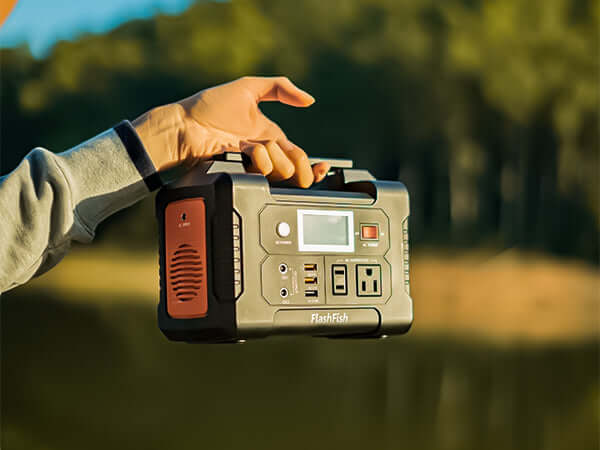
FlashFish E103 is documented with 179.2Wh capacity, a LiFePO4 battery, and 300W continuous pure-sine AC output. FlashFish T300Pro is documented with 230Wh capacity, a LiFePO4 battery, and 300W continuous pure-sine AC output. Capacity and continuous output answer different questions, and neither figure confirms a telescope mount’s connector, voltage, adapter, or runtime.
| Question | Documentation to use |
|---|---|
| How does the mount receive power? | The mount manual and its supplied or approved adapter information. |
| What does the station provide? | The exact station manual and the verified U.S. model/variant details. |
| How long will the setup operate? | A session-specific plan based on the actual equipment and conditions, not a generic promise. |
| Can accessories share the station? | Combined-load guidance for the station plus each accessory’s documentation. |
Protect the observing area and equipment
Choose a stable location where the station, adapters, and cables will not be disturbed by people moving around the tripod. Keep connection points organized and avoid routing cables through a walking path. Follow the product documentation for dew, moisture, temperature, and storage decisions; this article does not treat any station or telescope component as weatherproof.
If you attend a dark-sky event or use a managed viewing area, check the organizer’s rules before bringing equipment. Event policies may address lighting, parking, cables, arrival times, or equipment placement.
Keep a practical reserve
Start with only the documented gear you need, then keep optional accessories separate until you know the observing plan is stable. A reserve is a planning choice: it reduces the pressure to add equipment or continue using a setup after conditions have changed. It is not a claimed runtime or performance test.
For a phone, use only the cable and charging method specified by the phone manufacturer and confirmed against the station documentation. For a mount or controller, use the manufacturer-approved power path rather than an adapter chosen solely by its shape.
Final pre-observing check
- Confirm the exact mount and accessory models.
- Read the input, connector, and adapter details in each manual.
- Review the selected station’s documented capacity and continuous-output limits.
- Set up cables so they remain visible and away from the tripod and footpaths.
- Confirm the weather and venue plan with the appropriate organizer or documentation.
- Keep nonessential accessories unplugged until they are actually needed.
Related astronomy power checks
Use these current FlashFish pages and guides to continue your comparison:
- View the current FlashFish E103 product page
- View the current FlashFish T300PRO product page
- Use the camping telescope power checklist
FAQ
Can I use a portable power station with any telescope mount?
No. Verify the mount’s exact connector, input requirements, and approved adapter in its manual before connecting it.
Does a larger watt-hour number guarantee a full night of observing?
No. Runtime depends on the precise equipment and conditions. Build a session-specific plan from the relevant documentation.
Why should I check dark-sky event rules?
Organizers may set their own requirements for equipment placement and observing conduct; confirm them before setup.

Deixar comentário
Este site é protegido por hCaptcha e a Política de privacidade e os Termos de serviço do hCaptcha se aplicam.