











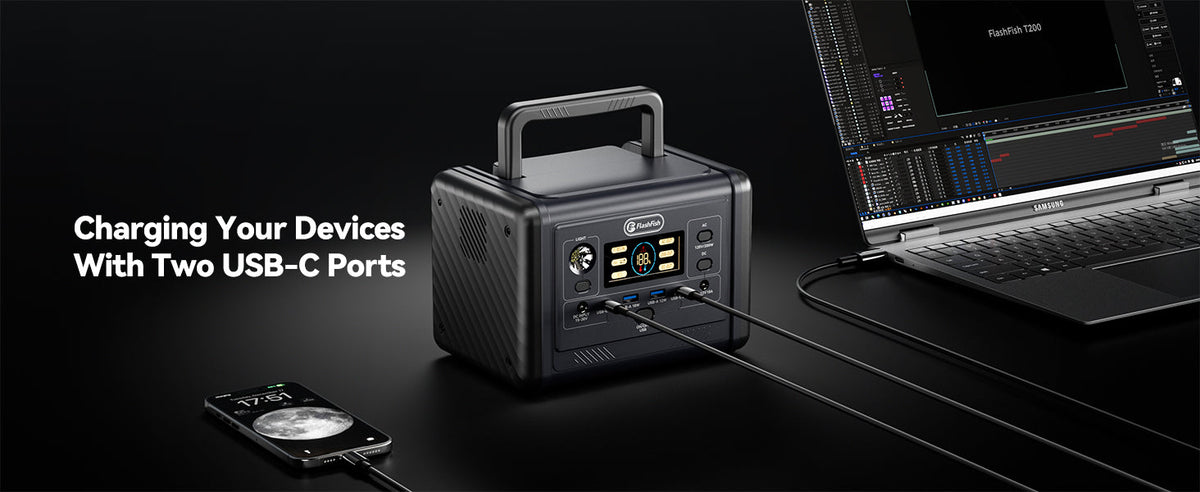
Choose E103 when the checked workshop setup needs more stored energy or AC output headroom. Choose T200 when a smaller, lighter station and more documented USB connector positions fit the device list. Both offer a 60W USB-C path, but every laptop, tablet, phone, light, cable, and adapter still needs verification.
The practical difference is table architecture
A community workshop device table should be designed around named equipment, not a promise to charge anything that arrives. The E103 and T200 overlap in some ways: both use LiFePO4 batteries, both provide pure-sine AC output, and both have a documented USB-C path rated up to 60W. They differ in capacity, AC headroom, size, weight, and the number and arrangement of USB outputs.
| Specification | FlashFish E103 | FlashFish T200 | Why it matters at the table |
|---|---|---|---|
| Capacity | 179.2Wh | 153.6Wh | E103 begins with more stored energy, but capacity alone does not establish session length. |
| AC output | 300W continuous, 600W surge | 200W continuous, 400W peak | E103 provides more headroom for checked AC adapters; peak or surge is not a continuous budget. |
| AC waveform | Pure sine wave | Pure sine wave | Waveform is documented for both, but an adapter still has to fit the exact outlet and limits. |
| USB-C | One 60W PD output | One 60W PD input/output and one 18W PD output | T200 lists two USB-C positions; USB-C1 also serves as an input, so plan its role deliberately. |
| USB-A | Two outputs up to 18W each | One output up to 18W and one up to 12W | Match each device and cable to the specific output instead of treating all USB-A ports alike. |
| DC output | Two DC5521 outputs plus car output, shared 120W maximum | One DC5521 output, 120W maximum | Use DC only for a documented, matching device path. |
| Dimensions | 274 × 147 × 163 mm | 200 × 142 × 146 mm | T200 takes less table length; allow additional room for cable bends and ventilation. |
| Weight | About 3 kg | About 2.5 kg | T200 is about 0.5 kg lighter before cables, cases, and device chargers are added. |
Use E103 when output headroom is the limiting factor
E103 is the clearer candidate when the approved equipment list includes AC adapters whose combined normal demand needs more than T200's 200W continuous rating but remains within E103's 300W continuous rating. Its 179.2Wh capacity is also higher than T200's 153.6Wh. Neither fact authorizes an unknown laptop, printer, power tool, heater, or motor load. Read each device and adapter label, check startup behavior where relevant, and keep the station below its continuous limit.
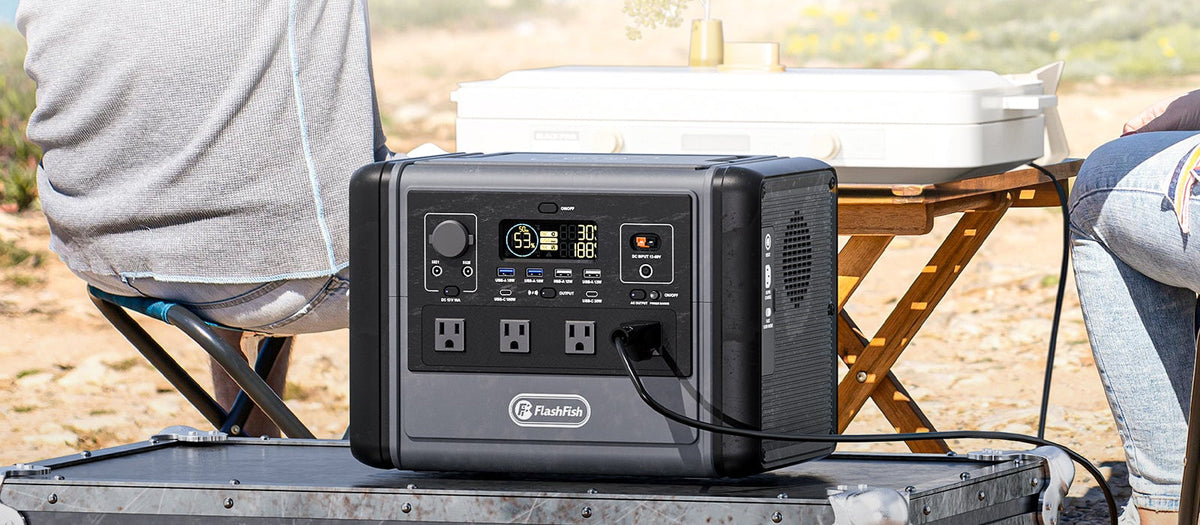
The E103's USB layout is straightforward for a mixed table: one 60W USB-C output and two 18W USB-A outputs. That can suit one verified USB-C device plus USB-A accessories, but the record does not support a promise that all three outputs deliver their individual maxima at the same time. A supervised pre-event test remains necessary.
Use T200 when space and USB layout drive the decision
T200 is the more compact candidate and lists four USB connector positions: USB-C1 up to 60W input/output, USB-C2 up to 18W, USB-A1 up to 18W, and USB-A2 up to 12W. That arrangement may reduce adapter clutter for a checked mix of phones and tablets. It does not turn the table into universal charging service, and connector count should not be converted into a simultaneous full-power claim.
The station's 200W continuous AC rating is lower than E103's 300W rating, so a workshop relying on multiple AC adapters needs particular care. If the device plan fits direct USB paths, T200's smaller body and lower weight may matter more than the additional E103 capacity. If even one required adapter does not fit the documented output, revise the equipment list rather than forcing the comparison.
Build a port-assignment sheet before setup
List laptops, tablets, phones, task lights, and any other approved equipment in separate rows. For each one, record the input rating, connector, cable, owner, priority, and intended output. Mark whether the device must operate while connected or can be charged before the session. Reserve the 60W USB-C path for a device that actually benefits from it instead of assigning it by device category alone.
- Separate workshop equipment from participant-owned devices.
- Verify every charger and cable by label and condition.
- Add normal AC demands and check any startup requirement.
- Assign one output path to each essential device.
- Define a reserve and a point at which no new device will be accepted.
Do not use a laptop label as a runtime promise
A laptop power adapter's wattage helps establish the required output path, but it does not state the laptop's constant draw. Screen brightness, battery state, processor activity, connected accessories, charging behavior, conversion losses, and other table loads change energy use. Likewise, dividing station watt-hours by an adapter's maximum rating produces only a rough boundary, not a guaranteed operating time.
Test the exact equipment arrangement for a representative period, observe the station and devices, and retain enough reserve for an orderly shutdown. Repeat the test when the device list, cable set, software workload, or table schedule changes.
Protect workspace and visitor flow
Place the station behind the staffed side of the table with its ventilation areas and display unobstructed. Keep intake, active-use, and pickup zones separate so cables do not cross. Label cables at both ends, keep liquids and loose craft materials away from connections, and use venue-approved cable covers where cords approach a walkway. Do not stack equipment on the station or hide adapters under fabric.
For a covered outdoor venue, “covered” does not mean weatherproof. Confirm the venue's electrical rules, use only a dry and permitted setup, and stop when moisture, wind, heat, or crowd movement makes the arrangement unsafe or hard to supervise. Neither station should be treated as protected from weather based on the evidence used here.
FAQ
Which model has more AC output headroom?
E103 is rated for 300W continuous and 600W surge AC output. T200 is rated for 200W continuous and 400W peak. Plan from the continuous rating and verify every connected adapter.
Which model offers more documented USB connector positions?
T200 lists two USB-C and two USB-A positions. E103 lists one USB-C and two USB-A positions. Port count does not prove that every port can deliver its maximum simultaneously.
Can either model be selected from the laptop and printer names alone?
No. Use the exact device and adapter labels, connector requirements, normal and startup demand, cable condition, table layout, and venue rules. Product category names do not establish compatibility.
Next step: Compare FlashFish E103 specifications with your requirements.

Leave a comment
This site is protected by hCaptcha and the hCaptcha Privacy Policy and Terms of Service apply.