


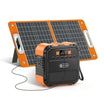

An offline manual pack is usable only when the correct documents actually open on the device you will carry, with networking disabled, and their instructions and diagrams remain readable. A bookmark or a downloaded filename is insufficient. Build an index of exact equipment, document versions, local files, and observed results before leaving home.
This is a document-access check, not a power-kit compatibility test. Resolve a mismatched manual before treating its instructions as applicable. Perform the access check on a spare or idle reader device; do not interrupt equipment that depends on its current connection.
Start with matched documents, then check access
The FlashFish U.S. User Guides directory asks owners to match the exact model and regional electrical version. Record the revision if one is printed. If none is visible, write “revision not shown” and retain the source address and retrieval date rather than assigning a version yourself.
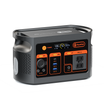
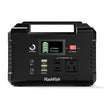
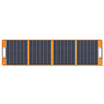
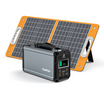
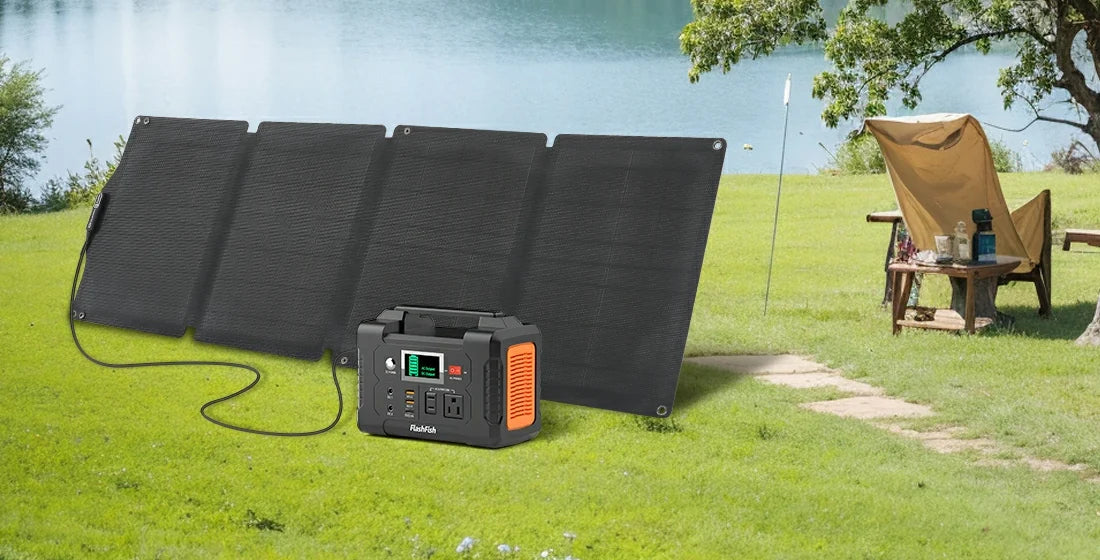
For an E200 station, a TSP18V60W panel, and a separate phone or camera, use separate entries. Similar names do not make the panel manual interchangeable with an SP18V60W manual. Nor does possessing both documents establish that the particular cable, station, and panel form an approved combination.
A useful pack contains the complete authorized documents, not only cropped pages that omit their conditions. Identify the safety and connection pages in the index so they can be found quickly, while keeping the full context available. Obtain the device manufacturer's instructions for the actual phone, camera, or other reader equipment as well.
Make an index that records what you observed
Use the following blank worksheet. The result column describes a check you perform; it is not a claim that any file has already passed.
| Equipment identity | Original source and revision | Local file and key pages | Offline result | Unresolved item |
|---|---|---|---|---|
| E200, exact regional label | Manufacturer source address; printed revision or “not shown” | Filename; safety and diagram page references | Not checked / opened and readable / failed | Document mismatch or missing section |
| TSP18V60W, exact panel label | Manufacturer source address; revision | Filename; diagram and limitations | Record actual reader-device result | Unreadable labels or missing page |
| Exact device and accessory | Device maker's document and version | Filename; relevant instructions | Record actual result | Missing OEM file or dependency |
Keep the source address in the index even though the local copy is what you will open offline. It lets you identify where the document came from when you return to a connection. Keep private order information and personal folder paths out of any version you share.
Check the local file, including its diagrams
- Save a copy through the manufacturer's permitted download method. Confirm where it was saved and which application opens it.
- Close the document and disable networking on the idle reader device. Open the saved file from its local folder rather than a browser tab or search result.
- Navigate to the pages you indexed. Enlarge connector labels, page references, warnings, and diagrams enough to read them. Check whether following an internal reference stays within the available document.
- Record the result for that device and file. Mark a page unavailable if it still requires a remote page, account, or download you have not retained.
- Restore networking after the check and resolve failures at home. Repeat the access check after replacing a file or changing the reader application.
Use a modest completion rule: count a document as accessible only after it opens and its needed pages are readable. Keep “correct version confirmed” as a separate field. Three readable files can still include one wrong manual.
Three hypothetical packing outcomes
Example 1: A bookmark is mistaken for a saved manual
A camper has an E200 manual bookmarked but no local file. With networking disabled, the document does not open. The index records “failed: remote page only.” The next action is to obtain the correct authorized document, not to mark the station ready because the bookmark has a familiar title.
Example 2: The file opens, but a diagram is unreadable
A TSP18V60W document opens on a phone, but a connector label cannot be read at the available resolution. Record “opened; diagram unresolved.” Obtain a readable original or manufacturer clarification. Guessing from the shape in a blurred picture does not fix the document gap.
Example 3: Access passes, identity does not
A camper opens a clearly rendered E200 PDF but finds that its electrical version differs from the station label. Access passed; applicability did not. Keep the mismatch visible and request the matching file before relying on its operating instructions.
Where E200 and TSP18V60W fit
These models make a useful document-pairing exercise because a station and a panel need their own records. The directory-linked manufacturer manual directory is a starting point, not proof that a file matches your unit. This access method does not establish weather protection, charging performance, runtime, or electrical compatibility. No equipment operation is needed to check whether a document opens.
FAQ
Can I use screenshots instead of the manual?
Use screenshots as navigation aids alongside a complete applicable document. A selected image may omit a restriction or reference that changes the meaning of the page.
What if no revision is printed?
Record that absence, the retrieval date, and the original source address. Ask the manufacturer to identify the applicable revision if the missing version prevents a match.
Does opening every file prove the kit is ready?
It proves only the access result you observed. Document identity, equipment condition, permitted use, and electrical matching remain separate decisions.
Before packing, finish the index on the actual reader device. Resolve missing or mismatched documents first; use the exact model details when discussing any remaining equipment choice with support.
Next step: Compare FlashFish E200 specifications with your equipment list.

Leave a comment
This site is protected by hCaptcha and the hCaptcha Privacy Policy and Terms of Service apply.