












Short answer: When printer power pauses, record the sale reference and whether its receipt was actually printed. Keep the print queue separate from payment and stock records. Before reprinting, check the exact app's job state and provider instructions so an uncertain receipt does not become a guessed transaction.
This plan addresses the moment between a receipt request and confirmed output. It does not establish payment permission, accounting rules, printer behavior, or a compatible power supply. The vendor's approved app and payment procedures decide which actions are allowed.
Keep three records separate
A sale can have a payment state, an inventory state, and a print state. Those states may appear in one app, but a printer losing power does not tell you which other steps finished. Ask the provider where each state is displayed and how staff should reconcile it. Do not infer that payment succeeded from a receipt request or that stock changed from a printed slip.
Before market day, choose a reference already supported by your sales process, such as its transaction identifier. Use only information needed by your approved workflow; avoid putting sensitive payment details on a paper queue. Confirm how staff may access the reference if the tablet or network is unavailable.
Make a queue staff can read without the printer
| Queue field | What to record | What to avoid inferring |
|---|---|---|
| Sale reference | The identifier from the approved sales process | A new sale because a receipt needs another copy |
| Print request | Whether it was requested, pending, or not checked | That a request proves paper output |
| Observed output | Complete, partial, absent, or unknown | That a blank tray proves no job is queued |
| Next approved action | Check job state, wait, or reprint under provider instructions | A universal restart command |
Leave unknown states visible. If two staff members share the queue, identify who is reviewing a row and mark it resolved only after the approved action is complete. The paper copy is a handoff tool, not a substitute for the provider's transaction record.
Resolve the queue before sending more jobs
Printer and app behavior varies. A job might remain queued, disappear, or require intervention, but no outcome is established for your exact system here. Read the printer and software instructions for interrupted jobs and ask the provider how to distinguish an original receipt from a permitted copy.
Once the documented power arrangement is available again, follow the equipment's prescribed restart process. Review the pending queue before staff send new print requests. Do not repeatedly press print because no paper appeared; first determine what the app reports and which next action the provider permits.
If you cannot resolve a row, hold it for the designated reviewer. Keep selling only under your existing approved fallback procedure. A charged power station does not restore connectivity, authorize offline payments, or reconcile inventory.
Three hypothetical queue entries
- A complete receipt was seen before power paused: record that observation against the existing sale reference. If the customer requests another copy, use the provider's reprint procedure rather than creating another sale.
- Only part of a receipt appeared: mark output partial and the remaining job state unconfirmed. Check the exact app and printer instructions before deciding whether to resume or issue a copy.
- The tablet sent a request but staff saw no output: mark output unknown. Check for a pending job under the documented workflow before sending the request again.
These examples are queue labels, not claims about a particular printer. They show why staff need separate observations even when every receipt looks like a small electrical load.
Document the printer's power path separately
Record the printer model, specified adapter, input requirements, and the manufacturer's procedure for an interrupted job. A USB socket may be a data connection; it does not establish that the printer can run from a station's USB port. A connector that appears to fit also does not establish voltage, polarity, or operating-power compatibility.
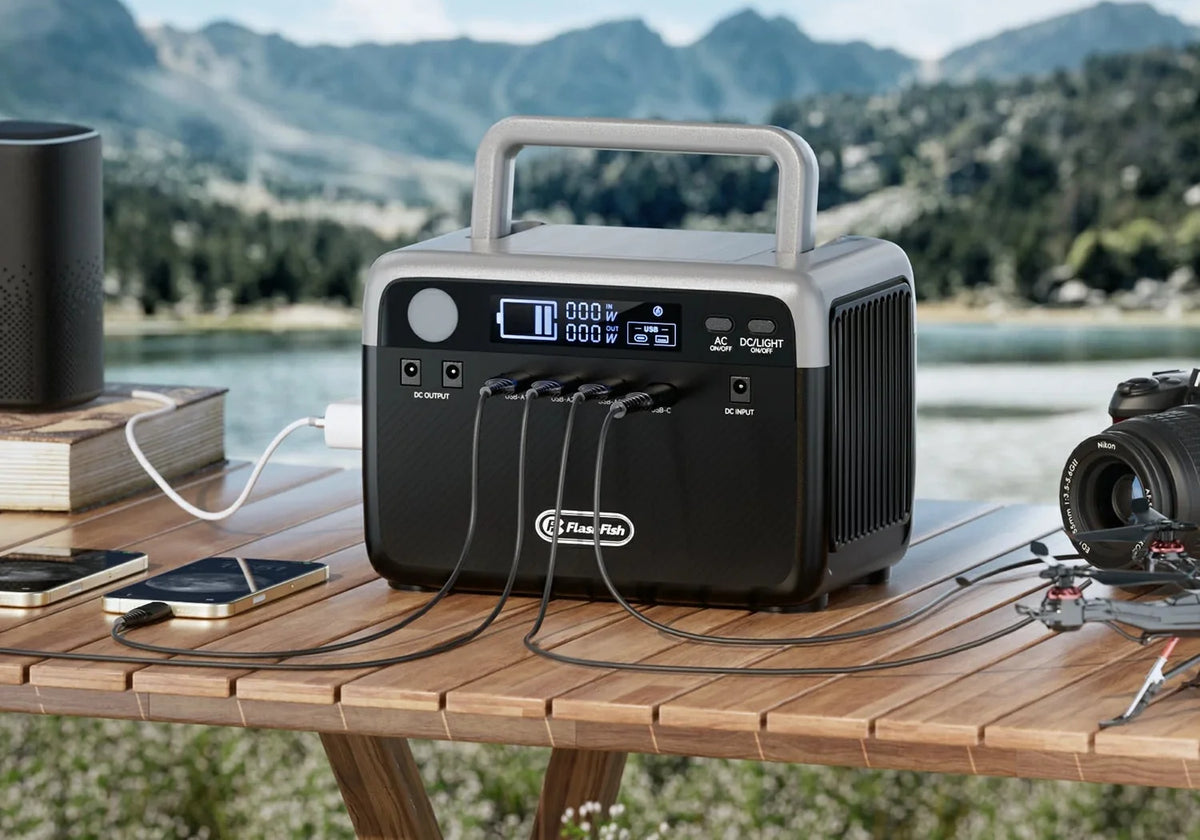
The FlashFish E200 manual lists 151Wh, two USB-A outputs up to 18W each, and another up to 12W. It does not list USB-C output. Its 200W AC output uses a modified sine wave, and the manual distinguishes regional voltage configurations. Confirm the actual U.S. unit and the printer adapter's requirements before considering that path.
The E103 manual lists 179.2Wh, one USB-C output up to 60W, and two USB-A outputs up to 18W each. Those USB ports are potential starting points for a documented tablet charging comparison. Its 300W pure-sine AC specification is from a 230V manual configuration and does not establish a U.S. printer pairing.
Keep the power worksheet and receipt queue as separate documents. Port ceilings do not establish shared-output limits, and battery capacity does not predict printer runtime. If the power pairing remains unresolved, arrange a manufacturer-supported option or leave printing out of the portable setup.
Give the next shift an unresolved-row list
At a staff change, review outstanding sale references, observed output, and the person authorized to decide the next action. Agree which record is the reference copy so two volunteers do not independently act on the same row. Reconcile the queue with the actual provider records at closing under your normal process.
The market organizer controls permitted equipment placement, cables, and weather arrangements. Obtain those instructions and follow the exact equipment manuals. A booth canopy does not establish an environmental rating, and this queue plan supplies no electrical or weather procedure.
FAQ
Does a missing receipt mean the payment failed?
No conclusion follows from missing paper alone. Check the payment state through the provider's approved process.
Should I send every pending job again after restart?
No universal rule applies. Check the exact app and printer job states and follow their documented recovery instructions.
Can a power station prevent duplicate receipts?
It cannot manage the queue by itself. Staff need confirmed print states and the provider's permitted reprint procedure.
What can remain unresolved on the handoff sheet?
A sale reference may have an unknown print state. Keep that uncertainty visible and assign its next review action without guessing payment or inventory status.
Test the handoff before opening
Use your approved training workflow to practice recording a complete, partial, and unknown print state without creating real transactions. Confirm the recovery procedure with the provider. Then compare current FlashFish model details with the documented tablet and printer requirements.
Next step: Compare FlashFish E200 specifications with your equipment list.


发表评论
此站点受 hCaptcha 保护,并且 hCaptcha 隐私政策和服务条款适用。