












If a camping device's own instructions require it to be off or unavailable while charging, put that unavailable time on your activity schedule first. Mark every must-use interval, then look for a separate, manufacturer-permitted charging window that someone can attend. If the charging duration is unknown, the device's availability at the next activity is also unconfirmed. A larger power station does not remove the device's charge-mode restriction.
This approach is for non-critical recreational equipment. It starts with an actual instruction for your device; it does not assume that cameras, lights, speakers, or other devices all have the same restriction. The goal is a usable activity timeline, including any activity you must change or skip.
Start with the instruction that makes the device unavailable
Write down the exact device model and the relevant sentence from its manual. Identify what must stop: all operation, one function, or use through a particular charging connection. Record the manual revision and the permitted charger or input path beside it. If the wording is unclear, ask the device manufacturer before treating charging and operation as compatible.
Keep the receiver and power source separate in your notes. Permission for a station to supply an output while the station itself charges does not establish permission to operate a connected device while that device charges. Each instruction applies to its own equipment and operating mode.
Build a timeline around the activity you need
Mark required-use blocks before placing any charging blocks. Include the period when the device must be ready for setup, rather than starting the use block only when the activity officially begins. Add the time needed for any transition required by the device instructions.
| Field | What to enter | What it decides |
|---|---|---|
| Device and source restriction | Exact model, manual revision, affected function | Which activity becomes unavailable |
| Must-use interval | Setup start through final required use | Time you cannot allocate to charging |
| Permitted charge interval | Available attended window under the instructions | Where charging could fit |
| Existing duration evidence | Prior attended completion observation and its starting condition, or unknown | Whether the window has a supported duration estimate |
| Unavailable activity | Activity affected by charging or an incomplete charge | What must move or be omitted |
| Unresolved duration | Missing completion time or uncertain transition | Whether readiness remains unconfirmed |
Use three labels: available when the required function is ready, charging and unavailable during the documented restriction, and availability unknown when completion or readiness has not been established. A cable plugged into a source is not a fourth label meaning ready.
Check overlap before checking battery size
Two intervals conflict when they share time. For a proposed charge window and a required-use window, compare the later start with the earlier finish. If the later start comes before the earlier finish, that shared period is a conflict. Even when the intervals just meet, allow for any required transition; finishing a calendar block is not evidence that charging has completed.
A prior observed duration can inform a provisional schedule only with its conditions attached. Record the starting charge indication, charger, cable, device state, and completion indication. A different starting condition leaves uncertainty. Do not calculate this device's charging duration by dividing its battery rating by the station's maximum output rating.
Three hypothetical camping schedules
These examples illustrate scheduling only. They are not observations of a named device or instructions authorizing a connection. Each assumes the device manual has already established the stated restriction.
Example 1: A separate window exists
A device is required from 6:00 to 7:00 p.m. Its proposed attended charging window is 4:00 to 5:00 p.m., leaving an hour before use. The calendar has no overlap. Readiness still depends on actual completion and the device's permitted transition to use; the spare hour is a scheduling allowance, not a charging guarantee.
Example 2: Charging would cancel part of the activity
A required-use block runs from 5:30 to 6:30 p.m., while proposed charging runs from 5:00 to 6:00 p.m. The overlap is 30 minutes. Mark 5:30 to 6:00 p.m. as an unresolved activity conflict. Move charging to a permitted separate window, change the activity, or use an independently suitable alternative.
Example 3: A blank duration prevents a readiness promise
An attended window is available from 2:00 to 3:00 p.m., with use planned at 3:30 p.m. No applicable charging-duration evidence exists. Record the one-hour window, but leave completion and 3:30 readiness unknown. Do not fill the blank with a time inferred from a product's watt rating.
Where FlashFish E103 and T200 fit
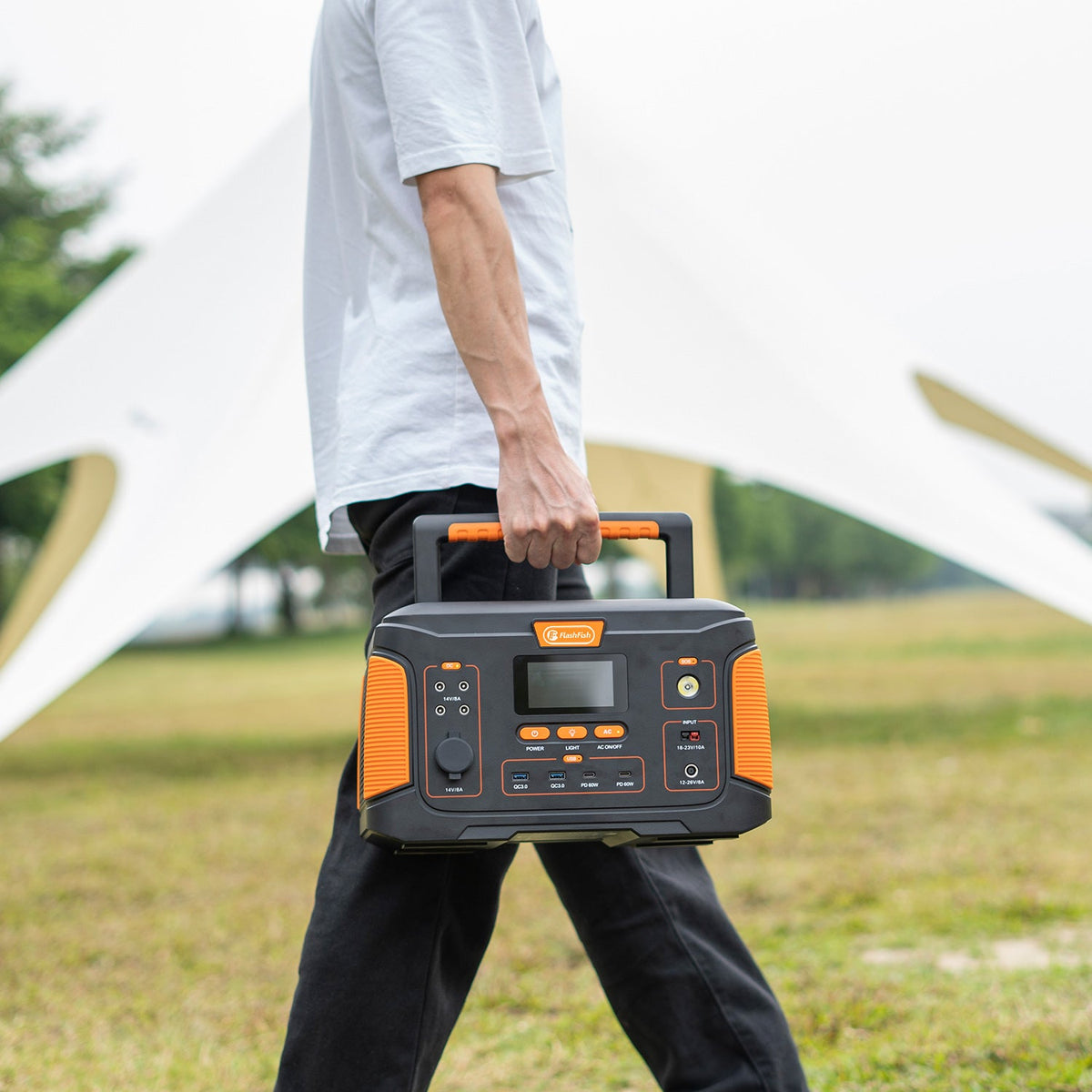
The FlashFish E103 specification record lists a USB-C output up to 60W and 179.2Wh nominal battery capacity. The T200, recorded as TELLUS-T200, lists USB-C1 up to 60W, USB-C2 up to 18W, and 153.6Wh. These are source specifications to check against the device's required charging path. They do not establish that a specific device accepts a port or finishes within a particular window.
If you need an AC charger, match the exact regional station, charger, and manual first. The E103 manual record used here describes a 230V version and does not establish the AC configuration of a U.S. unit. T200's cited manual record specifies 120V AC. Resolve that identity question before choosing an AC path.
Method: this is an instruction-based scheduling worksheet, not a hands-on charging test. FlashFish specifications come from manufacturer records; the FlashFish U.S. manual directory explains how to match the model, electrical version, and revision. The connected device's own instructions remain necessary.
Frequently asked questions
Should every free period become a charging period?
No. A free calendar period is useful only if the instructions permit the charging setup and someone can attend it. You may also need the device during informal activities. Write those activities down rather than assuming that time outside the main event has no value.
Can I keep the same duration estimate after changing the charger?
Keep the old observation as a record of the old setup. It does not establish completion time for a different charging path. Update the setup details and leave the new duration uncertain until applicable evidence is available.
What if the required-use window cannot move?
Make the conflict explicit. If no supported charging window fits, the proposed arrangement does not meet your activity plan. Choose an alternative whose documented operation meets the requirement, or change the planned activity; do not assume the restriction disappears with a different power source.
Make the next product decision from the timeline
Complete one row for your actual device today. Once a permitted charging window and required input are established, compare those requirements with the exact E103 or T200 specification and regional manual. Choose the source around that documented path, then keep unavailable periods visible in the camping plan.
For the separate electrical selection decision, use the camping power station selection guide. It does not establish a connected device's off-while-charging permission.
Next step: Compare FlashFish E103 specifications with your equipment list.

发表评论
此站点受 hCaptcha 保护,并且 hCaptcha 隐私政策和服务条款适用。