











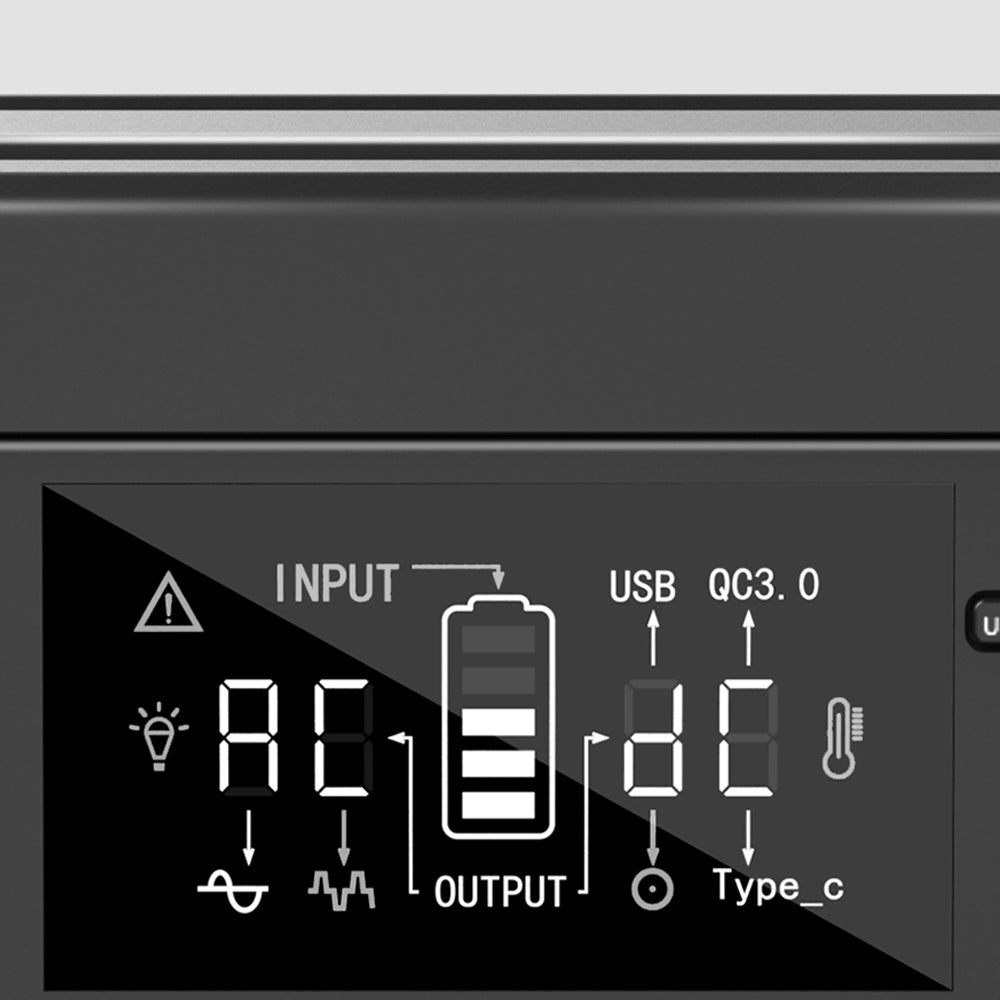
No. A dark screen alone does not establish that every output is disabled or that the whole power station is off. Use the shutdown instructions and confirmation criteria for the exact model and revision. If those instructions do not establish the state, record it as unconfirmed and ask support rather than guessing from the display.
This guide is for FlashFish E200 and T300Pro owners interpreting the controls before putting a station away. It separates the visible screen, individual outputs, and whole-unit state. It does not diagnose a fault, prescribe a button sequence for every version, or establish electrical isolation for servicing.
Separate the three states you are trying to identify
The screen is what you can see. An output-control state concerns a particular function, such as AC, DC, or USB. Whole-unit shutdown is a further claim that needs the manufacturer's applicable instructions. Do not merge those three entries because one screen has gone dark.
For example, an instruction about turning off one output answers a narrower question than an instruction about shutting down the station. Similarly, a screen timeout would describe display behavior only unless the applicable manual explicitly links it to another state. This guide does not supply a timeout or standby-consumption figure for either model.
| Exact model | Display state | Output-control state | Whole-unit state | Confirmation needed |
|---|---|---|---|---|
| E200, matching label and revision | Record what is visible | Record AC and DC controls separately using the matching instructions | Unconfirmed from darkness alone | Applicable instructions covering all functions and shutdown confirmation |
| T300Pro, matching label and revision | Record what is visible | Record the relevant output controls separately | Unconfirmed from darkness alone | Matching main-control instructions and their stated confirmation |
| Revision or model unresolved | Record the observation without interpreting it | Unconfirmed | Unconfirmed | Correct manual identified by support |
What the E200 records do and do not establish
The manufacturer-supplied E200 operating information identifies DC and AC controls in its shutdown text. The E200 manual currently linked from the U.S. guide directory also illustrates separate DC and AC controls. These records make it important to check the relevant controls rather than assume that a display observation answers for all outputs.
The illustrated manual's AC switch has labeled on and off positions. That is information about the illustrated AC control; it does not turn an unverified screen state into proof of complete shutdown. Match your unit's controls and revision before using those instructions. If your unit differs or the instructions leave a function unaccounted for, request the correct shutdown confirmation.
Why T300Pro needs a revision check
T300Pro is also identified as T300PRO or TELLUS-T300Pro. Its manufacturer-supplied operating information refers to the main power button for shutdown. The U.S.-linked TELLUS-T300Pro manual separately illustrates a main power control and controls for individual outputs.
The reviewed manual and supplied operating information do not describe every control detail identically. That prevents a reliable universal short-press, long-press, or wait-time instruction for an unidentified unit. The useful conclusion is to match the applicable revision and its confirmation criteria. Do not resolve the mismatch by borrowing an automatic shutdown rule from another FlashFish model.
Make one clear support request
Prepare the model label, regional version, manual revision, and a plain description of what you observed. Keep private identifiers out of public posts. State which instructions you followed and which confirmation remains missing; do not claim that a dark screen proves the outputs are off.
“My unit is [exact model and regional version], and my manual is [revision]. The display is [observation]. The documented control actions I followed are [actions]. What is the correct shutdown procedure for this revision, and what confirms that each output and the whole unit are off?”
If support supplies a revision-specific answer, retain it with the matching manual. Do not generalize it to a different station. A useful answer must account for the functions on your unit, rather than merely confirm that its display can go dark.
Three hypothetical cases
These are decision examples, not product tests or reports of actual failures.
- An E200 display is dark, but the owner has not checked the matching control instructions. The record says “display dark; shutdown unconfirmed.” The next task is to identify the correct manual, not declare the station off.
- A T300Pro owner finds different button wording in two documents. The owner saves both document identities and asks which applies to the labeled unit. No universal press duration is inferred.
- A borrower says they turned off one output. The receiving owner records that limited statement and checks the instructions for the remaining functions and whole-unit shutdown. The handoff does not become “all off” through shorthand.
Product fit includes controls you can understand
When evaluating E200 or T300Pro, include the matching manual and an understandable shutdown confirmation in your decision. A capacity or output rating cannot settle a control-state question. A model is easier to manage for your use when the people handling it can follow the applicable instructions and describe what they have confirmed.
If a unit is damaged, swollen, leaking, unusually hot, or has an unusual odor, FlashFish's U.S. support guidance says to stop using and charging it and contact support. Do not continue button experiments as a way to establish a normal shutdown state. An unexplained display condition alone is not a diagnosis of those problems.
Frequently asked questions
Can I wait until the screen goes dark and call it off?
Only use a confirmation that the applicable manufacturer instructions actually establish. Darkness by itself leaves the output and whole-unit states unresolved. This guide does not provide a generic waiting interval or automatic shutdown rule for E200 or T300Pro.
Does unplugging a device prove its station output is disabled?
Removing a device and disabling an output are different entries in the shutdown record. Use the matching control instructions to establish the output state. Do not label the whole station off solely because a connected device is no longer present.
Should I test the outlet with another device?
This guide does not call for an external meter or device test. Its method is to identify the applicable instructions and documented confirmation. If those are missing or contradictory, request support clarification rather than repeatedly experimenting with an unexplained condition.
Before the next handoff
Keep the matching E200 or T300Pro manual with your packing notes. Write down the confirmation it requires for each function and for shutdown. Leave any missing confirmation explicit, and resolve it with support before treating the station as ready to put away.
Next step: Review the FlashFish E200 specifications for your equipment list.

发表评论
此站点受 hCaptcha 保护,并且 hCaptcha 隐私政策和服务条款适用。