











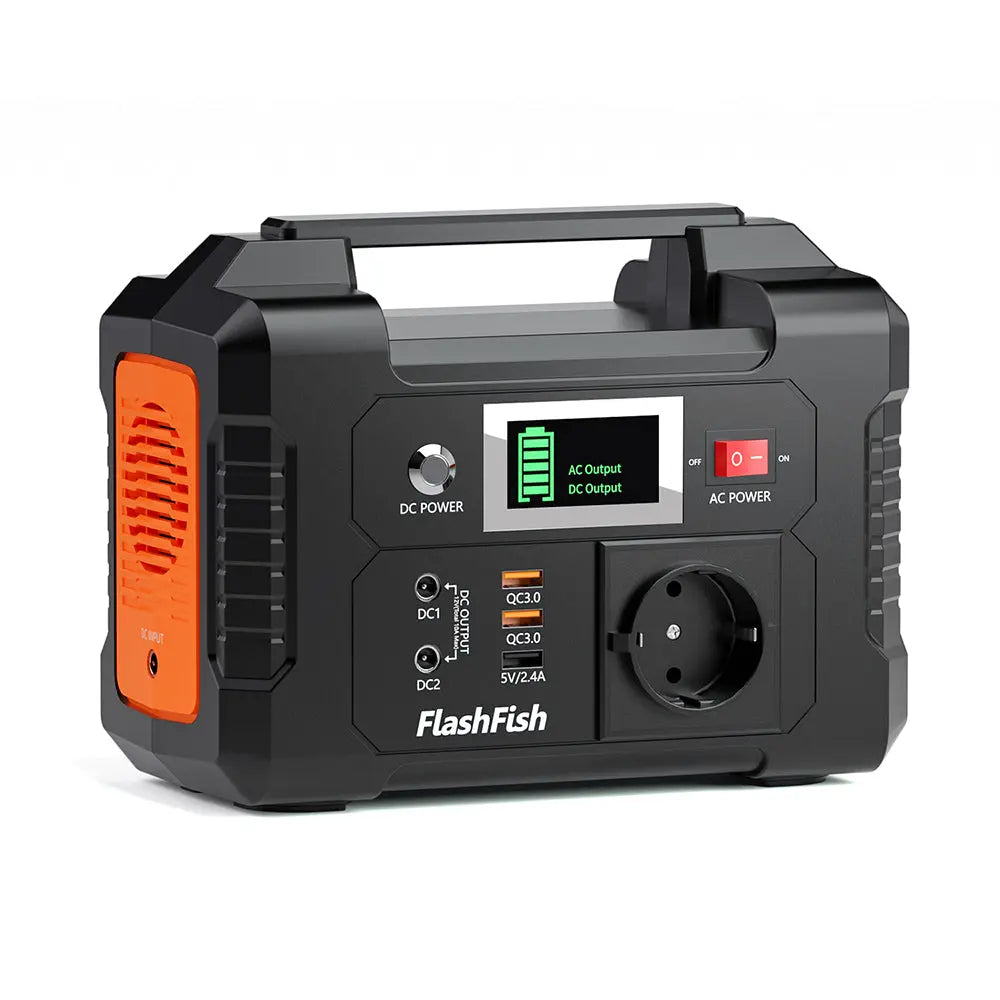
Short answer: Plan a garden harvest-log table around the actual labels on the tablet, label maker, and their chargers—not around a guessed runtime. Keep the setup small, dry, and out of walkways; then choose a portable power station only after the device inputs, cables, and the garden’s rules are confirmed.
Start with the work, not the power station
A harvest-log table can stay focused when it has one job: recording produce, printing labels if needed, and keeping the day’s gear organized. List every powered item, its input label, the connector it needs, and whether it must be used at the table. A phone used for photos is different from a tablet that must remain on for entries; neither should be treated as interchangeable with a label maker.
- Write down the exact device and charger models.
- Photograph each power label before packing.
- Bring only the cables and adapters identified by those labels.
- Assign one volunteer to check cords and the table area before opening.
Make the table easy to use
Put the paper log, tablet, and label supplies where volunteers can reach them without stretching cables across a path. Keep drinks, damp produce, irrigation equipment, and loose soil away from the power station and connectors. If the site changes because of rain, watering, foot traffic, or an organizer’s instruction, pause the powered setup and move to a permitted dry location rather than improvising around the problem.
Read labels before choosing an output path
Do not assume that a USB port, AC outlet, cable, or adapter will suit a particular tablet or label maker. Compare the device label and its manufacturer instructions with the station’s manual and the exact unit in hand. The A101 record lists 97.68Wh capacity and two USB-C plus two USB-A outputs rated up to 18W; its AC socket version varies by region. The E103 record lists 179.2Wh capacity, a USB-C output rated up to 60W, two USB-A outputs rated up to 18W, and a 300W rated AC output. Verify the destination-market outlet and plug configuration before relying on either AC output.
A simple harvest-table planning sheet
| Item | What to record | Decision before setup |
|---|---|---|
| Tablet | Model, input label, cable | Use only the documented charging path. |
| Label maker | Model, adapter label, duty cycle | Do not assume it can share a connector or outlet. |
| Power station | Exact model, ports, manual | Match the station-side specification to the device documentation. |
| Garden table | Location, weather exposure, foot traffic | Confirm organizer and site requirements before running cords. |
Where a compact FlashFish station may fit
For a compact recordkeeping table, a FlashFish A101 or E103 may be worth comparing after the labels are checked. Capacity and port ratings describe the station, not a promise of device compatibility, total runtime, or simultaneous-load performance. Choose the model only after confirming the exact device, cable, adapter, and market-specific outlet requirements.
Before volunteers arrive
- Charge and inspect the station according to its documentation.
- Bring a printed fallback log in case the powered setup is not appropriate.
- Keep connectors protected from moisture and loose debris.
- Stop and ask the garden coordinator when a placement or site-rule question is unresolved.
FAQ
Can one portable power station run every device at the table?
Do not assume so. Confirm each device’s requirements and the station’s documented limits before connecting equipment together.
Can we put the station under the table?
Only if that location stays dry, clear of debris and foot traffic, and consistent with the product documentation and the garden’s rules.
How long will a tablet and label maker run?
There is no reliable answer without the exact devices, their settings, and the complete power path. Treat a runtime estimate as a separate, label-based calculation rather than a general promise.
When the labels, cables, and site conditions are clear, compare the exact FlashFish model specifications with the equipment documentation and use the smallest setup that keeps the harvest log workable.
Next step: Compare FlashFish A101 specifications with your equipment list.


Leave a comment
เว็บไซต์นี้ได้รับการคุ้มครองโดย hCaptcha และมีการนำนโยบายความเป็นส่วนตัวของ hCaptcha และข้อกำหนดในการใช้บริการมาใช้