












Before disconnecting portable power after a field photo backup, verify the intended files on two separate destinations against the source, save the results, and complete the applicable eject and shutdown steps. A finished progress bar or matching file count alone does not establish file integrity. If either destination has not passed the chosen verification procedure, record the backup as unresolved and retain the originals.
This workflow is for photographers finishing non-critical field transfers. It gives you a specific stopping decision: two verified destination copies, or a written explanation of what remains incomplete. It does not guarantee data preservation or authorize erasing a memory card.
Define what “two copies” means before starting
For this checklist, two copies means two destination copies in addition to the retained camera-card source. Name the source batch and both destinations before moving files. Two folders on one physical drive do not meet this checklist's separate-destination requirement. Separate drives can still share the same computer, hub, cable route, power supply, or carrying case.
Write down the files included in the batch, including any companion files you intend to preserve. Keep that scope fixed during verification. If new photos are added midway, create a new batch or explicitly update the verification record; do not let a result for yesterday's folder stand in for the current card.
Copying is preferable to a workflow that removes the source as it goes. This article contains no deletion or formatting steps. Card reuse is a separate decision that should follow your established backup policy after the field session.
Keep an integrity and shutdown record
| Source batch | Destination | Integrity procedure | Result | Eject state | Next step |
|---|---|---|---|---|---|
| Card label and batch scope | Physical drive A and folder | Supported verification method and saved report | Pass, mismatch, unreadable, or unverified | Pending or confirmed | Resolve exceptions before disconnecting |
| Same source batch | Physical drive B and folder | Same defined method, independently run | Pass, mismatch, unreadable, or unverified | Pending or confirmed | Record the second destination separately |
File counts and folder sizes help reconcile the scope, but they are not the integrity result. A report must say which files were actually checked. A successful check of a small selection leaves the rest unverified. If your application verifies only transferred files or skips existing ones, understand that boundary before marking the entire batch complete.
Choose a supported content check
Use the documented verification feature in your copy application, or a supported checksum procedure. Microsoft's Get-FileHash documentation describes computing a hash from file contents and uses SHA-256 by default. Compare corresponding source and destination files using the same algorithm; a filename match alone is insufficient. Record the method and result for each destination.
That is evidence about the compared contents at the time of checking. It does not establish that the original photograph was captured correctly, that every required companion file was selected, or that the drive will remain readable indefinitely. Opening a few photos can help you notice a selection mistake, but it does not replace checking the defined batch.
Verification features differ by copying application, operating system and drive. Follow the instructions for your actual software and drives. If the tool cannot read a file or finishes with exceptions, retain that exception in the record rather than calling the batch verified.
Trace power dependencies before ending the session
List what the station powers: a computer charger, a powered hub, an external drive supply, or another component. A laptop's internal battery does not prove that a separately powered drive remains available when the station is switched off. The stopping order must account for every component in the transfer path.
After transfers and checks finish, close applications using the external storage. Microsoft advises using the Windows hardware-removal process before disconnecting external storage and waiting for the removal confirmation. Use the procedure appropriate to your operating system and device. If ejection remains blocked, investigate the active process rather than pulling the cable. Then follow the equipment instructions for shutdown before ending the station's output.
Three hypothetical end-of-session decisions
1. Both destinations pass
The same defined batch passes the documented content check on drive A and drive B. Both reports are saved, and both devices complete the required ejection process. Record two verified destination copies and the completed shutdown steps. Retain the source card; this result does not itself authorize reuse.
2. The counts match but one file differs
Both folders show the expected count, but drive B has a content mismatch. Mark B unresolved, preserve the source, and investigate using the copying tool's instructions. A matching count cannot overrule the mismatch. Avoid overwriting your only known good copy while troubleshooting.
3. Verification was interrupted
Drive A passed, but drive B was disconnected before its check finished. Record one verified destination and one unverified destination. Recheck B when the documented setup is available again. Do not relabel the interrupted session as complete because its copy progress bar had reached the end.
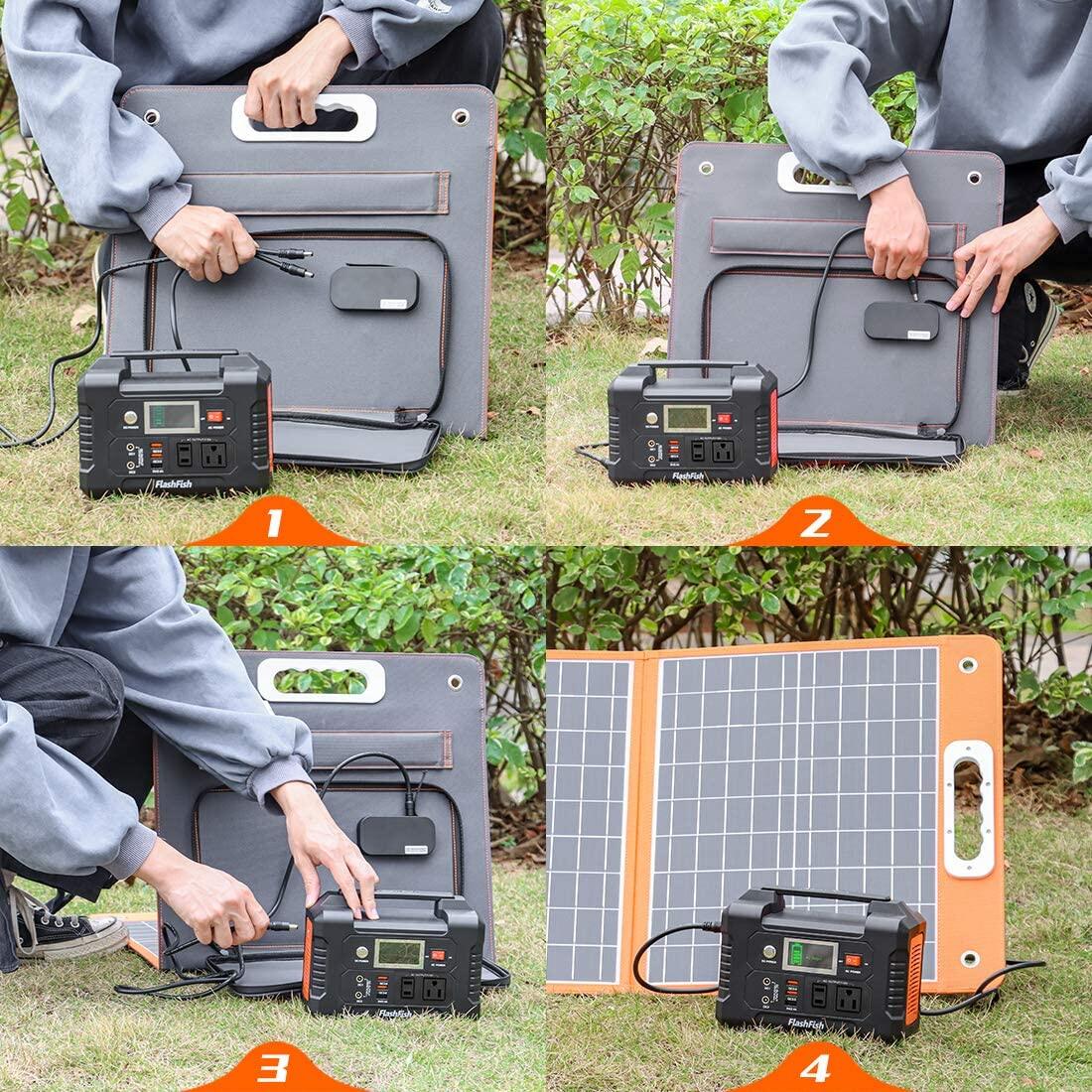
Where FlashFish E103 and T300Pro fit
The FlashFish E103 manual lists 179.2Wh capacity and a USB-C output up to 60W. The cited manual describes a 230V AC version, so it does not establish a U.S. AC connection for your equipment. The T300Pro manual, for the model also identified as T300PRO and TELLUS-T300Pro, lists 230Wh and USB-C outputs up to 100W and 30W.
These are starting points for comparing documented power requirements. They do not prove a laptop, hub, or drive combination is supported, establish a shared output budget, or say how long verification will take. Check the exact U.S. unit manual, device requirements, cables, and complete power path before selecting either station. Neither station performs the file-integrity decision described here.
Frequently asked questions
Is a matching file count enough?
No. Use it to check the intended scope, then apply a documented content-verification method to the files in that scope. Keep the result for each destination. Unchecked files remain unverified.
Can I shut off the station when the laptop is still on?
First determine whether any drive, hub, or other active component depends on station power. Complete the applicable storage-removal and equipment-shutdown steps. A laptop battery alone does not resolve the rest of the power path.
Does a passed check mean I can erase the card?
This checklist does not make that decision. It records two destination checks and shutdown status. Retain the source and apply your separate backup and card-reuse policy, including any additional review it requires.
Finish with a written stopping decision
Complete both rows of the worksheet before packing. If your equipment needs a different power source, turn its actual input requirements and dependency list into the specification checklist for an exact FlashFish model. Resolve the transfer and shutdown requirements first, then compare the station configuration that supports the documented plan.
For the wider equipment budget, use the outdoor photography power-planning guide alongside this checklist.
Next step: Compare FlashFish E103 specifications with your equipment list.


发表评论
此站点受 hCaptcha 保护,并且 hCaptcha 隐私政策和服务条款适用。